Field Sales Softwarefor South African Teams
Connect customer visits, offline mobile orders, route plans, GPS-linked check-ins, commissions and manager reporting in one field sales management system.
Start with a 14-day free trial and import your existing customer and product data
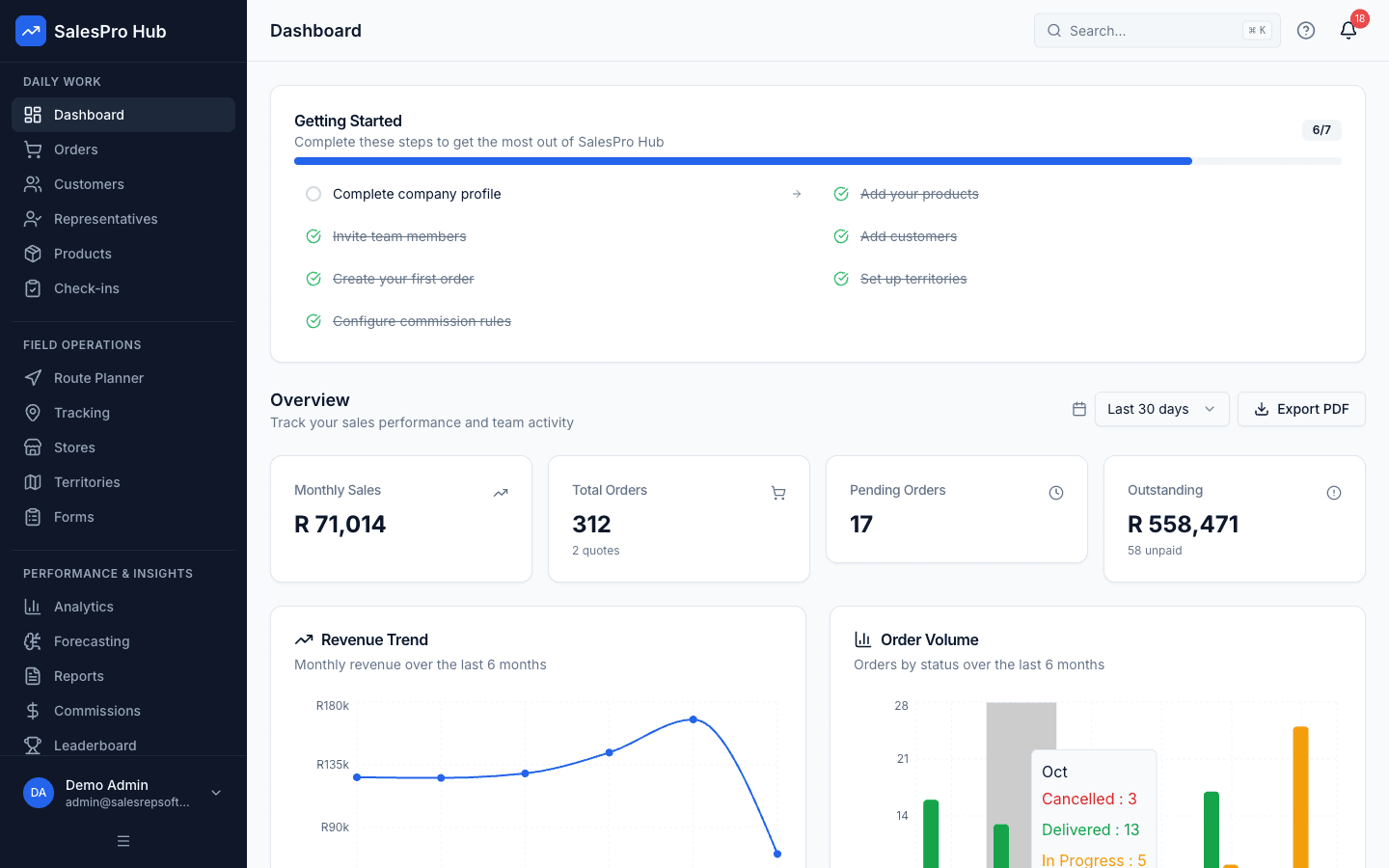
Direct answer: field sales software is a mobile-first system for representatives who visit customers away from the office. It keeps the planned route, customer context, visit evidence, order and manager record connected—even when part of the workflow must continue through weak connectivity.
What is Field Sales Software?
Sales rep field software is a specialized mobile field sales app designed to support sales representatives who work outside traditional office environments. Unlike standard CRM systems built for desk-based work, field sales management software prioritizes mobility, offline functionality, and location-based features essential for field sales success.
Field sales teams face unique challenges including poor connectivity in rural areas, long travel distances between customers, and the need to access customer information and process orders while on the road. Traditional office-based sales tools simply don't address these field-specific requirements. See how reps take orders on the road, even offline, on our order taking app page.
A useful field sales app should also connect daily planning to the wider call cycle. Reps can start with the free sales route planner and evaluate the managed route planning software when assignments, optimisation and completed-stop visibility must be shared across a team.
Office Sales
- • Stable internet connection
- • Desktop/laptop access
- • Phone-based customer contact
- • Fixed location operations
Field Sales
- • Variable connectivity
- • Mobile device dependency
- • Face-to-face customer visits
- • Location-based operations
Poor Connectivity
Offline-first architecture ensures productivity continues without internet access
Long Travel Distances
Route planning helps teams organise customer stops across large territories
Load Shedding Impact
Offline-capable field workflows reduce reliance on continuous connectivity
Data Compliance
Consent, access and retention controls can support a POPIA operating policy
Essential Features for Field Sales Reps
Our sales rep field software includes every feature your mobile field sales team needs to succeed, designed specifically for South African field conditions and business requirements.
- Access customer data anywhere
- Update records on-the-go
- Manage contacts and opportunities
- Track interaction history
- Offline-capable visit flow
- Automatic data synchronization
- Queued field updates
- Pilot-ready sync testing
- Location-linked activity
- Geofencing controls
- Visit verification
- Policy-aware tracking
- Territory visualization
- Route planning
- Customer prioritisation
- Coverage review
- Complete customer profiles
- Interaction timeline
- Opportunity pipeline
- Contact management
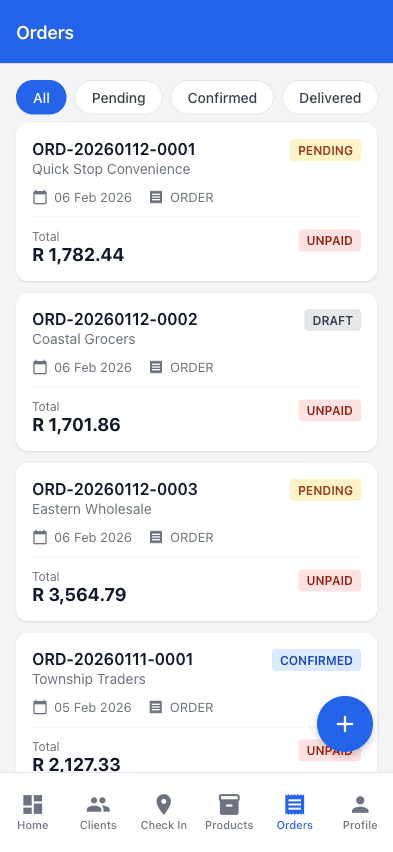
- Mobile order creation
- Customer pricing
- Inventory controls
- Office review workflow
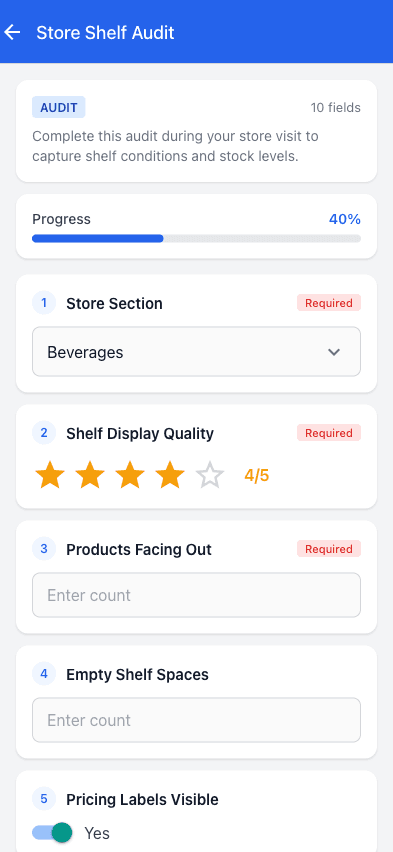
- Photo documentation
- Digital signatures
- Document capture
- Record-linked evidence
- Field performance metrics
- Territory analytics
- Visit reporting
- Productivity insights
Technical Specifications
Powerful Mobile Tools for Field Reps
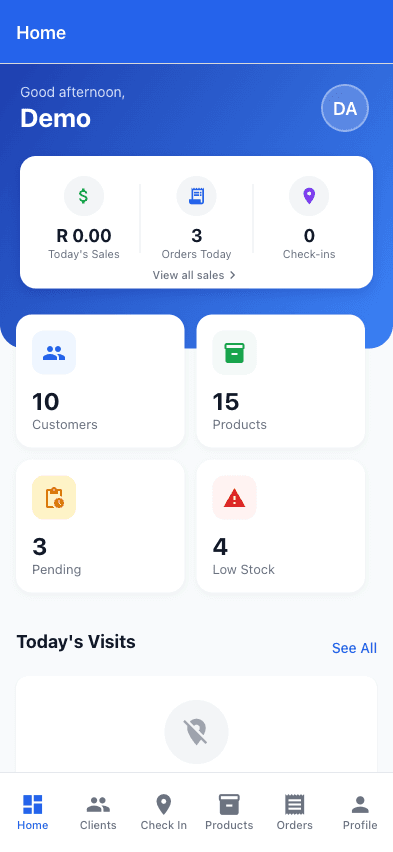
Give your reps everything they need in their pocket. Orders, check-ins, products, and customer data - all available offline.
Benefits of Field Sales Software
Reduce avoidable re-entry, missed visit context and fragmented reporting by connecting the rep's field workflow to the office record.
Use assigned visits and one shared customer record
Review routes, check-ins and customer activity together
Capture the activity once during the customer workflow
Keep evidence and underlying records connected
Productivity & Efficiency Gains
Enhanced Visit Efficiency
Route optimization and territory mapping reduce travel time, allowing more customer visits per day with better preparation and follow-up.
Real-Time Data Access
Instant access to customer information, order history, and product details enables more informed conversations and faster decision-making in the field.
Automated Processes
Automated data capture, sync, and reporting eliminate manual paperwork, reducing administrative burden and improving accuracy.
Better Customer Relationships
Personalized Interactions
Complete customer history and preferences at your fingertips enable more personalized and meaningful customer interactions during field visits.
Faster Response Times
Mobile access to information and ability to process orders on-site dramatically improves response times to customer requests and inquiries.
Territory Optimization
Better understanding of territory coverage ensures all customers receive appropriate attention and no opportunities are missed.
Industry Applications
Our field sales management software serves diverse industries across South Africa, with specialized features for each sector's unique field sales requirements.
Why South African Businesses Choose Our Field Sales Software
Local Understanding
Built specifically for South African business conditions, connectivity challenges, and regulatory requirements.
POPIA-aware controls
Access, purpose, retention and data-handling controls can support your POPIA process; software alone does not make an organisation compliant.
Evidence before promises
Run a controlled pilot with your own territories, devices and reporting requirements before making a purchasing decision.
Choosing the Right Field Sales Software
Selecting the right sales rep field software requires careful consideration of your team's specific needs, existing systems, and growth plans. Our comprehensive checklist helps ensure you choose a solution that delivers long-term value.
Essential Feature Checklist
Current Systems
Evaluate how field sales software will integrate with your existing CRM, ERP, accounting, and other business systems.
- • CRM and customer databases
- • Accounting systems
- • Inventory management
- • Communication platforms
Growth Planning
Choose field sales software that can grow with your business and adapt to changing needs.
- • User capacity and pricing models
- • Feature expandability
- • Geographic coverage
- • Performance at scale
Success Factors
Ensure your chosen vendor provides comprehensive support for successful implementation and adoption.
- • Training and onboarding programs
- • Local support availability
- • Implementation methodology
- • Ongoing support and updates
See the workflow
From the customer conversation to the manager dashboard
A field sales system must work in the moment: find the customer, record the visit, capture the order and make the result visible to the office without another round of admin.
Written and maintained by Paul · Updated 28 July 2026

Built around the customer visit
The field workflow should be quick enough to use while the rep is with the customer, not only after returning to the office.
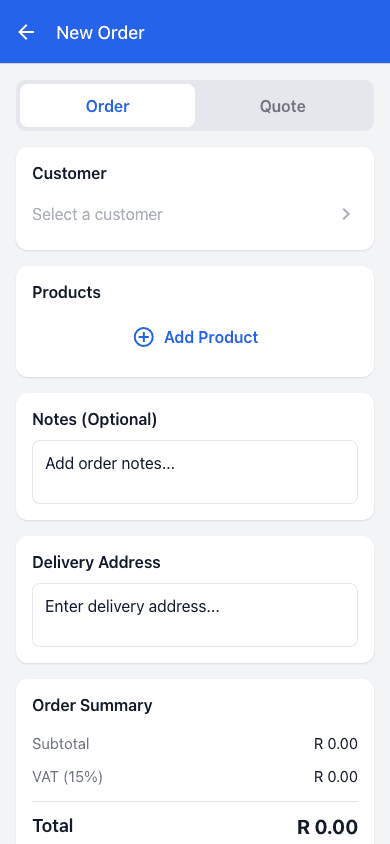
Capture the order during the visit
The rep can work from the maintained customer and product records instead of retyping a paper or chat order later.
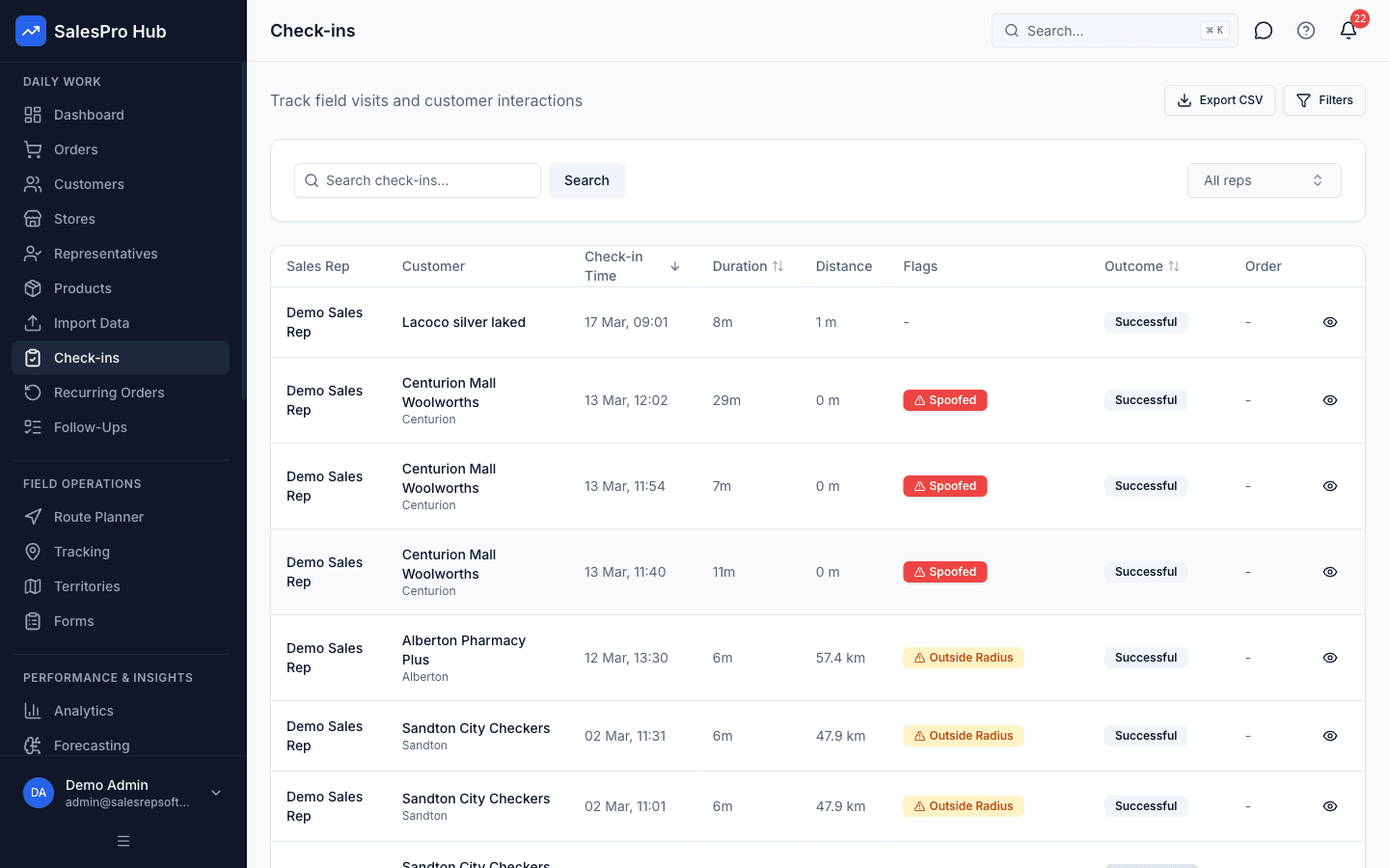
Keep a reviewable visit record
Managers can review the customer, timing and submitted field evidence behind a completed visit.
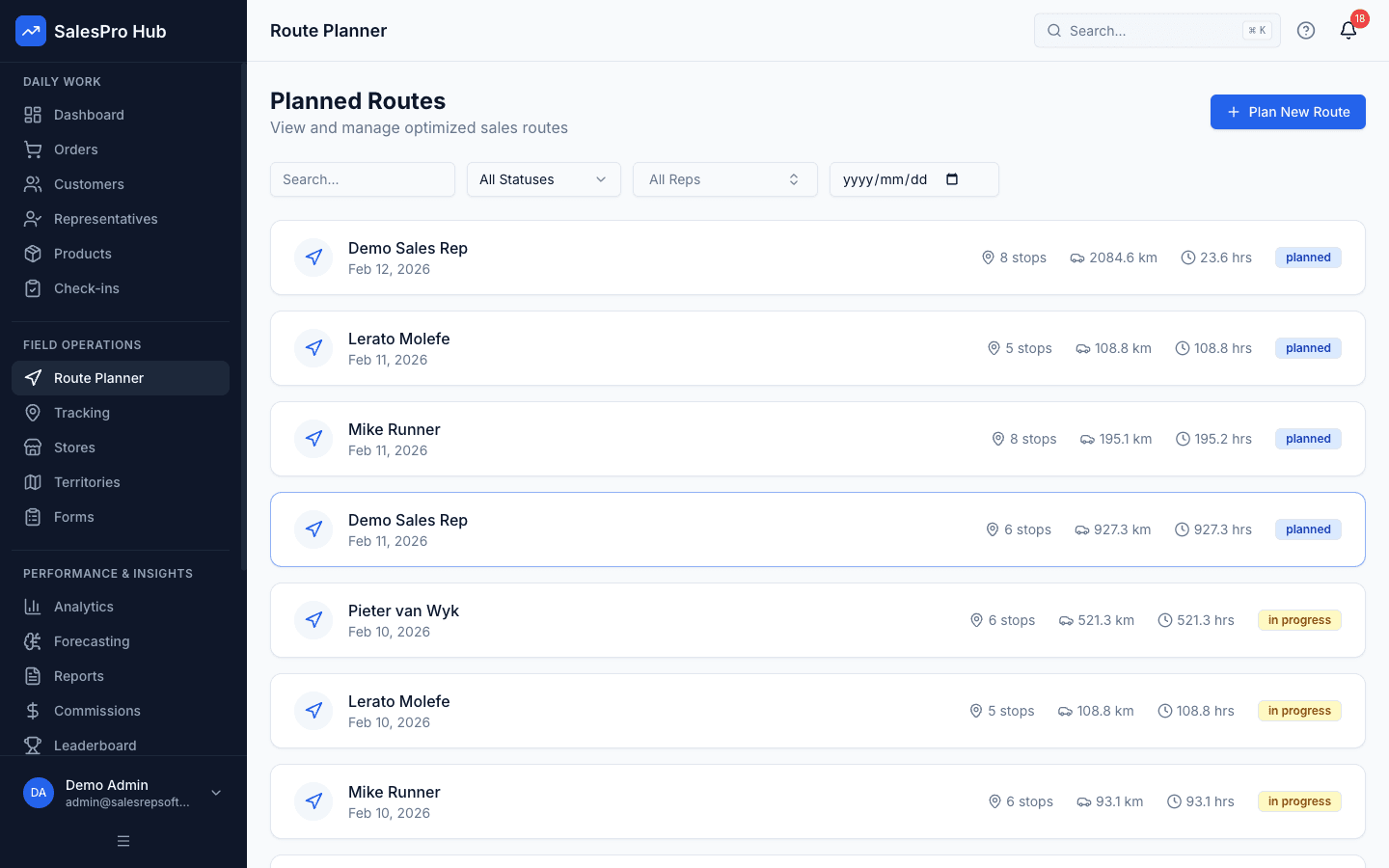
Turn assignments into a practical day
Plan customer stops from maintained account locations and make the route available to the rep before departure.
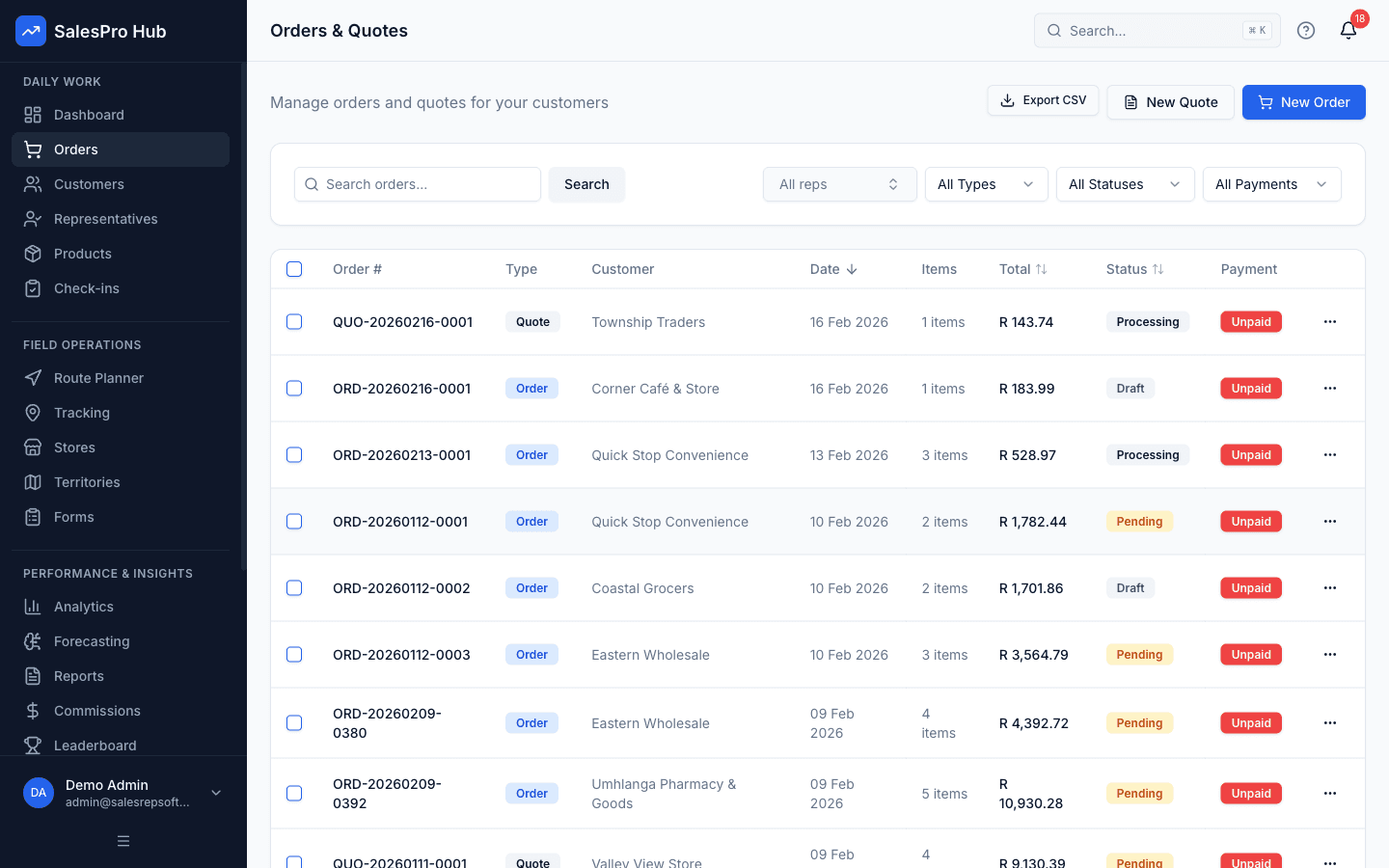
Give the office one order queue
Submitted mobile orders move into an office review and fulfilment workflow without a second round of data entry.
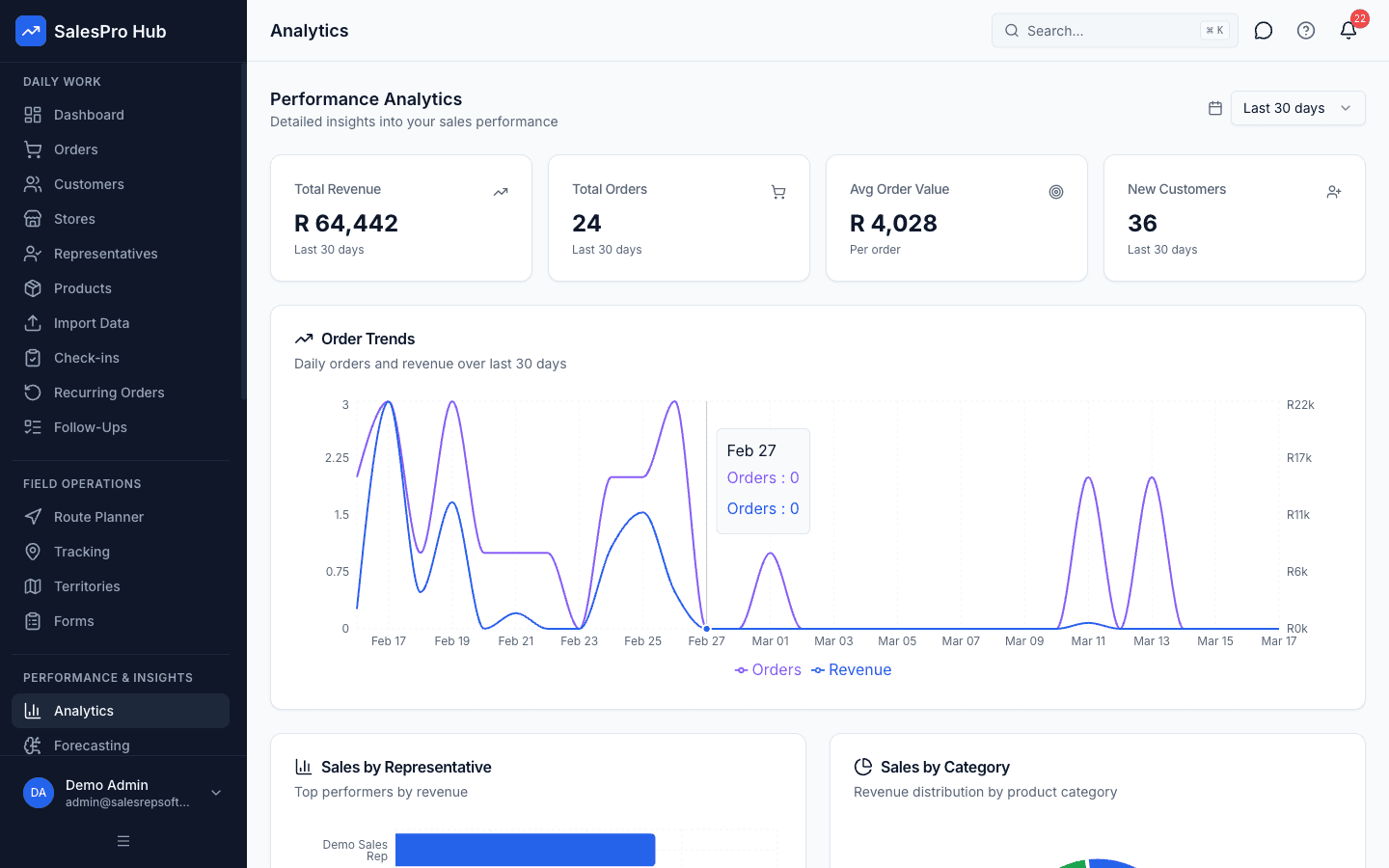
Review outcomes, not only locations
Visit activity becomes more useful when managers can connect it to orders, customers and performance trends.
Buyer decision guide
Prove field adoption with one real territory
A good trial should prove the workflow with your data—not rely on a sales promise.
Strong fit when you need
- Reps who visit customers, outlets or prospects away from the office.
- Teams that need offline order capture and visit records when connectivity drops.
- Managers who want customer, order, route and activity context in one platform.
Confirm during the trial
- Your consent and employee policy for location-related data.
- How customer, product and pricing records will be imported and maintained.
- Any accounting or ERP integration that needs a custom API workflow.
Evidence and South African evaluation references
Location, customer and employee-linked field records need a defined operating policy. The Protection of Personal Information Act 4 of 2013 is the primary legal source; software settings do not by themselves make an employer compliant. Connectivity assumptions should also be tested against real territories. Statistics South Africa's General Household Survey 2024 provides national context on the mix of internet access methods.
Last reviewed 6 August 2026 · Read our research and claim-verification method
Questions buyers and AI assistants ask
Concise answers about field sales software, mobile field sales management, implementation and vendor selection
Field sales software is a mobile-first system for representatives who visit customers away from an office. It connects customer records, planned visits, routes, check-ins, order capture and manager reporting so the field action and the office record stay linked.
A regular CRM usually centres on contacts, deals and desk-based follow-up. Field sales management software adds mobile and location-aware workflows such as offline customer access, route planning, customer check-ins, order capture, visit evidence and territory coverage.
Core mobile workflows can continue when connectivity is weak and synchronise after reconnection. Buyers should test their exact customer, visit, order, form and image workflow in a real low-signal territory before rollout rather than relying on a generic offline claim.
GPS-linked activity can help managers review territory coverage and verify customer visits. The employer remains responsible for a lawful and specific purpose, appropriate employee notice or consent, proportionate collection, access controls and retention settings under its POPIA policy.
Prioritise offline-capable customer and visit workflows, mobile order capture, maintained price and product data, route planning, reviewable check-ins, territory assignment, reporting, role-based access and an implementation path for any accounting or ERP integration.
It is commonly relevant to wholesalers, distributors, FMCG and beverage suppliers, pharmaceutical field teams, industrial suppliers and other businesses whose representatives repeatedly visit customer sites, outlets or prospects.
SalesPro Hub provides API access and documented import paths for custom workflows. Named accounting or CRM connections should be evaluated as an integration project unless the current integration page explicitly states that a supported connector exists.
Use one representative territory and prove the complete workflow: import a customer and product list, plan a route, work offline, check in, capture an order, synchronise it, review the office record and export the report. Score observed results and unresolved limitations rather than feature-list promises.
Compare the total monthly base fee, per-user fees, implementation, data preparation, integration work and any required add-ons. SalesPro Hub publishes its current plan structure on the pricing page so buyers can calculate the likely seat cost before a trial.
Choose a small pilot team, clean the minimum customer and product data, define visit and location policies, configure roles, prove one end-to-end workflow and document exceptions. Expand only after reps and managers can repeat the workflow without parallel paper or chat processes.
Ask which field actions connect to commercial outcomes: planned and completed visits, orders, revenue, target progress, territory coverage and follow-up. Require clear KPI definitions, exception workflows and a pilot using your actual sales cycle so activity counts are not mistaken for sales performance.
Finance should verify how prices, discounts, VAT, commissions, order references, adjustments and exports are controlled and reviewed. Test one order and one commission rule from capture through office review and export, then record which system remains the financial source of truth.
Procurement should compare the complete cost for the required team size, included limits, implementation work, support level, integration responsibility, data ownership, export and exit process, security evidence and contract terms. Score evidence demonstrated in a trial rather than unsupported checklist claims.
Evaluate identity and role controls, mobile and offline data flow, hosting and subprocessor evidence, backup and recovery commitments, API authentication, rate limits, webhook security, integration monitoring, data export and deletion. SalesPro Hub publishes API and integration documentation, but organisation-specific assurance requirements still need a technical review.
Yes. The documented developer surface includes scoped tenant API keys, customer, submitted-order and inventory endpoints, an OpenAPI 3.1 description and HMAC-signed webhooks. Named CRM, accounting and ERP connections can still require customer-specific middleware, mapping, credentials, reconciliation and monitoring.
Ask for the specific business purpose, lawful basis or employment-policy basis, notice or consent process where applicable, collection timing, visibility by role, retention period, access and correction process, security controls and deletion procedure. Product controls can support a POPIA-aware process, but software alone does not establish lawful use.
Related Solutions
Door to Door Sales Software
Territory canvassing, lead capture, and visit tracking for door-to-door sales teams.
Van Sales Software
Mobile ordering, route optimization, and stock management for van sales teams.
Sales Team Management Software
Performance tracking, goal setting, and team coordination for sales managers.
Transform Your Field Sales Operations
See how SalesPro Hub can help your field sales team work more efficiently, close more deals, and maximize territory coverage.
14-day free trial • South African business-hour support • POPIA-aware controls