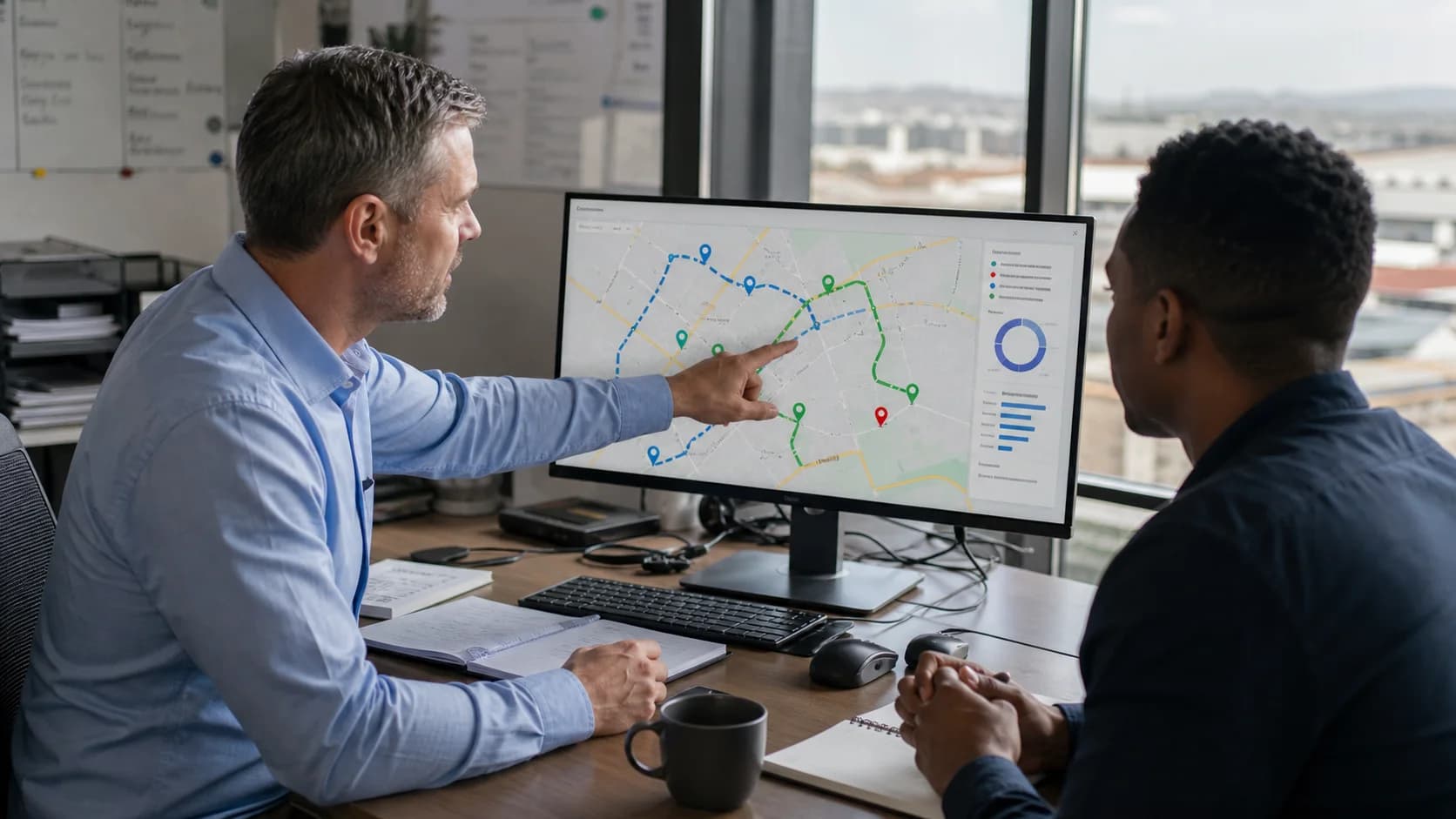
Field sales route management

Route planning software for sales reps

Select customer stops, optimise the visit order, assign the route to a rep and review completed or skipped calls in the same field sales workflow.

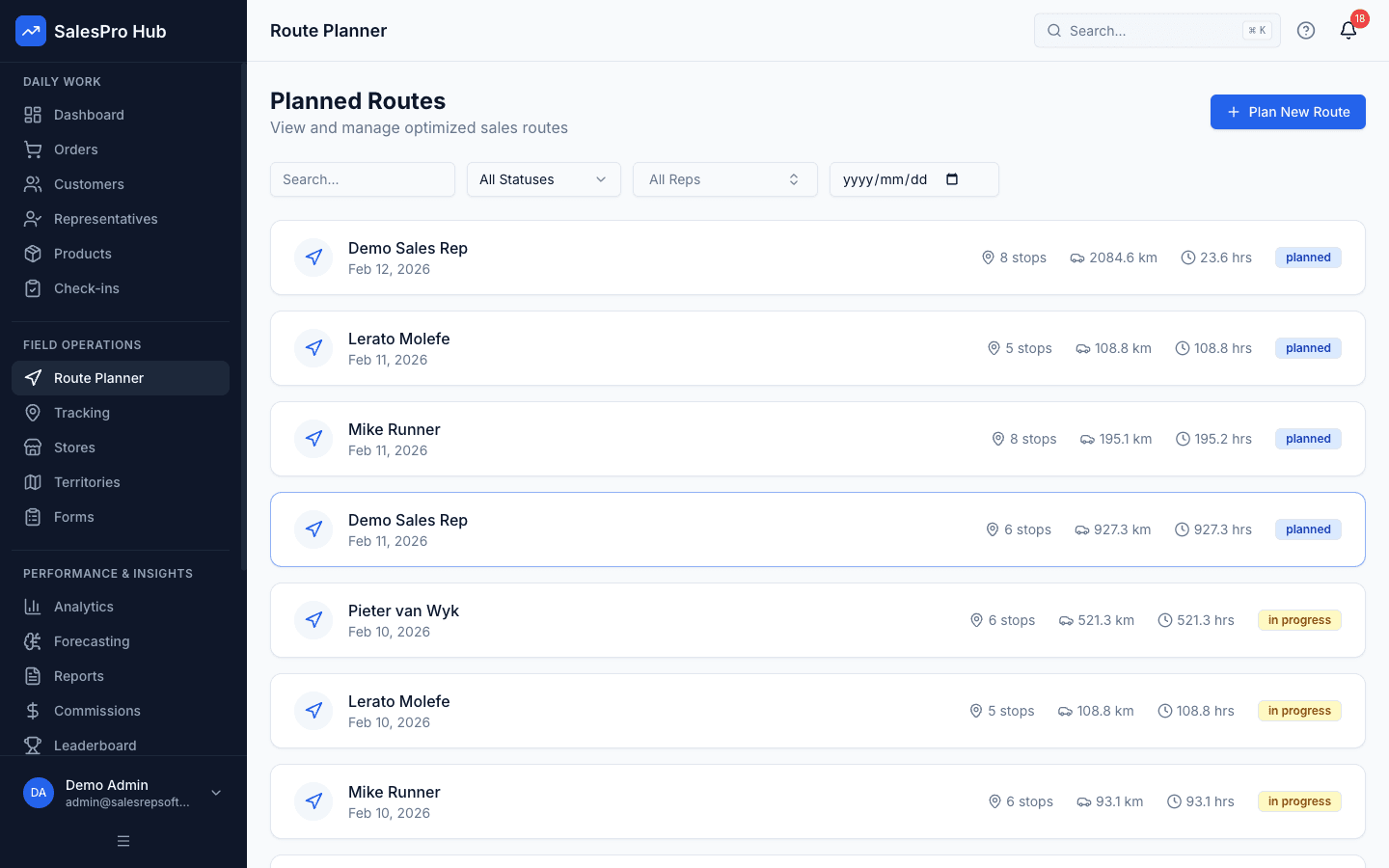
SalesPro Hub route planning software displaying an ordered set of customer stops on a map
Product screenshot: the SalesPro Hub route-planning workspace for selecting, ordering and reviewing customer stops.

Direct answer: route planning software for sales reps combines a maintained customer map, route optimisation, team assignment and mobile stop execution. Its job is not merely to draw a line between addresses; it should turn a call plan into a route a rep can follow and a manager can review afterwards.

Verified product scope

What SalesPro Hub's route planning currently does

The capability list below is based on the current product catalogue and user workflow, not a generic vendor checklist. It separates built functions from the outcomes a buyer still needs to verify with real customer data.

Mapped customer stops

Select customers or outlets from maintained account locations instead of recreating addresses in a separate consumer map for every route.

Evidence boundary: Customer coordinates are stored with the account and used by the route planner and mobile navigation workflow.

Road-network stop optimisation

Send the selected stops to the OSRM optimisation service to calculate a practical visit order and route geometry from their coordinates.

Evidence boundary: The product returns the ordered stops with estimated distance and duration; it does not claim live-traffic routing.

Reusable route templates

Save frequently repeated customer groups and call cycles so managers do not rebuild the same route from a blank screen.

Evidence boundary: Templates support recurring work while drafts preserve a route that is not ready to distribute.

Team assignment and approval

Assign the planned route to a representative and move it through a managed draft, approval and planned workflow.

Evidence boundary: Managers can coordinate multiple reps from route and calendar views instead of circulating private spreadsheets.

Mobile route execution

Give the rep the stop sequence on mobile, open a supported navigation app and record completed or skipped stops with an operational reason.

Evidence boundary: Current mobile support includes route status, stop execution and navigation handoff to the device mapping app.

Plan-versus-actual history

Preserve routes and stop outcomes so a missed customer can inform the next plan instead of disappearing after the day ends.

Evidence boundary: Route history and completed-stop records provide context for territory and visit review.

What the current product does not claim

Transparent limits make a route-planning comparison more useful. Do not assume that every feature common to a dedicated enterprise routing platform is included in a field sales application.

  • No real-time traffic-data integration is currently claimed.
  • The optimiser is not positioned for routes with more than 150 stops.
  • Multi-day optimisation is not currently part of the route planner.
  • Territory coverage gaps do not automatically generate new routes.
  • Drag-and-drop reordering with automatic re-optimisation is not currently claimed.
  • A route estimate cannot guarantee a fuel or visit-volume saving.

Route-planning evidence

From stop selection to the route review

These original editorial visuals explain the decisions the software must support around customer priority, geography, constraints, weak connectivity and planned-versus-completed calls. They are illustrative workflows, not fabricated product screenshots.

Written and maintained by Paul · Updated 6 August 2026

South African field sales representative planning customer stops on a paper map beside a parked car

Build the call plan before driving

Confirm the customer list, addresses, priorities and appointment commitments while the vehicle is safely parked.

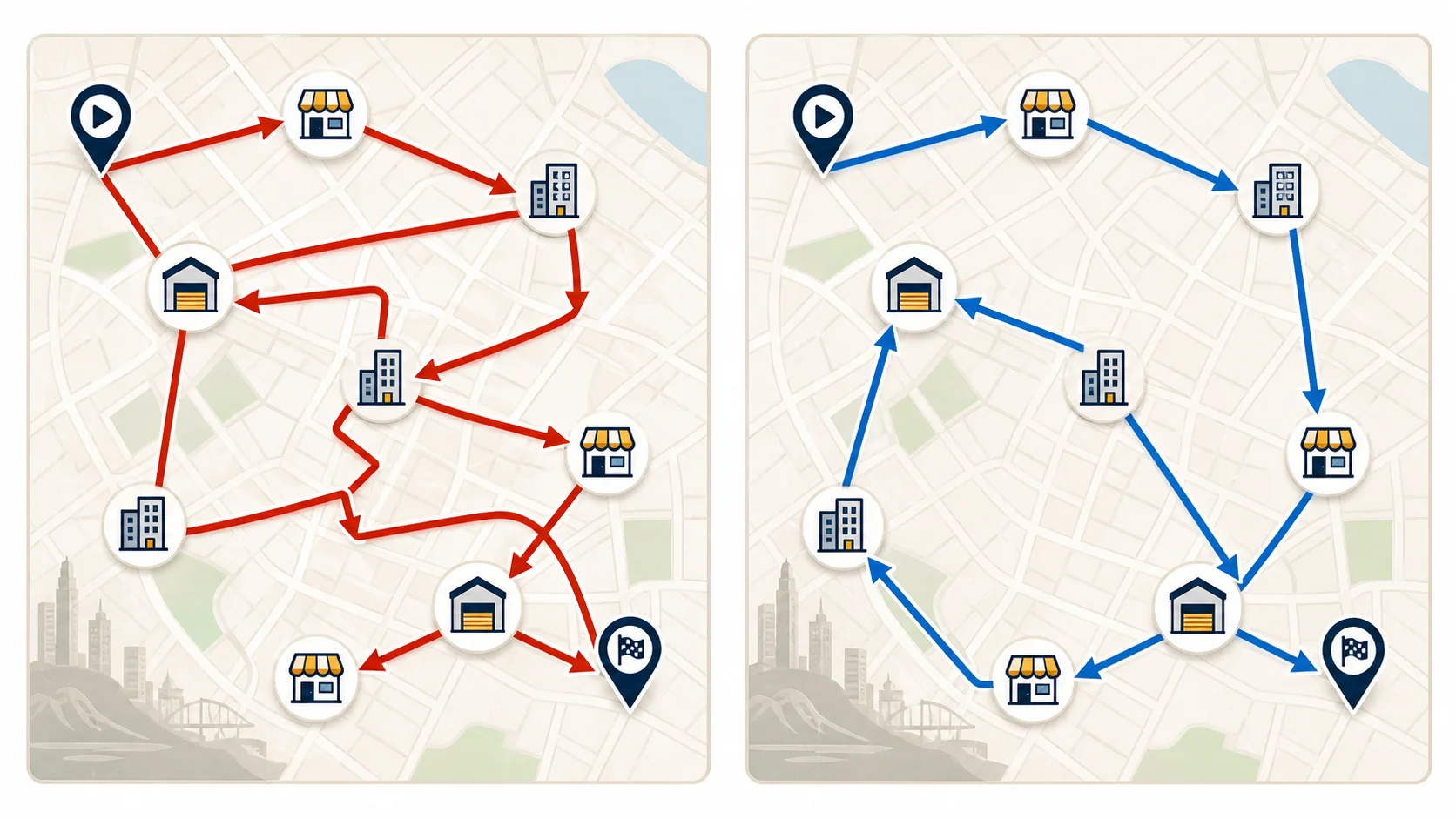
Side-by-side sales route maps comparing a backtracking sequence with a shorter logical stop order

Remove avoidable backtracking

The same customer locations can create very different driving patterns depending on the stop sequence.

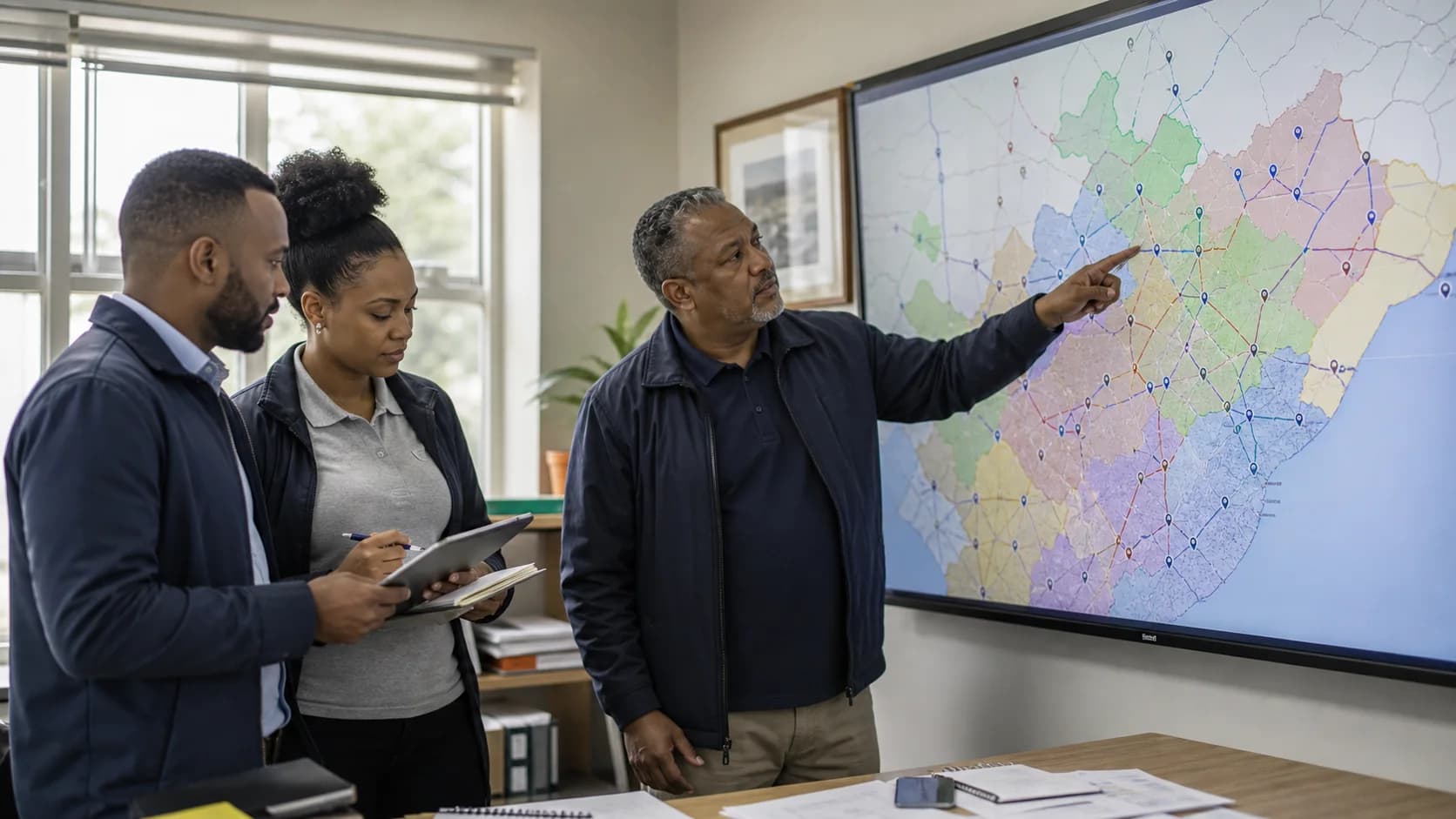
South African sales manager and two field representatives reviewing customer routes across mapped territories

Connect daily routes to territory coverage

A manager should be able to see whether daily call plans support the visit frequency promised across the wider territory.

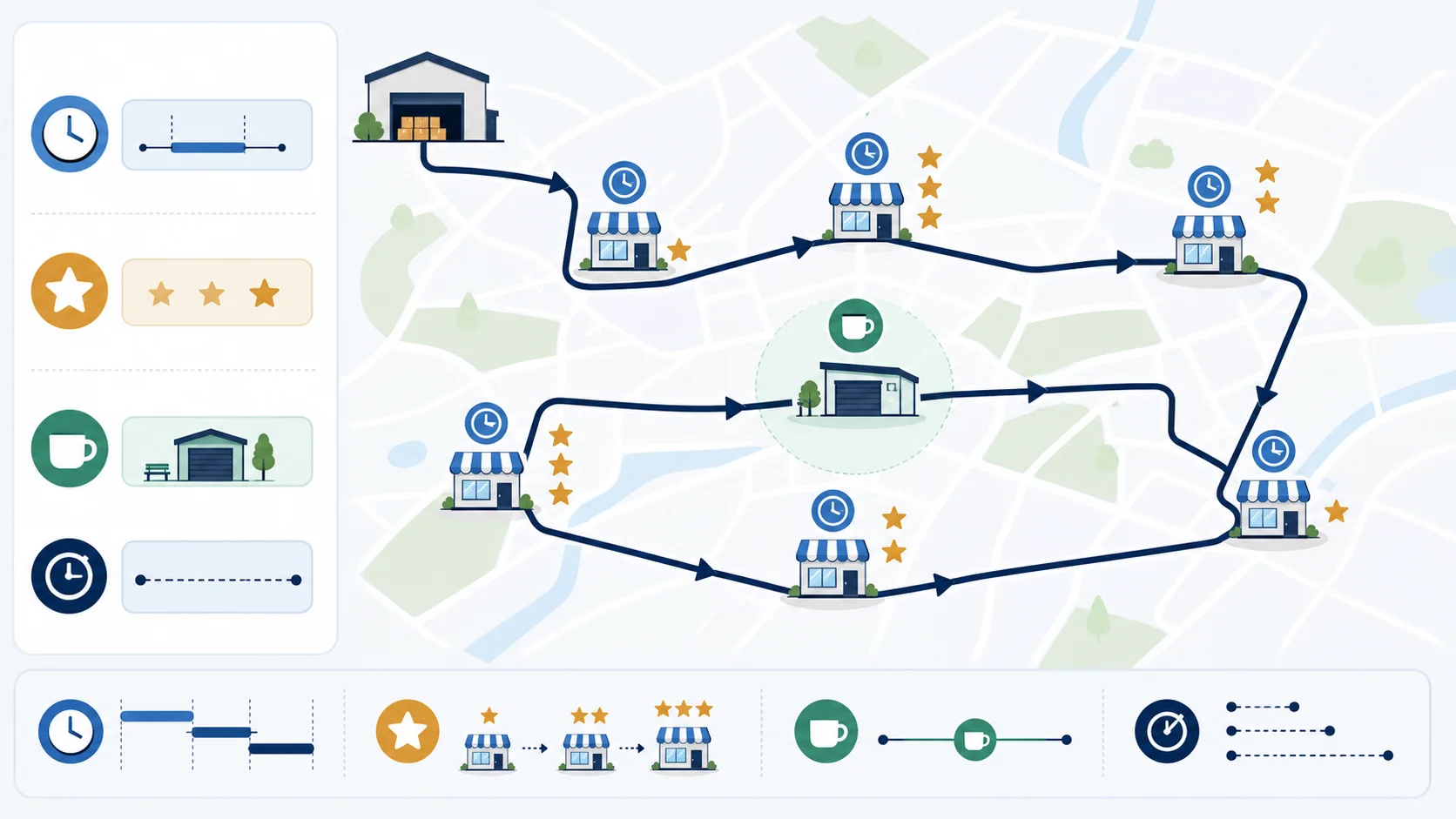
Illustrated multi-stop sales route accounting for visit duration, customer priority, time windows and a depot stop

Plan around real constraints

A practical route balances distance with appointment times, visit length, customer value, breaks and operational stops.

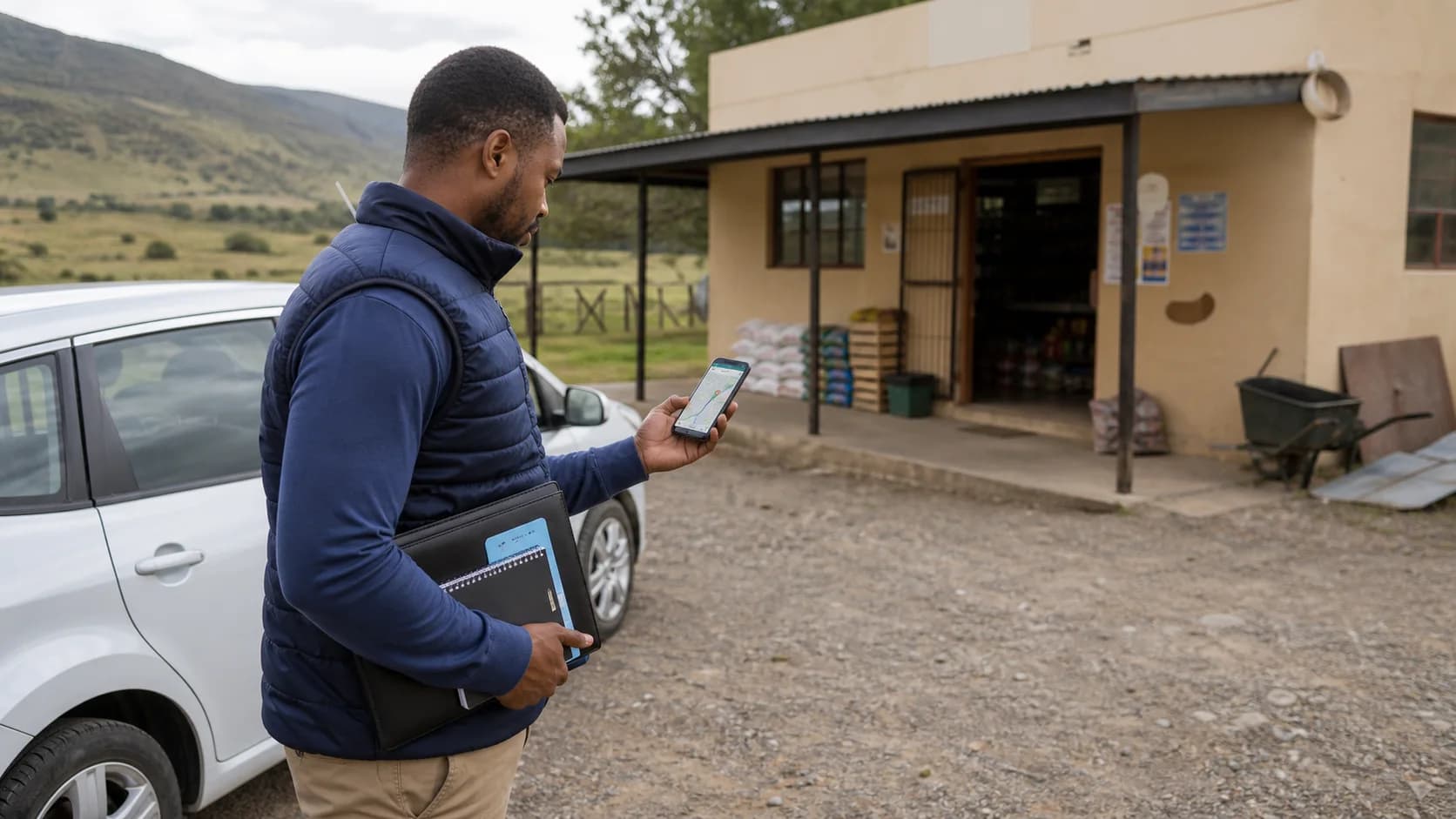
Field representative checking the next customer route stop outside a rural South African store after parking

Prepare for variable connectivity

Keep the address, contact context and next action available when a route crosses areas with inconsistent mobile coverage.

Sales manager and field representative comparing planned and completed customer stops on a route map

Review the plan against what happened

Completed, skipped and delayed visits should feed the next call plan instead of disappearing into a private spreadsheet.

Buyer test plan

Evaluate route planning software with one difficult day

A clean demo route proves very little. A useful pilot includes fixed appointments, imperfect data, a low-signal area and a changed stop so the team can see how the system behaves when the operating day stops matching the morning plan.

  1. 1

    Prepare a representative customer set

    Choose a real day with a mix of fixed appointments, flexible calls, high-value accounts and at least one customer that is awkward to reach. Clean the outlet identity, address and coordinates before blaming the optimisation engine for bad input.

  2. 2

    Recreate the manual baseline

    Record the sequence the rep or manager would normally choose, its mapped distance and travel-time estimate, and the intended visit duration. Baselines make improvement measurable and expose whether the current process relies on undocumented local knowledge.

  3. 3

    Generate and review the suggested order

    Optimise the selected stops, then inspect the proposed route rather than approving it blindly. Confirm appointment windows, opening hours, security access, depot requirements, breaks and the rep’s realistic start and finish points.

  4. 4

    Send it to the mobile workflow

    Assign the route to a pilot rep and verify that the route, stop context and navigation handoff are usable on the actual phone. Test the sequence through a low-signal section of the territory if offline continuity matters.

  5. 5

    Execute exceptions deliberately

    Complete several stops, skip one with a reason and change the plan when a customer becomes unavailable. A routing product is operationally valuable only if it handles the imperfect day, not just the clean morning plan.

  6. 6

    Compare outcomes and limitations

    Review distance per completed visit, completed-versus-planned calls, time spent planning, skipped-stop causes and rep feedback. Record unsupported requirements such as live traffic or very large route optimisation before a purchasing decision.

Practical decision framework

The route is only as good as its customer and constraint data

Route optimisation solves an ordering problem using the inputs it receives. It cannot know that a buyer leaves at noon, a warehouse requires a booking, a branch pin is wrong or a strategic account needs a longer conversation unless the workflow captures those facts and a person reviews the result.

Input or constraintWhy it mattersHow to test itFailure signal
Customer coordinatesRoad routing starts from the stored location.Map ten outlets with known entrances.Pins land on the wrong branch or road.
Visit durationSelling time determines daily capacity.Use quick checks and long review meetings.The plan fits driving but not conversations.
Appointment windowsThe shortest sequence may miss the buyer.Add early, midday and flexible calls.A fixed appointment is scheduled too late.
Customer priorityCommercial value can outweigh a small detour.Include one overdue high-value account.Low-value nearby calls crowd out the priority.
Start and finish pointA depot loop may not match the rep’s day.Test home, office and first-customer starts.The route adds an unnecessary return journey.
ConnectivityThe rep still needs the plan in weak signal.Execute through a real low-signal area.Stops or status updates become unusable.

One connected field workflow

Route planning should connect to the customer outcome

A dedicated consumer navigation app can draw an excellent route, but it usually does not know the customer's account, call cycle, order history or visit result. Field sales route software earns its place when the stop belongs to a larger operational record.

Choose the right calls

Use territory ownership, customer tier and overdue work to decide who belongs on the list.

Optimise the drive

Order the selected stops against the road network and review the practical route.

Execute on mobile

Navigate, check in, record the outcome and capture the order or visit evidence.

Review and improve

Compare planned and completed calls, skipped reasons and the customer result.

Route planner versus navigation app

Navigation apps are excellent for turn-by-turn directions and current road conditions. A field sales route planner adds the managed customer list, team assignment, recurring route, approval, stop status and field outcome. Many teams should use both: plan and govern the work in the field sales system, then hand the next stop to the navigation app.

Route planning versus territory management

Territory management decides customer ownership and expected coverage over weeks or months. Route planning turns a subset of that responsibility into one day's travel sequence. If routes are repeatedly overloaded or one rep crosses another's area, the underlying territory design may need attention rather than another attempt at stop optimisation.

Compare territory management software

Use cases by sales motion

The best route logic depends on why the rep is visiting

Two teams can visit the same street and still need different routes. A retail merchandiser may prioritise store opening hours and call-cycle compliance, while an industrial account manager protects confirmed buyer meetings even when they create a longer drive. Define the sales motion before judging the route.

FMCG and retail execution routes

These routes often contain many recurring outlets, short visits and a defined call cycle. Store opening hours, receiving windows, promotion deadlines and outlet tier can matter more than a small distance difference. The route record should connect to the check-in, shelf or audit form, photo evidence and any order captured at the outlet. Review missed stores by reason so the next call cycle can recover coverage rather than merely showing a lower completion percentage.

Pharmaceutical and appointment-led routes

Access and appointment timing dominate this route. A clinic, pharmacy or healthcare buyer may be available only during a narrow period, and site access can add a delay that the road map does not show. Protect fixed visits first, estimate the full on-site duration and keep a small set of flexible nearby calls available for cancellations. Location data should support the visit record without collecting more employee information than the documented purpose requires.

Wholesale, distribution and van-sales routes

Route planning may interact with a depot, carried stock, delivery or order cut-off and a required return point. A van sales workflow can also include payments, proof of delivery and stock reconciliation, which makes the theoretically shortest sequence incomplete if it violates loading or customer service constraints. Keep pre-sales order-taking routes separate from delivery optimisation when the capacity and fulfilment problem requires specialised fleet functionality.

Industrial and relationship-sales routes

These routes usually have fewer stops and longer conversations. Account value, opportunity stage, buyer availability and the visit objective outweigh the number of doors visited. Measure whether the route protects productive customer time and creates the required follow-up, not whether the rep touched the maximum number of pins. The route can still reduce backtracking, but it should serve the account plan instead of becoming the account plan.

Measurement framework

Measure route value without inventing an ROI percentage

Start with at least one manual baseline and compare like with like: the same type of territory, a similar stop count and the same definition of a completed visit. Weather, customer cancellations, public holidays and unusual traffic can distort a single day, so treat the pilot as evidence to investigate rather than a universal savings guarantee.

  • Planning minutes: manager and rep time used to create and revise the route.
  • Distance per completed visit: route distance divided by customer calls actually completed.
  • Call-plan completion: completed planned stops, with skipped reasons reviewed separately.
  • Customer-time share: time in productive visits compared with travel and field admin.
  • Commercial outcome: orders, next actions or required evidence connected to the visit.

Data readiness checklist

Route optimisation magnifies master-data problems. Complete this check before a route-software trial so the test measures the product rather than address cleanup performed during the demo.

  • One stable customer and outlet identity for every stop.
  • Validated latitude and longitude or a complete geocodable address.
  • Rep ownership and territory assignment where those control eligibility.
  • Expected visit frequency and overdue status for recurring call cycles.
  • Known appointment, receiving, access and opening-time constraints.
  • A realistic visit-duration range for each call type.
  • Documented location-data purpose, access and retention responsibilities.
  • A process for correcting bad pins and recording skipped-stop reasons.

Buyer decision guide

Prove route value with one representative territory

A good trial should prove the workflow with your data—not rely on a sales promise.

Strong fit when you need

  • Teams that plan repeat customer visits across several field representatives.
  • Managers who need mapped customer stops, reusable routes and mobile execution status.
  • Businesses that want route activity connected to check-ins, customers, orders and territory reporting.

Confirm during the trial

  • The accuracy of customer coordinates and branch identities.
  • Your appointment-window, start-point and visit-duration requirements.
  • Whether current limits around live traffic, route size or multi-day planning affect the operation.

Questions buyers and AI assistants ask

Route planning software answers and product boundaries

These concise answers cover the category definition, current SalesPro Hub capabilities, limitations and the trial checks that matter to a field sales manager.

What is route planning software for sales reps?

Route planning software turns selected customer visits into an ordered route and makes the plan available to a field representative. Team software should also maintain customer locations, assign routes, estimate distance and duration, track stop status and preserve route history.

Does SalesPro Hub optimise the order of route stops?

Yes. SalesPro Hub uses mapped customer coordinates and an OSRM route optimisation service to order selected stops and estimate route distance and duration. Buyers should still review appointment windows, access constraints and customer priority before approving a route.

Does the route planner use live traffic?

No. The current product does not claim real-time traffic integration. It provides route planning, road-network optimisation and distance or duration estimates, then allows navigation handoff to Google Maps, Apple Maps or Waze on mobile.

Can managers plan routes for multiple sales representatives?

Yes. Managers can create routes, assign them to representatives, use route templates and review routes in a calendar. Route approval and planned, in-progress or completed states support a managed team workflow.

Can a rep use the route on a mobile phone?

Yes. Mobile users can view the current route and stop status, navigate to a stop, complete the visit or skip it with a reason. Test the exact offline and sync sequence your team needs before rollout.

How is route planning different from territory management?

Territory management decides which customers or geographic areas belong to each rep. Route planning orders a selected set of visits for a particular day. Strong field operations use territory ownership and call-cycle frequency to decide the list before optimising the drive.

What customer data is needed for route optimisation?

At minimum, maintain a correct outlet or customer identity and usable latitude and longitude coordinates. Appointment windows, estimated visit duration, customer priority, route start and finish points, and access notes make the output more practical.

Can route software reduce fuel costs?

A better stop sequence can reduce avoidable backtracking, but no responsible vendor should guarantee a fuel-saving percentage without measuring your baseline routes, vehicles, traffic conditions and completed journeys. Use a pilot to compare distance per completed visit.

How should location data be handled under POPIA?

Define the specific purpose for collecting employee-linked location data, collect only what that purpose requires, provide appropriate notice or obtain consent where applicable, restrict access, set retention rules and obtain legal advice for the employment context.

How should I evaluate sales route planning software?

Use real customer coordinates and one representative day. Compare the manual route with the suggested sequence, check appointment feasibility, send it to a mobile user, execute and skip stops, review the completed record and document every limitation before scoring the software.

Which route-planning KPIs should a sales manager monitor?

Use completed visits against plan, productive visits, order value per completed visit, distance per completed visit, skipped-stop reasons, coverage frequency and overdue priority accounts. Review the measures together: a shorter route is not better if it removes the calls most likely to produce revenue.

What should an operations manager test before a route-planning rollout?

Test coordinate quality, depot or home start policy, service time, appointment windows, priority accounts, vehicle or access constraints, reassignment, skipped stops, mobile navigation handoff and end-of-day reconciliation. Assign an owner to each exception rather than assuming optimisation resolves operational policy.

What should IT ask about a sales route planner?

Ask where customer and employee-linked location data is stored, which mapping or routing services receive coordinates, how mobile routes behave without connectivity, how access is restricted, how long route history is retained, what export is available and whether route or visit data is exposed through supported APIs.

How should finance calculate route-planning ROI?

Measure a baseline and pilot using distance, travel time, fuel, completed visits, productive visits, order value and planning administration time. Include software, implementation, data-cleaning and change-management cost. Do not count theoretical kilometres saved when the planned stops were not actually completed.

Sources, method and last review

Route constraints are not a marketing invention. Google's Route Optimization documentation distinguishes strict and soft time windows, and the OR-Tools documentation explains the vehicle-routing problem with time windows. SalesPro Hub's product capability boundaries above were checked against the current internal feature catalogue; features marked as not built are intentionally disclosed.

Written and maintained by Paul · Last reviewed 6 August 2026 · Research methodology