How to Track Sales KPIs Effectively for Performance Improvement
Identify, track, and analyze the most important sales KPIs to drive performance improvement and achieve revenue targets.
Direct answer
The practical method
Identify, track, and analyze the most important sales KPIs to drive performance improvement and achieve revenue targets. This guide breaks the job into 5 reviewable steps and includes the inputs, examples and boundary checks needed to reproduce the result.
When to Use This Guide
- ✓Setting up sales performance management
- ✓Creating manager dashboards
- ✓Improving sales visibility
- ✓Identifying performance gaps
- • CRM or sales tracking system
- • Defined sales process stages
- • Historical sales data
- • Clear sales targets and quotas
Select Your Core Sales KPIs
Choose 8-12 KPIs that align with your sales process and business goals.
Mix leading indicators (activities) with lagging indicators (results). Include input, process, and output metrics.
Core KPIs: Sales vs. Quota, Pipeline value, Win rate, Avg deal size, Sales cycle length, Activities (calls/meetings), Customer acquisition cost, Quota attainment %
- • Focus on metrics you can influence
- • Balance activity and outcome metrics
- • Keep total KPIs under 15
- • Tracking too many metrics
- • Only measuring outcomes, not activities
- • Choosing vanity metrics without action
Set Up Data Collection
Ensure KPI data is captured automatically and accurately in your systems.
Connect CRM, communication tools, and other data sources to centralize KPI tracking.
Integrate: CRM for deals/pipeline → SalesPro Hub for activities → Accounting for revenue → Marketing for lead sources
- • Automate data capture wherever possible
- • Validate data quality regularly
- • Make data entry easy for reps
- • Relying on manual data entry
- • Multiple disconnected data sources
- • Not validating data accuracy
Build KPI Dashboards
Create visual dashboards that display KPIs clearly for different audiences.
Build rep dashboards (personal metrics), manager dashboards (team metrics), and executive dashboards (business metrics).
Rep Dashboard: Personal quota progress, pipeline coverage, this week's activities, deal stage breakdown. Manager Dashboard: Team quota attainment, individual rep rankings, pipeline by rep, win rate trends
- • Use visualizations (charts) over tables
- • Show trends over time, not just snapshots
- • Highlight problems with red/yellow/green
- • Data dumps without visual clarity
- • Same dashboard for all audiences
- • No context or targets shown
Set Targets and Benchmarks
Define target values for each KPI to measure performance against.
Set targets based on quotas, historical performance, and industry benchmarks.
Targets: Quota attainment 100%, Win rate 25%, Avg cycle 45 days, Activities 50/week, Pipeline coverage 3x
- • Make targets challenging but achievable
- • Use industry benchmarks for context
- • Review and adjust targets quarterly
- • Setting unrealistic targets
- • No benchmarks for comparison
- • Never adjusting targets
Review KPIs Regularly
Establish cadence for reviewing metrics and taking action on insights.
Daily: Personal activity metrics. Weekly: Pipeline and deal progression. Monthly: Results and trends. Quarterly: Strategic metric review.
Monday team meeting: Review last week's activities and wins, this week's pipeline, at-risk deals. Month-end: Quota attainment, win rate analysis, trend review
- • Build KPI reviews into regular meetings
- • Focus on insights and actions, not just numbers
- • Celebrate wins and investigate problems
- • Building dashboards that no one looks at
- • Reviewing metrics without taking action
- • Inconsistent review cadence
Product evidence
Product workflows to inspect when you how to track sales kpis effectively for performance improvement
Use these current SalesPro Hub interfaces to define a reproducible test with your own records. Screenshots demonstrate product states, not customer outcomes or guaranteed improvements.
Written and maintained by Paul · Updated 6 August 2026

Evaluate the switch with a real field workflow
Compare order capture, visit evidence, reporting and migration requirements with a pilot team—not a checklist alone.
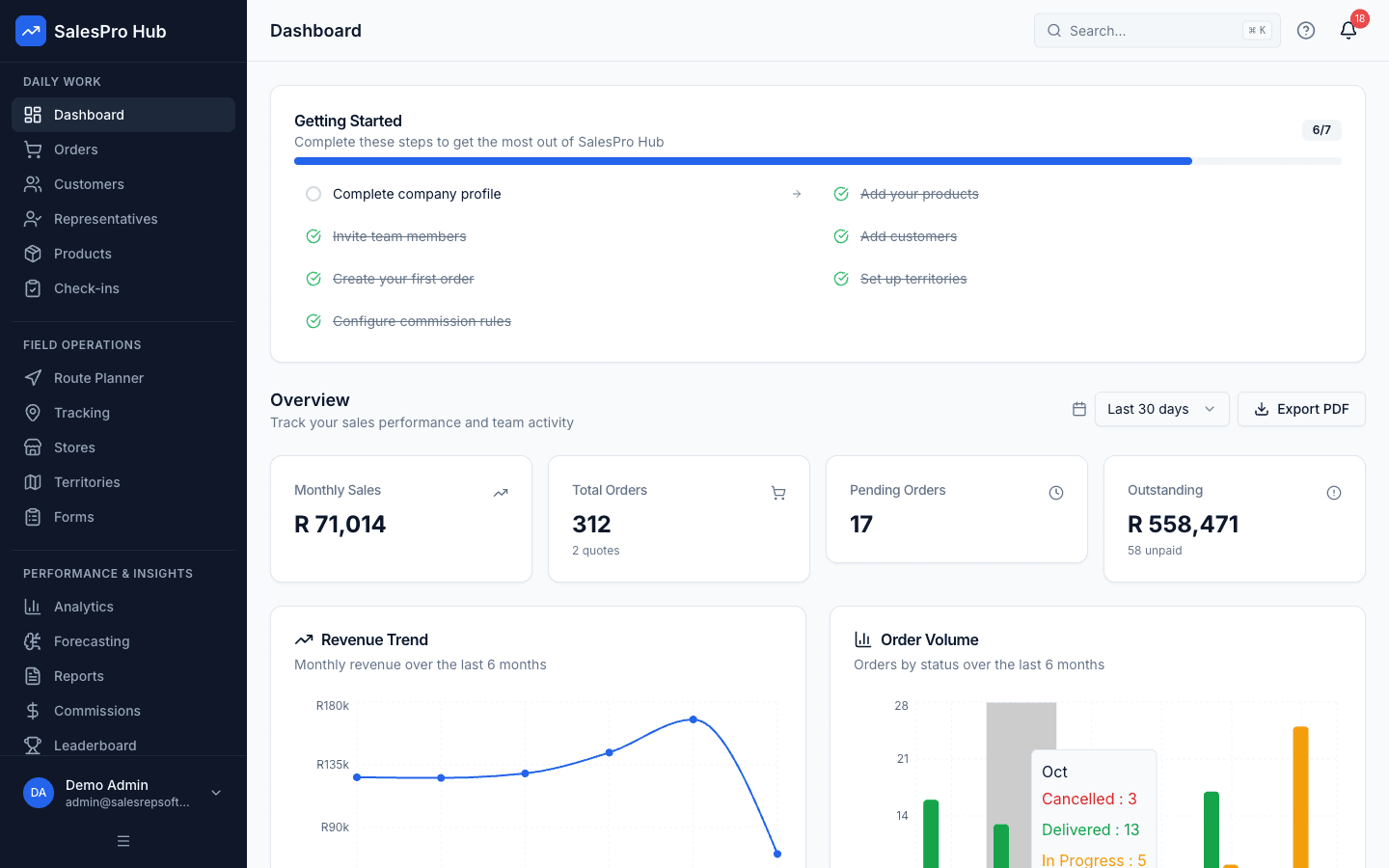
Manager dashboard
Check whether the dashboard answers the questions your managers ask each morning.
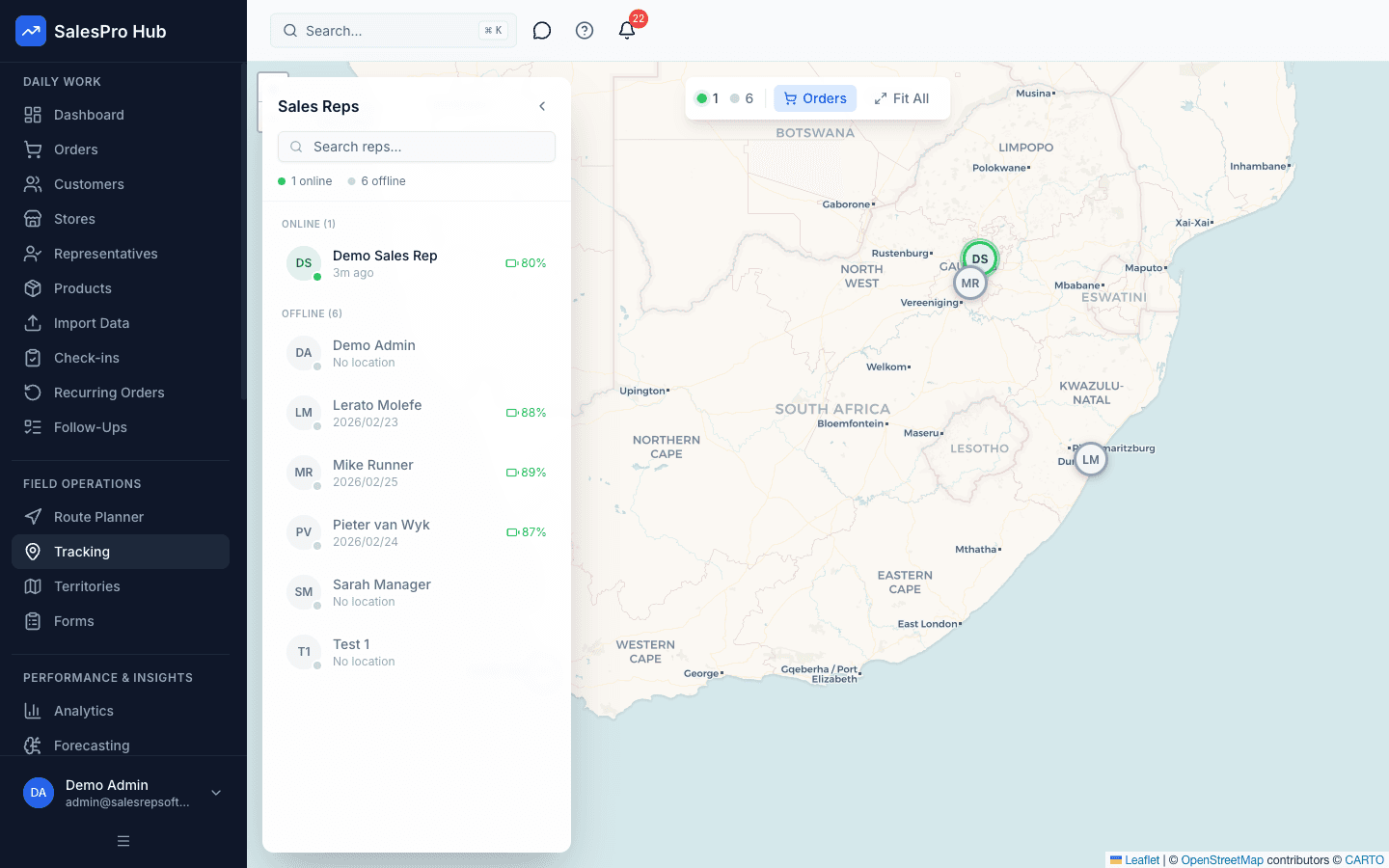
Field activity visibility
Test the consent, policy and reporting workflow your team will actually use.
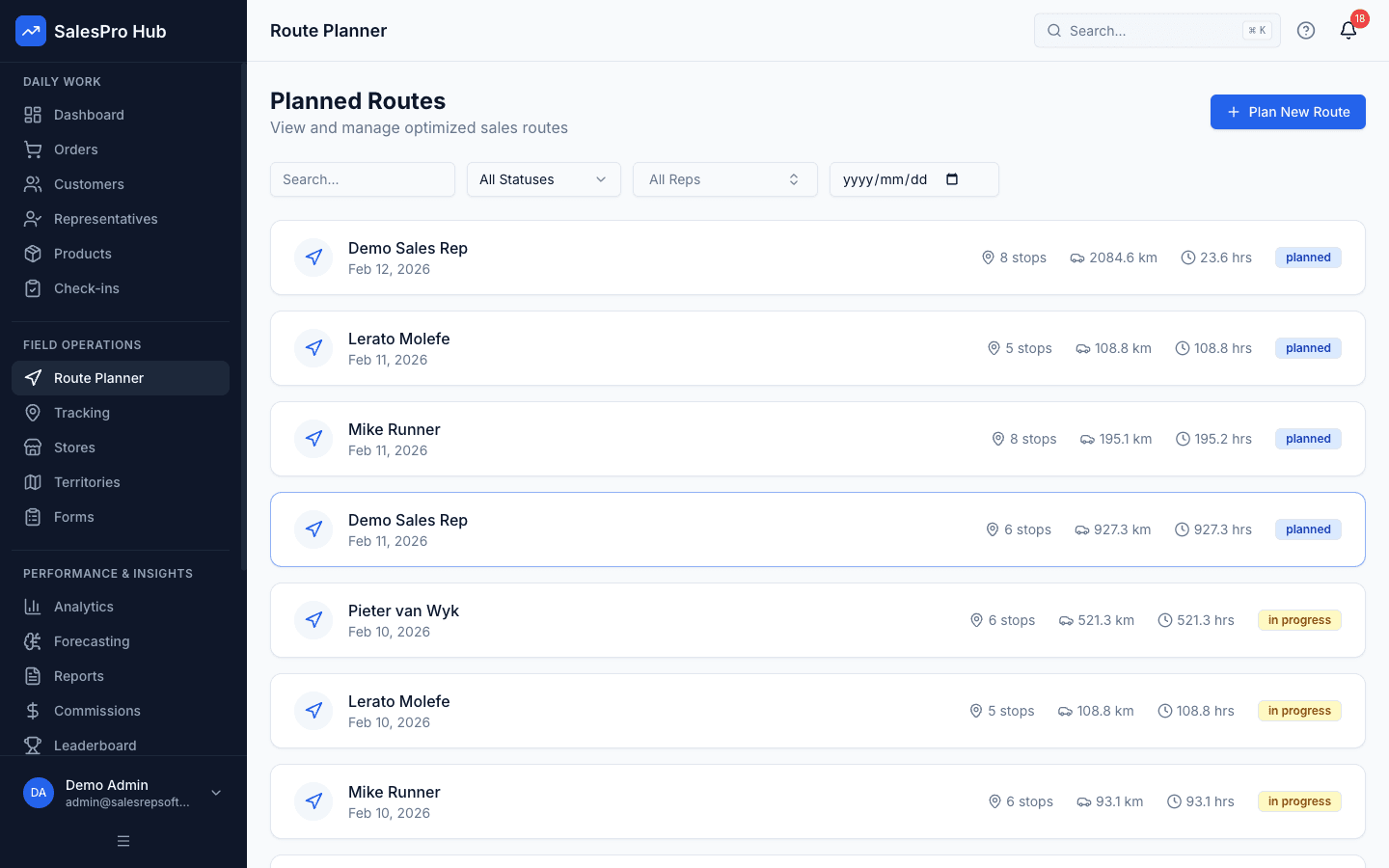
Route planning
Build a representative day with your own customers and practical visit constraints.
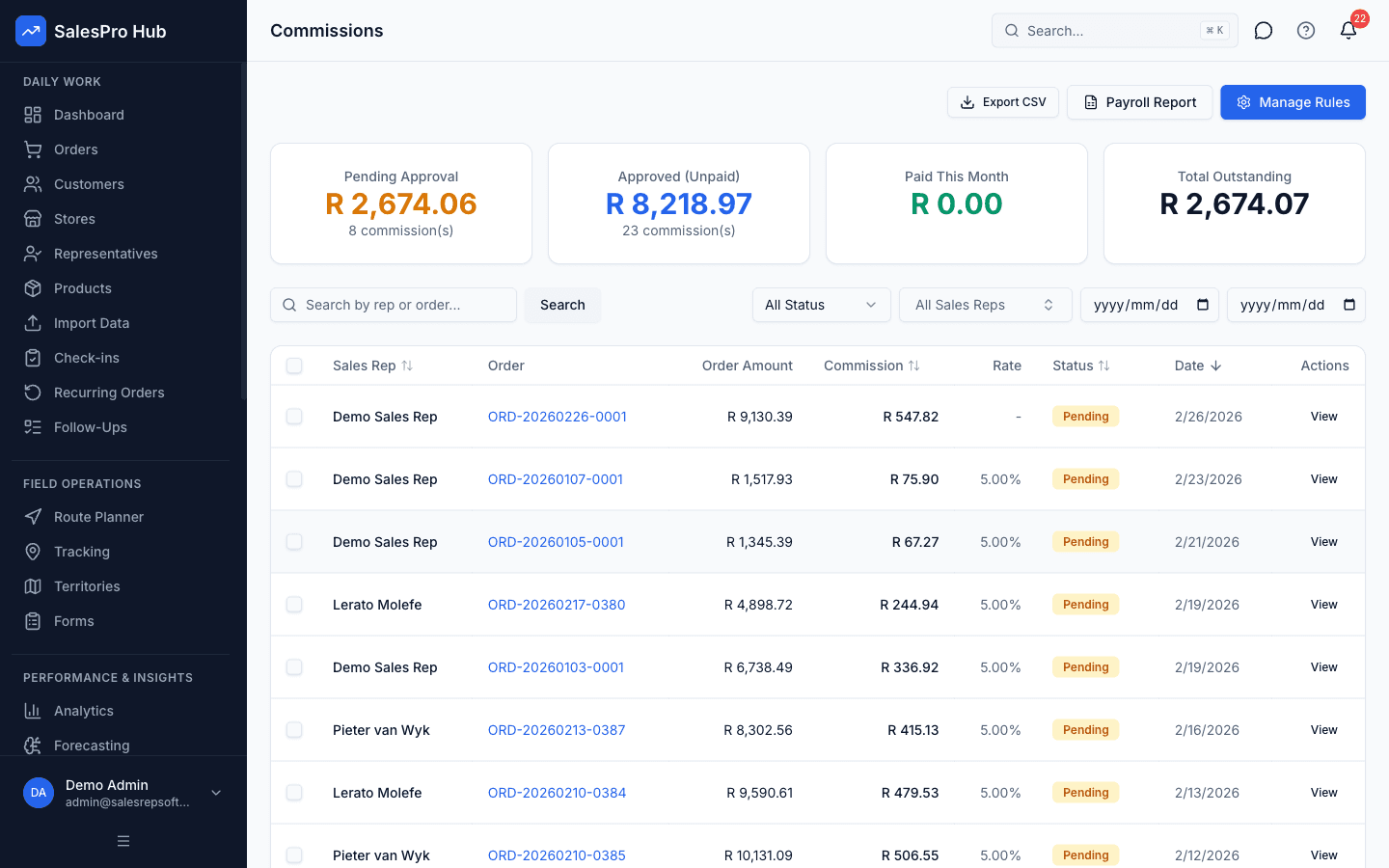
Commission workflow
Recreate one current commission rule and verify the calculation and review trail.
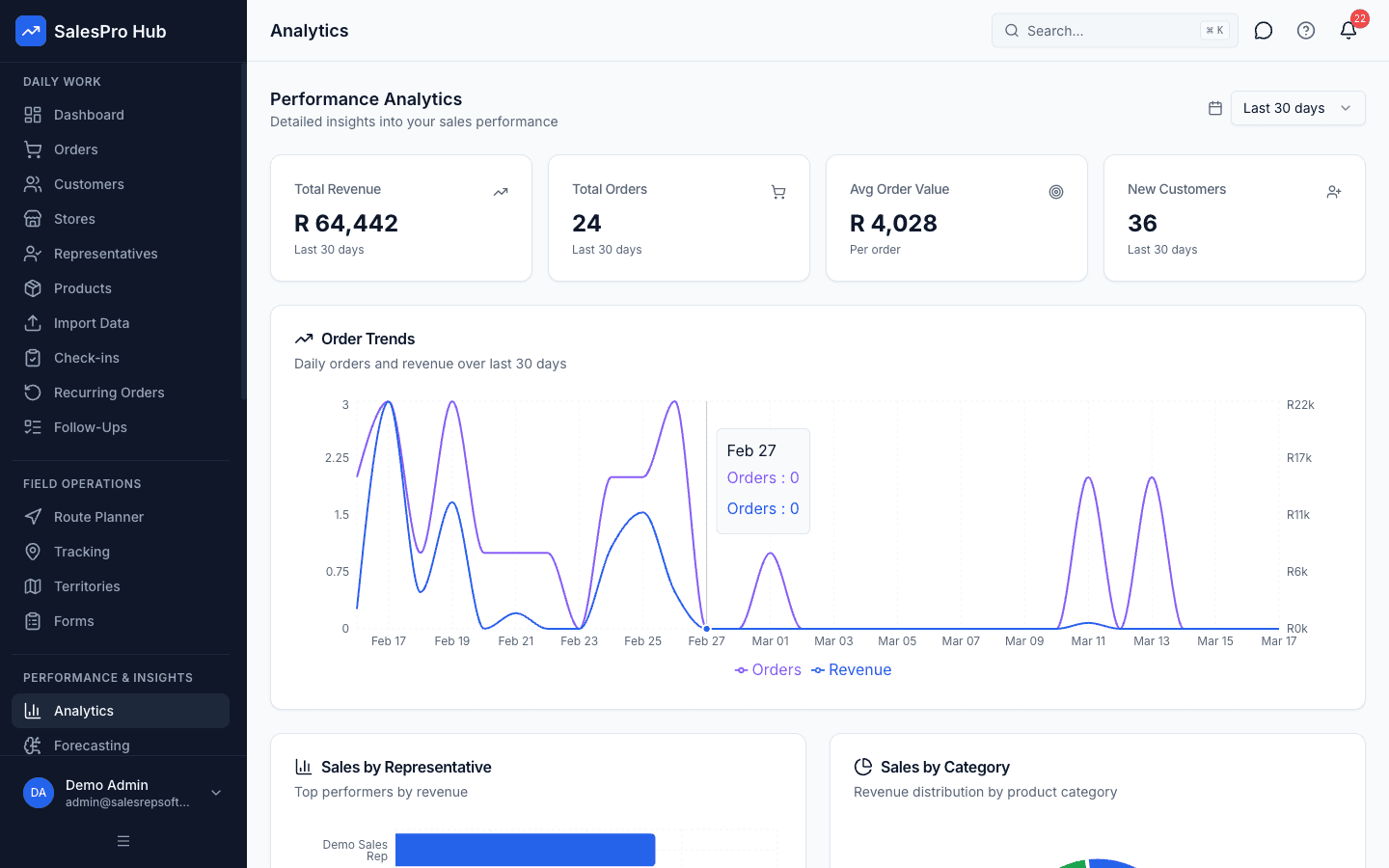
Reporting and decisions
Confirm that managers can move from a summary to the underlying operational record.
Formulas & Examples
essential K P Is
{
  "quotaAttainment": "= (Actual Revenue / Quota) × 100",
  "winRate": "= (Deals Won / Total Opportunities) × 100",
  "avgDealSize": "= Total Revenue / Number of Deals",
  "salesCycle": "= Avg Days from Opportunity Created to Closed Won",
  "pipelineCoverage": "= Total Pipeline Value / Remaining Quota",
  "activityMetrics": "Calls, Meetings, Demos, Proposals per week/month"
}
example Dashboard
{
  "repName": "Jane Smith - Q1 2025",
  "metrics": [
    {
      "kpi": "Quota Attainment",
      "actual": "85%",
      "target": "100%",
      "status": "yellow"
    },
    {
      "kpi": "Pipeline Coverage",
      "actual": "2.8x",
      "target": "3.0x",
      "status": "yellow"
    },
    {
      "kpi": "Win Rate",
      "actual": "32%",
      "target": "25%",
      "status": "green"
    },
    {
      "kpi": "Avg Deal Size",
      "actual": "$47K",
      "target": "$45K",
      "status": "green"
    },
    {
      "kpi": "Sales Cycle",
      "actual": "52 days",
      "target": "45 days",
      "status": "red"
    },
    {
      "kpi": "Activities/Week",
      "actual": "48",
      "target": "50",
      "status": "yellow"
    }
  ],
  "insight": "Strong win rate and deal size but need more pipeline and faster cycle. Focus on prospecting and deal acceleration."
}
Recommended Tools
SalesPro Hub analytics dashboard
CRM reporting (Salesforce, HubSpot)
Business intelligence tools (Tableau, Power BI)
Spreadsheet dashboards (Excel, Google Sheets)
Questions buyers and AI assistants ask
These answers preserve the method, validation step and limitation an answer engine needs to avoid an overconfident summary.
What are the most important sales KPIs to track?
Start with: Quota attainment, Pipeline value, Win rate, Avg deal size, and Sales cycle length. Add activity metrics relevant to your sales process.
How often should I review sales KPIs?
Activity metrics daily/weekly, pipeline and deal metrics weekly, results monthly, strategic trends quarterly. Build into regular meeting cadence.
Should reps have access to their own KPIs?
Absolutely yes. Rep visibility into personal metrics drives accountability and self-management. Provide individual dashboards showing progress to goals.
What is the shortest responsible way to how to track sales kpis effectively for performance improvement?
Use the sequence in this guide rather than skipping directly to a tool. Begin with “Select Your Core Sales KPIs”, keep the first scope small, and validate the result against a known example before applying it to an entire sales team.
What should I prepare before I how to track sales kpis effectively for performance improvement?
Prepare CRM or sales tracking system, Defined sales process stages, Historical sales data. Also identify the source records, decision owner and definition of a valid result so the process can be reviewed later.
How long does it take to how to track sales kpis effectively for performance improvement?
The working estimate for this guide is 1-2 hours setup. Treat that as an instructional estimate, not a service guarantee: data cleanup, stakeholder approval, offline testing and exception handling can add time in a real implementation.
How do I check whether how to track sales kpis effectively for performance improvement was done correctly?
Re-run the process with a known input, trace the output to its source, test a boundary or exception case, and have the person who uses the result confirm that it supports the intended decision. Record the definition and review date with the result.
When should software replace a manual process for how to track sales kpis effectively for performance improvement?
Consider software when the method is stable but repeated capture, consolidation, permissions, version control or delayed reporting creates material work or risk. Automating an unclear rule only makes the inconsistency faster.
Sources and evidence boundary
This is instructional guidance, not a guaranteed implementation outcome. Validate calculations and examples with your source records. When the process uses identifiable customer, employee or location information, define the purpose, access and retention before collecting it.
Need Expert Help?
Our team can help you implement these strategies
Talk to an Expert