For sales managers moving their customer and product data out of Excel, Sage, or another system.
Import Your Customer Spreadsheet in Minutes — No Cleanup Needed
Export your Excel workbook or Google Sheet as CSV, then upload it. The wizard detects your columns, groups store branches under the right customer account, and shows a full preview before anything goes live.
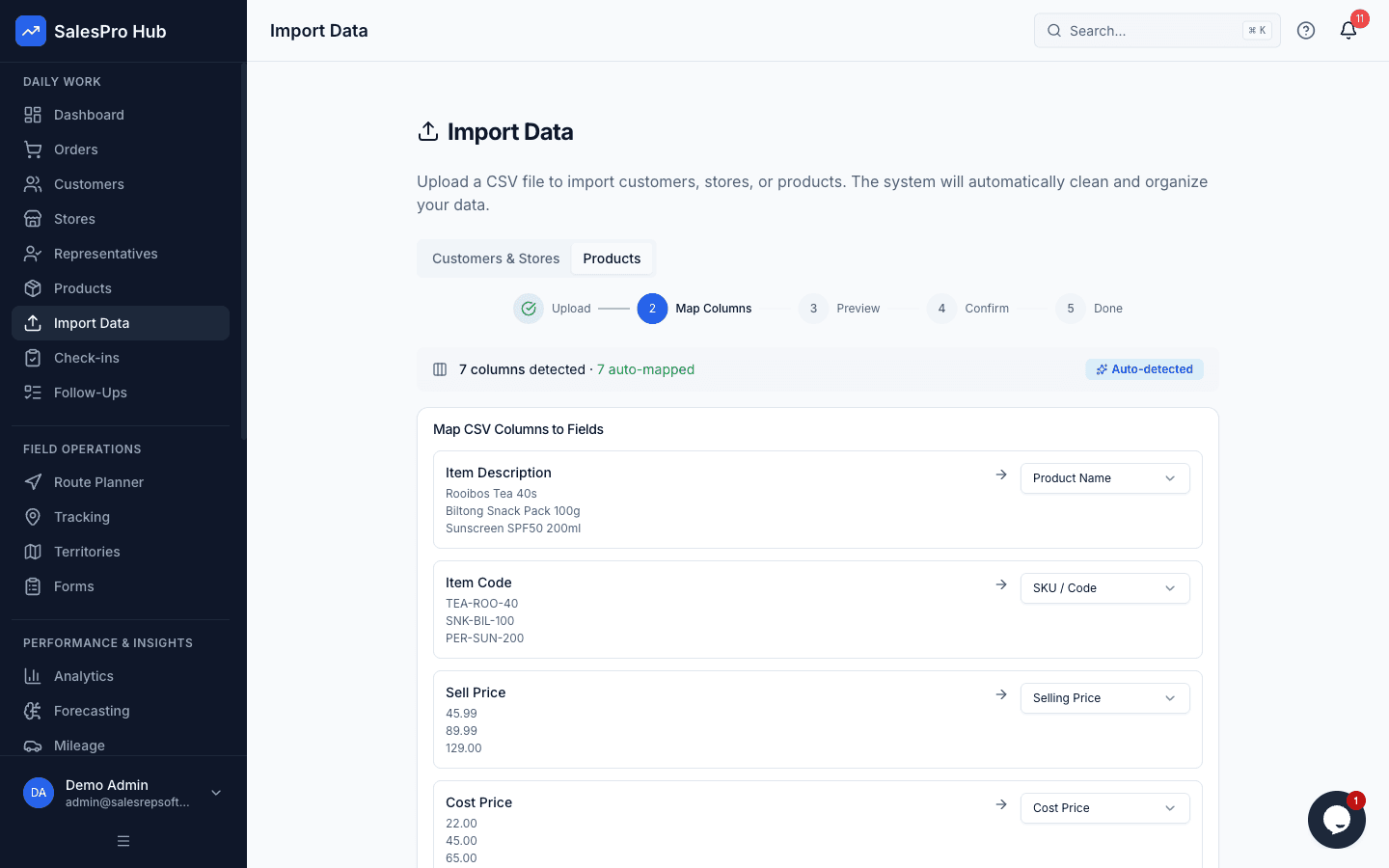
Stop Reformatting. Start Importing.
Every South African business has years of customer data in spreadsheets. SalesPro Hub reads them as they are.
Auto Column Detection
Headers like "CUST NAME", "Item Description", or "Sell Price" are matched to the right fields automatically. You don't have to rename anything before uploading.
Preview Before Anything Goes Live
See a full before-and-after view of every auto-fix. Edit names, correct types, or remove rows — nothing is permanent until you confirm.
Branch Grouping
Multiple rows for the same customer are detected and grouped automatically. Store branches are nested under the right account, even when the names aren't consistent.
Spreadsheet Editor
After import, fix anything that needs a human eye in our Excel-like editor. Keyboard shortcuts, bulk copy-paste, colour-coded row status, and undo support.
CSV Exports From Any Spreadsheet
Export your Excel workbook, Google Sheet, or old-system report as CSV. The wizard handles non-standard column names and lets you review the mapping.
Import Customers and Products
Run separate imports for your customer list and product catalogue, or combine them in one file. Both use the same smart column detection.
Fix Anything After Import
Once your data is in, the spreadsheet editor lets you clean up anything that needs a human eye. It works like Excel — no new skills needed. Keyboard shortcuts, bulk copy-paste, and colour-coded rows show you exactly what changed.
- No reformatting required — bring your spreadsheet as-is
- Non-standard column names are recognised automatically
- Customer branches grouped under the right account
- Full data preview before a single record goes live
- Autosaved as a draft — close mid-import without losing progress
- Fix mistakes in bulk with the spreadsheet editor
- Column visibility toggles and brand filters for power users
- Stock import with replace or add-to-existing mode and before/after preview
- Works with CSV exports from Excel, Google Sheets, and old systems
- Import customers, products, and stock levels — all from the same wizard
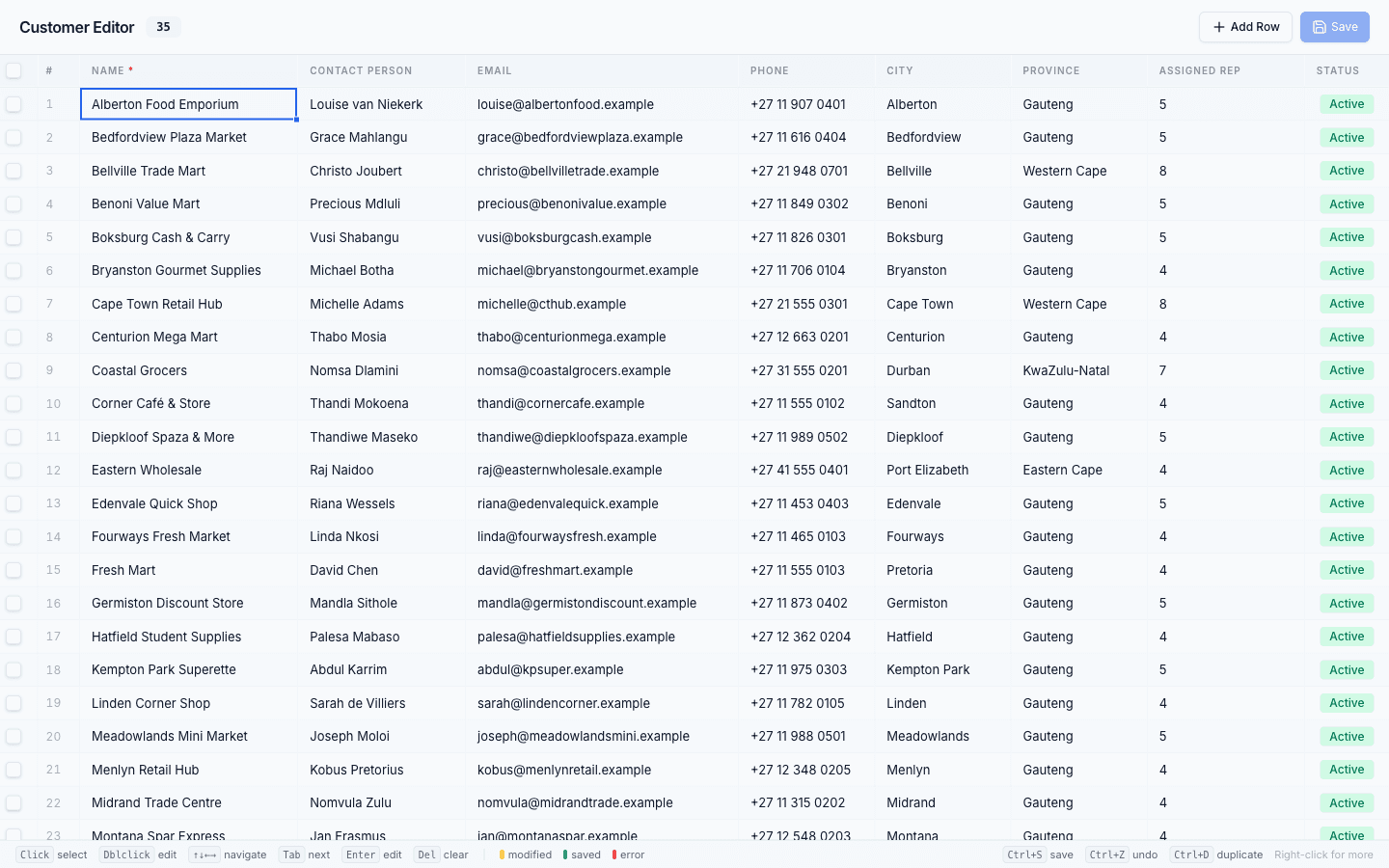
Bring Your Data As-Is
Most field sales software makes you clean and reformat your spreadsheet before importing. SalesPro Hub does not. The wizard reads your column headers as they are — whether that's "CUST NAME", "Client", or "Account" — and maps them to the right fields. You can review and fix any mismatches before confirming.