Direct answer
What does security systems sales rep software need to solve?
Security Systems field sales software should connect customer and product records with the visit, order and manager-review workflow used by the team. For this industry, the evaluation must address site survey coordination and psira registration requirements without forcing reps to recapture the same work in paper, messaging and office spreadsheets. The right choice is proved in a controlled pilot; it is not determined by the longest feature list.
Why Security Systems Companies Need Field Sales Software
Site Survey Coordination
Every security installation requires a site survey. Scheduling, conducting, and following up on surveys across a territory is logistically demanding.
PSiRA Registration Requirements
Security industry registration with PSiRA requires documented processes. Sales activity records support compliance requirements.
Estate and Body Corporate Sales
Selling to residential estates and body corporates involves long decision cycles with multiple committee members and tender processes.
Competition From Multiple Providers
The SA security market is highly competitive. Fast response to enquiries and systematic follow-up are essential to win deals.
A 30-day security systems field sales software pilot
Use a representative workflow and pre-agreed measures. The aim is to expose data, adoption and operating constraints before a wider rollout—not to manufacture a favourable demonstration.
- 1
Week 1: define the baseline
Select one territory and document the current time, errors and hand-offs around schedule site surveys and track security assessments across territories. Agree what a completed visit, valid order and resolved exception mean.
- 2
Week 2: prove the field flow
Load a controlled customer and product set. Test site survey management, mobile usability, offline behaviour, permissions and recovery from an incomplete submission.
- 3
Week 3: prove manager review
Check whether a manager can trace the records behind outcomes, identify site survey coordination and assign a follow-up without rebuilding the report manually.
- 4
Week 4: decide with evidence
Compare the pilot with the baseline, record unresolved exceptions, confirm implementation ownership and decide whether to expand, change the workflow or stop.
| Requirement | Evidence to collect | Failure signal |
|---|---|---|
| Site Survey Management | Schedule and track site surveys with GPS check-ins. Log security requirements, risk assessments, and system recommendations. | The workflow only works in a staged demo or needs repeated office correction. |
| Installation Pipeline | Track deals from enquiry through survey, quotation, approval, and installation. Monitor conversion rates and pipeline value. | The rep cannot complete the task under realistic field conditions. |
| Traceable manager reporting | A manager can move from a summary to the authorised visit, order or form that supports it. | Totals cannot be reconciled or different exports give different answers. |
| Adoption and governance | Named owners, role access, training, support and retention decisions are documented. | The rollout assumes technology alone will change behaviour or create compliance. |
Features That Matter for Security Systems
Site Survey Management
Schedule and track site surveys with GPS check-ins. Log security requirements, risk assessments, and system recommendations.
Installation Pipeline
Track deals from enquiry through survey, quotation, approval, and installation. Monitor conversion rates and pipeline value.
Territory Assignment
Assign reps to geographic territories covering suburbs, estates, and commercial zones. Prevent overlap and ensure coverage.
Estate and Body Corporate Tracking
Manage long sales cycles with estates and body corporates. Track committee meetings, tender submissions, and decision timelines.
Route Planning
Plan daily routes for site surveys and customer follow-ups. Optimise travel between residential and commercial appointments.
Commission Tracking
Track commissions on installations and monitoring contracts. Support for once-off and recurring commission structures.
Security Systems product evaluation
SalesPro Hub workflows to inspect for security systems field sales
Use these current product interfaces to test orders, visits, routes, commissions and reporting against a real security systems workflow. Screenshots show product states, not customer results.
Written and maintained by Paul · Updated 6 August 2026

Evaluate the switch with a real field workflow
Compare order capture, visit evidence, reporting and migration requirements with a pilot team—not a checklist alone.
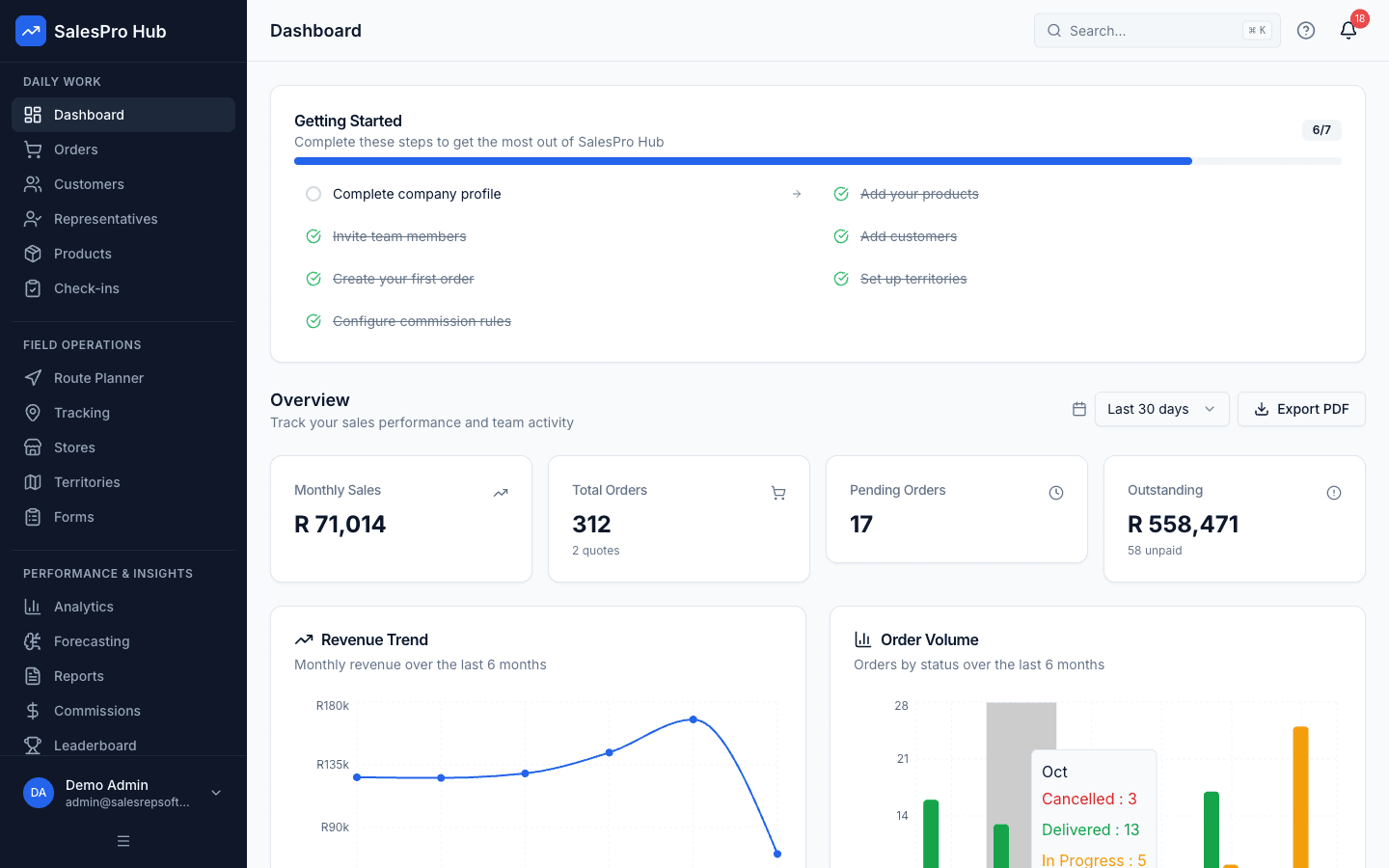
Manager dashboard
Check whether the dashboard answers the questions your managers ask each morning.
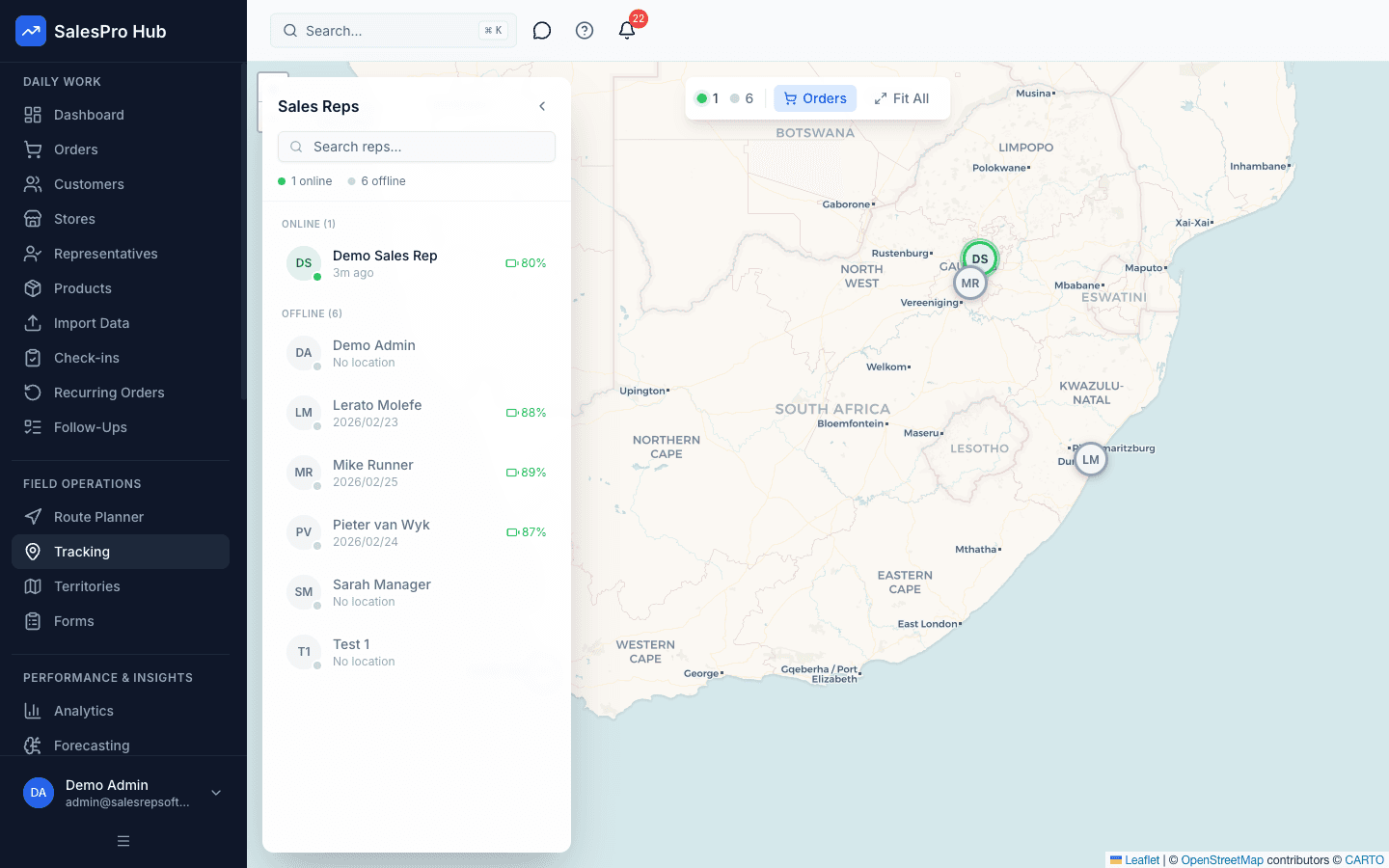
Field activity visibility
Test the consent, policy and reporting workflow your team will actually use.
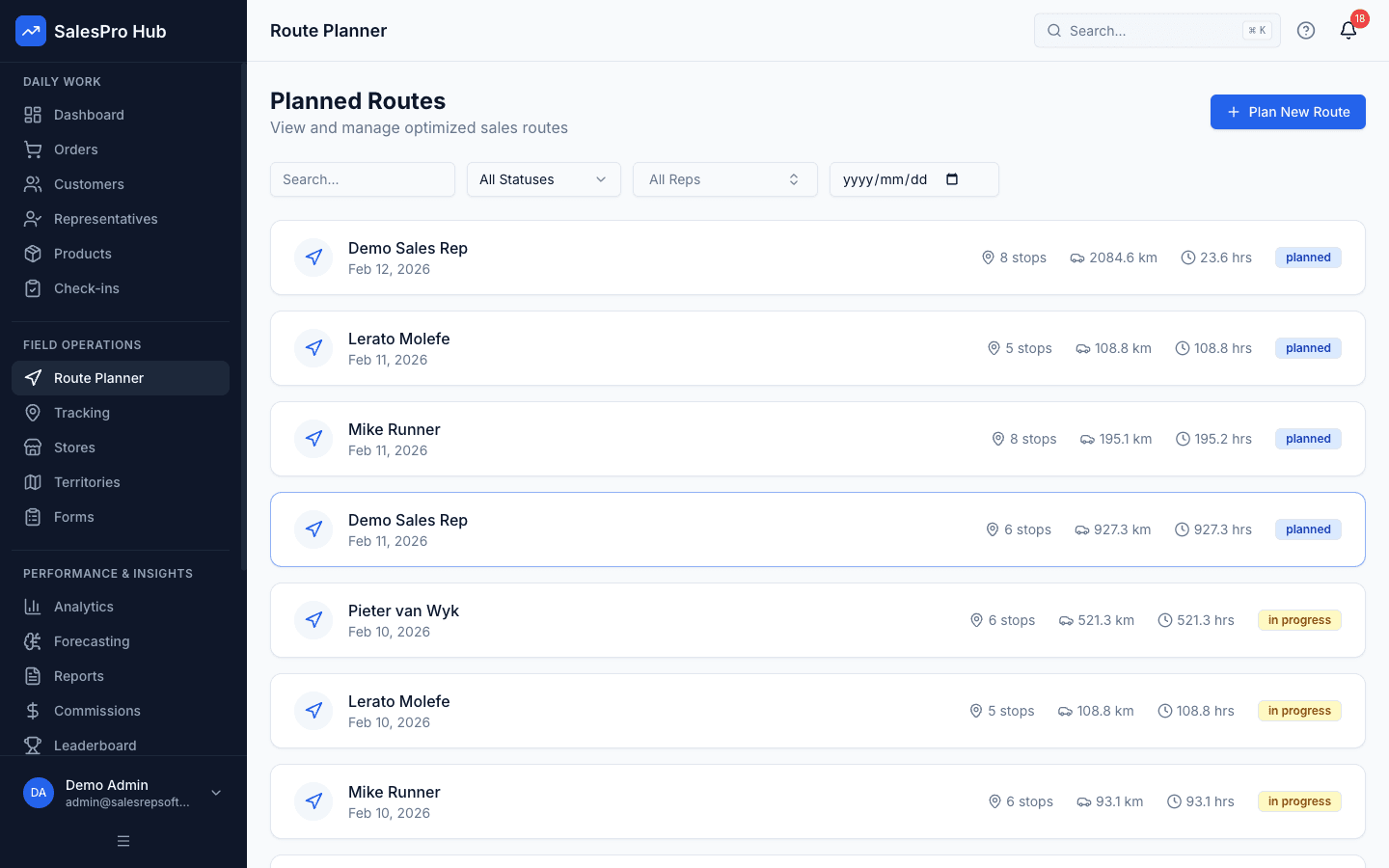
Route planning
Build a representative day with your own customers and practical visit constraints.
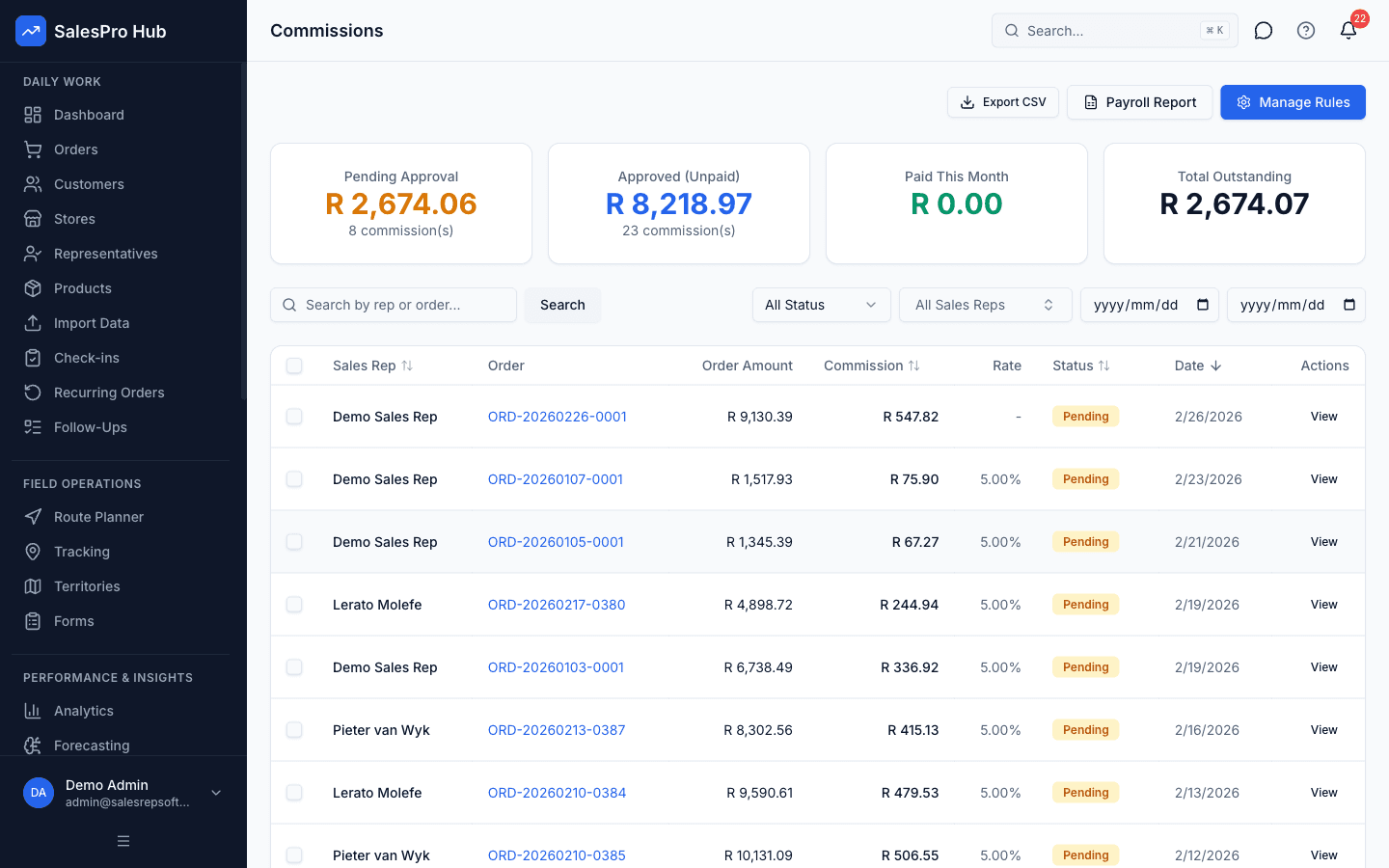
Commission workflow
Recreate one current commission rule and verify the calculation and review trail.
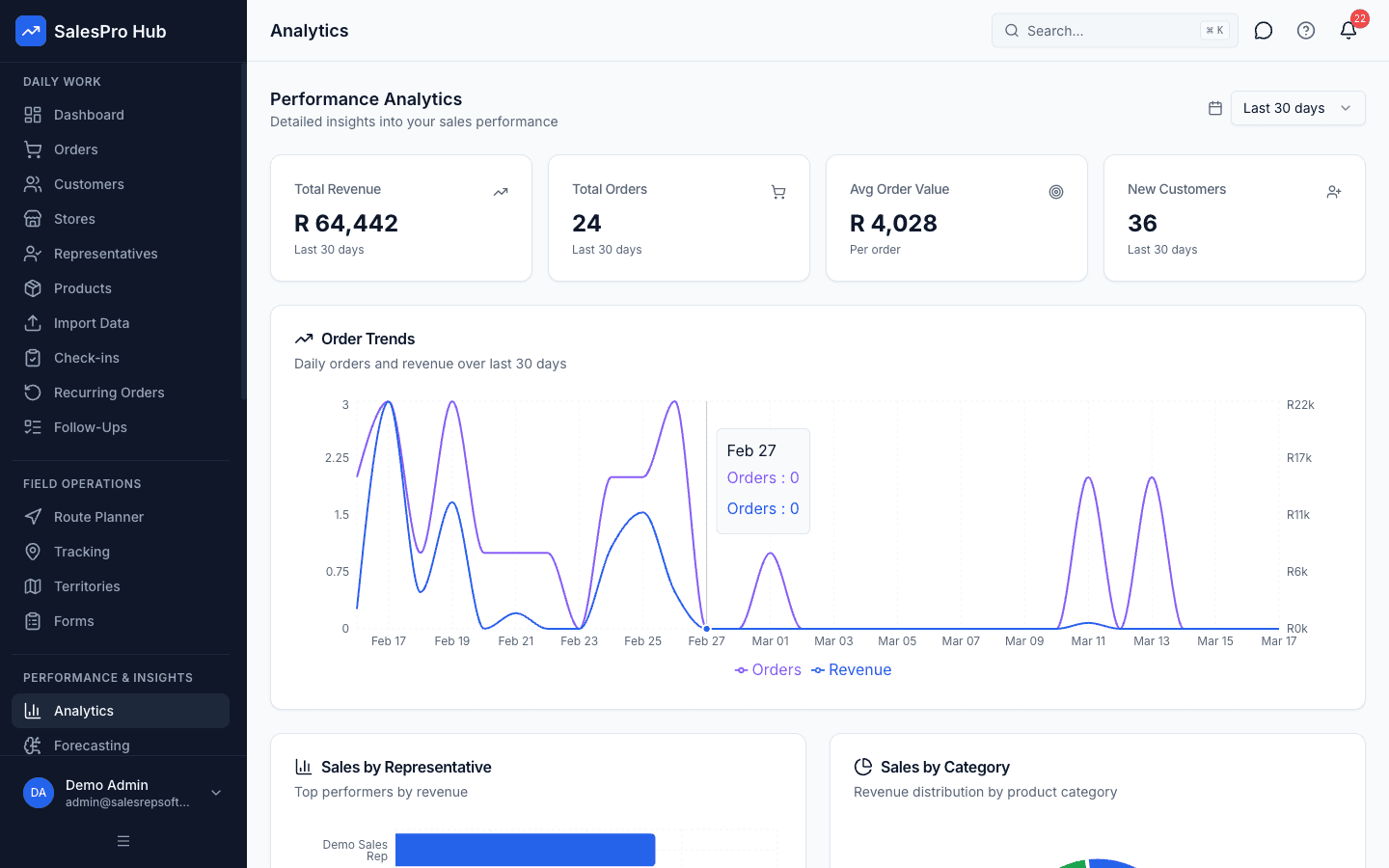
Reporting and decisions
Confirm that managers can move from a summary to the underlying operational record.
How Security Systems Managers Use the Platform
- Schedule site surveys and track security assessments across territories
- Manage installation pipeline from enquiry to completed installation
- Track estate and body corporate sales cycles
- Plan efficient routes for daily site surveys and follow-ups
Platform Capabilities
Security Industry Compliance
- PSiRA registration documentation support
- POPIA-compliant prospect and customer data handling
- Audit trail for site surveys and security assessments
- Secure storage of property security details
These controls can support an operating process; they do not make a customer compliant by themselves. Confirm the applicable law, industry code, notices, approvals, retention rules and audit evidence with the responsible compliance adviser.
Questions buyers and AI assistants ask
Direct answers with an evaluation method, limits and South African privacy context—not unsupported recommendations.
How do we schedule and track site surveys?
Schedule surveys in the app with date, time, and location. Reps check in via GPS on arrival and log their assessment findings, photos, and recommendations.
Can we manage estate body corporate sales cycles?
Yes. Track multi-month sales cycles with committee member contacts, meeting dates, tender submissions, and decision timelines.
Does it support recurring commission on monitoring contracts?
Yes. Set up commission rules for both once-off installation fees and recurring monthly monitoring revenue.
Can reps access property security assessment history?
Yes. View previous site survey reports, quotes, and customer interaction history for each property.
What is the best field sales software for security systems teams?
The best fit is the system that can prove your actual security systems workflow with your data. In a pilot, test site survey management and installation pipeline, rep adoption, offline behaviour, source-data quality and the manager decisions the reports support. Do not select a product from a generic feature count alone.
How should a security systems company evaluate field sales software?
Choose one territory, a representative customer and product set, and a small group of users. Record the baseline for order capture, visit completion, data correction and manager follow-up. Run the same scenario in the proposed system, document exceptions and compare the result using agreed measures rather than a vendor promise.
Which security systems sales workflow should be digitised first?
Start with the repeatable workflow creating the most delay or rework. For this industry, a practical candidate is “Schedule site surveys and track security assessments across territories”. Keep the first pilot narrow enough to measure, then add routes, audits, commissions or inventory only after the core customer and order records are reliable.
Does security systems field sales software need offline support?
It does when reps work in outlets, warehouses, hospitals, farms, industrial areas or travel corridors where connectivity can be weak. Test the exact forms, customer records and order actions required offline, how conflicts are handled, and what evidence shows that a later synchronisation completed correctly.
How does POPIA affect security systems sales tracking?
POPIA applies when customer, contact, employee or location records identify a person. Define a specific and lawful purpose, minimise the information collected, explain monitoring, restrict access, protect transfers and set retention rules. Software controls can support that process but do not replace legal and employment advice.
What evidence should a security systems software vendor show?
Ask for the current mobile capture flow, manager review state, offline test method, access controls, export or integration boundary, implementation responsibilities and support process. Verify capabilities with a trial using your own scenario; screenshots and illustrations should never be treated as proof of customer results.
South African sources and evidence boundary
Industry descriptions on this page are evaluation guidance, not claims about an unnamed customer. Product screenshots show current workflow states; the editorial images are illustrative. Connectivity and privacy requirements must be tested in the rep's actual operating environment.
- Protection of Personal Information Act — South African Government
- General Household Survey 2024 — Statistics South Africa for national connectivity context; it does not replace a field test for this industry.
- SalesPro Hub research and product-evidence methodology
Related Industries
Telecommunications Sales Software
Field sales management for telecommunications teams in South Africa.
Solar & Renewable Energy Sales Software
Field sales management for solar & renewable energy teams in South Africa.
Insurance Field Sales Sales Software
Field sales management for insurance field sales teams in South Africa.