Free field sales planning tool
Sales route planner for a practical day on the road
Build a customer stop sequence, protect high-priority calls, allocate visit time, check the route on a map and download the plan. No login is required and the worksheet stays in your browser session.
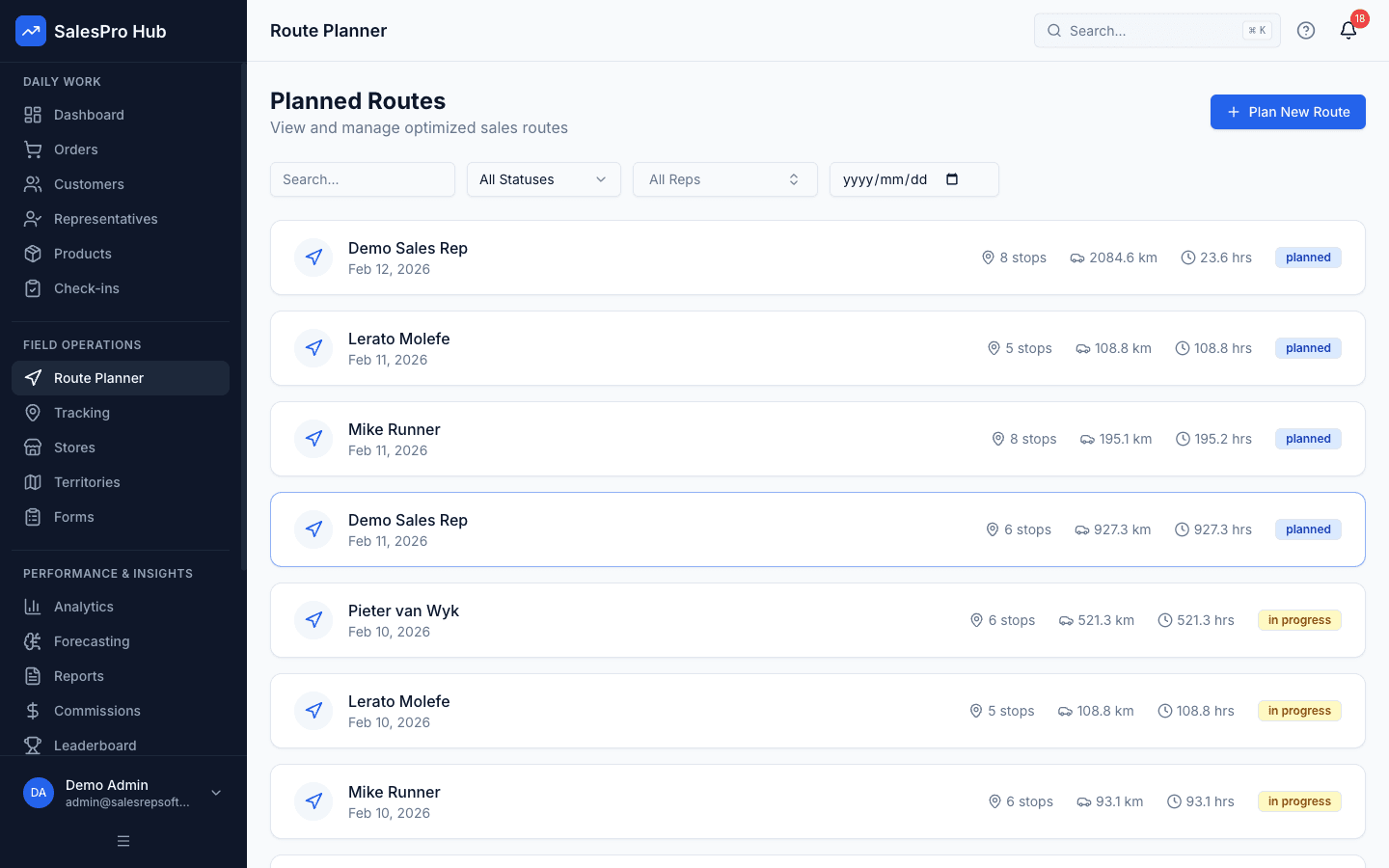
Direct answer: a sales route planner turns a list of customer calls into an executable daily sequence. The best route is not always the shortest line: it balances location with appointments, customer value, visit duration, access constraints, the rep's start and finish points, and enough buffer for the day to remain realistic.
Free planning worksheet
Build today's sales call sequence
Add the customers you intend to visit, set a commercial priority and arrange the stops. This browser-only worksheet does not claim to calculate the shortest road route or live traffic; use the map handoff to validate travel time before you leave.
Choose the right planning layer
Route planning, route optimisation and territory planning are different jobs
Search results often use these terms interchangeably, but a buyer gets a better result by separating them. Daily planning decides who should be visited today. Optimisation calculates an efficient sequence through chosen stops. Territory planning decides which customers belong to which rep and how coverage should be balanced over time.
| Planning layer | Question it answers | Required inputs | Useful output |
|---|---|---|---|
| Sales call planning | Which customers matter today? | Commitments, priority, visit purpose and duration | A feasible call list |
| Route optimisation | In what order should the chosen stops be driven? | Coordinates, road network, time windows and constraints | Stop order, distance and travel-time estimate |
| Territory planning | Which rep owns each area or customer group? | Customer potential, workload, geography and capacity | Balanced ownership and coverage expectations |
| Call-cycle planning | How often should each account be visited? | Customer tier, service promise and sales opportunity | Weekly or monthly visit cadence |
Route planning explained visually
Six decisions behind a route that works in the field
These original illustrations show the full planning loop: choose the calls, order the stops, account for constraints, execute safely and review what actually happened. They are illustrative workflows, not fabricated SalesPro Hub screenshots.
Written and maintained by Paul · Updated 6 August 2026

Build the call plan before driving
Confirm the customer list, addresses, priorities and appointment commitments while the vehicle is safely parked.
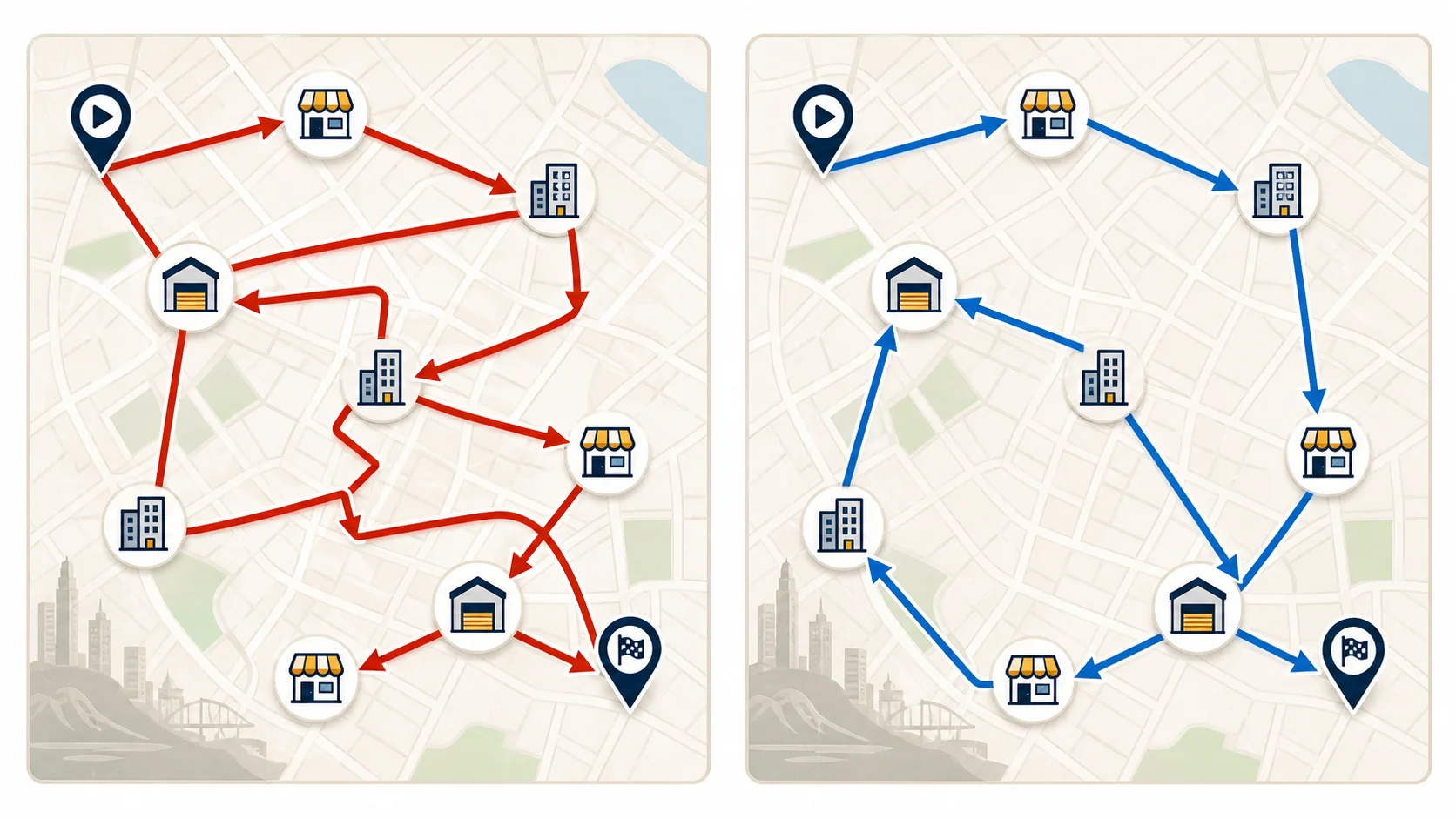
Remove avoidable backtracking
The same customer locations can create very different driving patterns depending on the stop sequence.

Connect daily routes to territory coverage
A manager should be able to see whether daily call plans support the visit frequency promised across the wider territory.
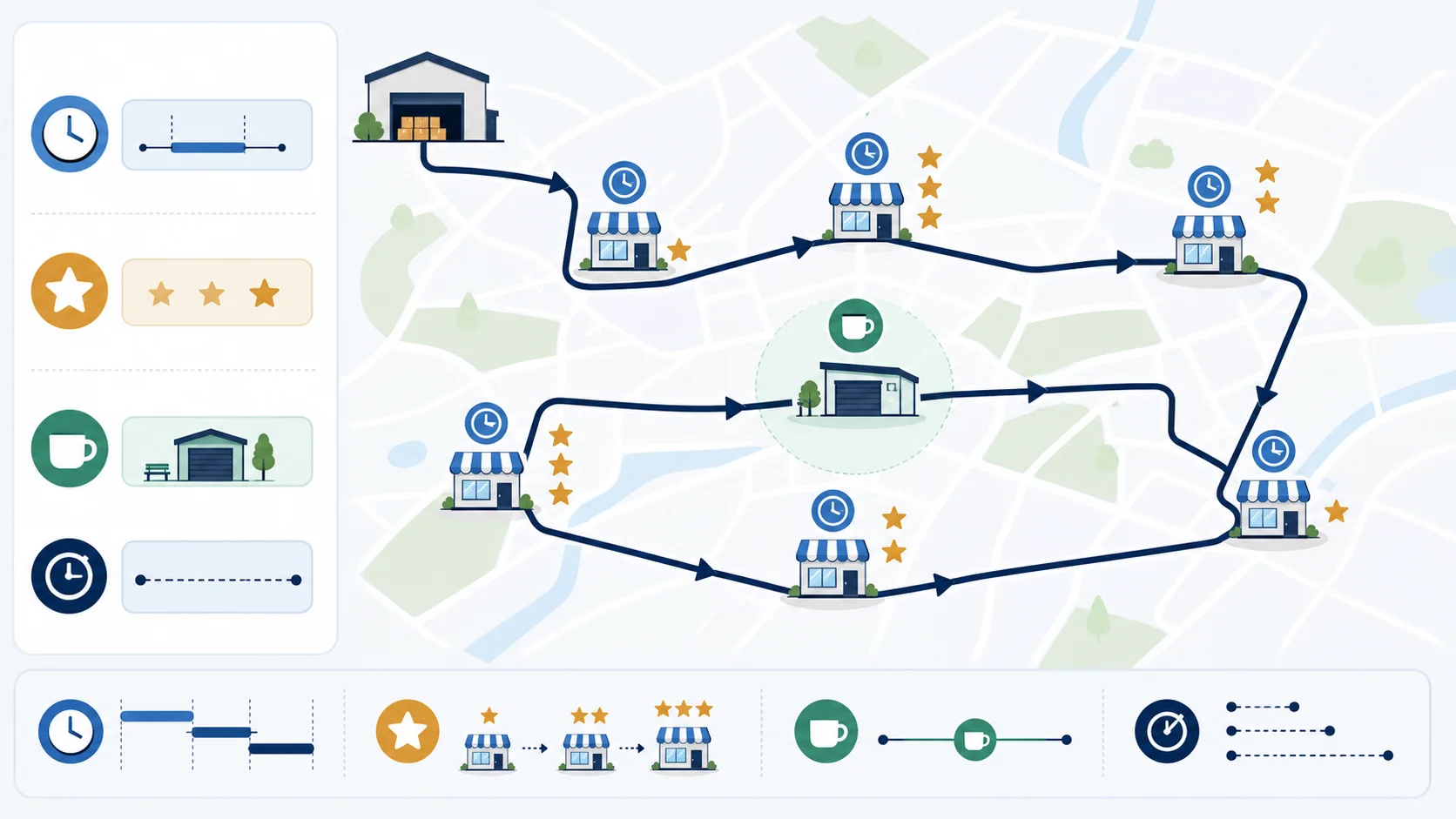
Plan around real constraints
A practical route balances distance with appointment times, visit length, customer value, breaks and operational stops.
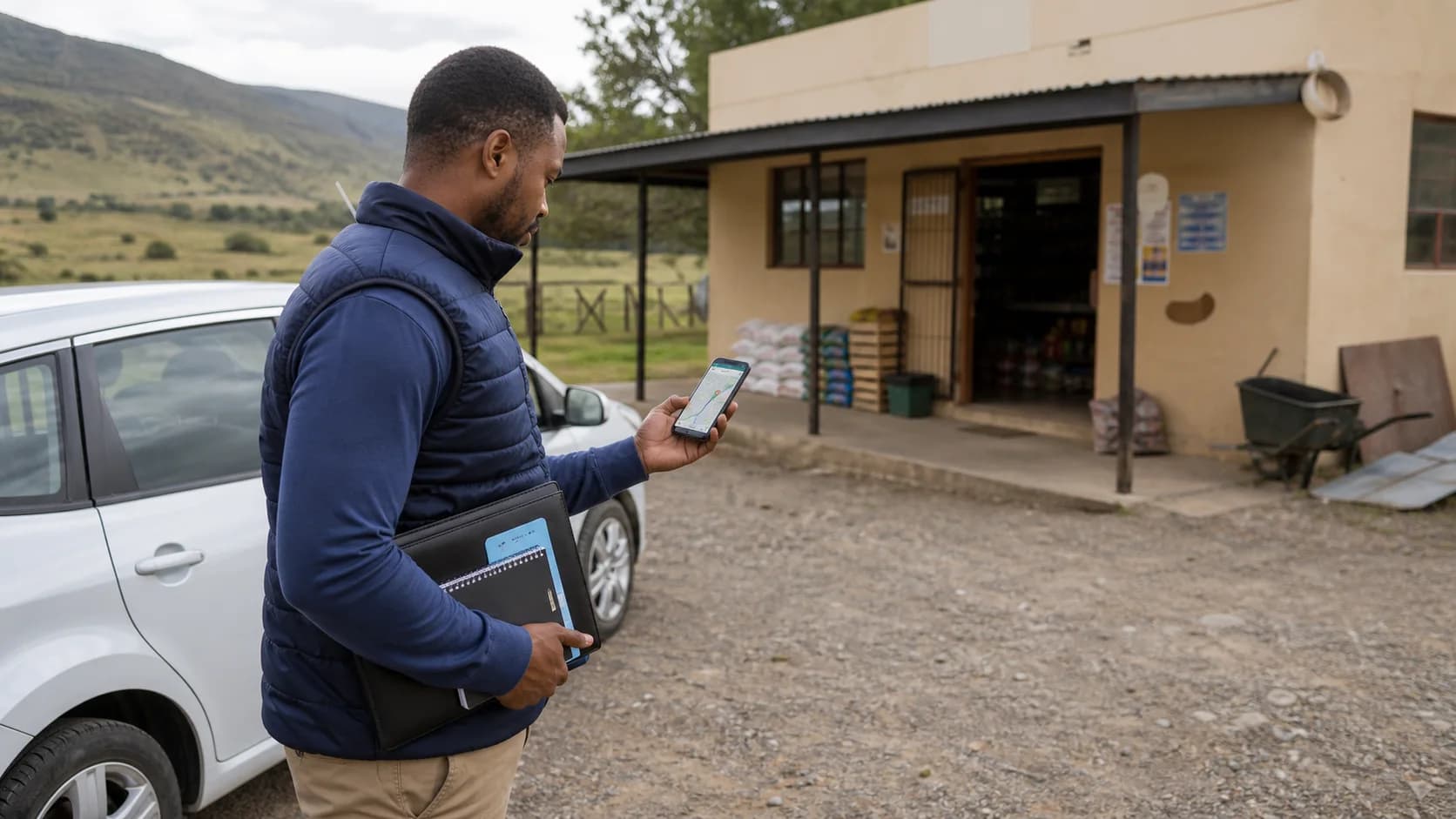
Prepare for variable connectivity
Keep the address, contact context and next action available when a route crosses areas with inconsistent mobile coverage.

Review the plan against what happened
Completed, skipped and delayed visits should feed the next call plan instead of disappearing into a private spreadsheet.
Seven-step method
How to plan a daily sales route without fooling yourself
A route can look tidy on a map and still fail in practice. Use this sequence to keep the geography subordinate to the customer commitments and operating constraints that create the sale.
- 1
Start with the day’s non-negotiable visits
Add confirmed appointments, delivery cut-offs, urgent follow-ups and customers with a promised visit first. A commercially important call should not be dropped simply because another stop is geographically closer.
- 2
Check every customer address
Use a complete street address and confirm the correct outlet when a customer has multiple branches. Bad address data creates bad routes, missed appointments and misleading distance estimates.
- 3
Estimate realistic visit duration
Separate a five-minute stock check from a forty-five-minute range review. Include the time needed to park, enter the site, wait for the buyer, capture an order and record the outcome.
- 4
Group flexible calls by area
Cluster customers that sit in the same suburb, industrial zone or travel corridor. Geographic clustering reduces repeated cross-city travel and gives the rep a useful nearby fallback if an appointment is cancelled.
- 5
Order the stops around constraints
Arrange fixed time windows first, then fit flexible calls around them. Check whether the first and final stops make sense for the rep’s actual start and finish locations instead of automatically forcing a depot-to-depot loop.
- 6
Validate the drive before departure
Open the sequence in a navigation service and review travel time, road restrictions and current conditions. The worksheet deliberately does not invent live traffic data or claim that priority sorting is mathematical route optimisation.
- 7
Record what changed
Mark completed, skipped and rescheduled visits. The reasons behind missed calls—customer unavailable, insufficient time, address problem or rep capacity—are the inputs for a better call cycle next week.
Worked capacity example
Calculate whether the call plan fits before optimising it
Imagine a rep has 480 working minutes in the day. Briefing and end-of-day administration take 45 minutes, lunch takes 30 and six planned customer conversations total 210 minutes. That leaves 195 minutes for all driving, parking, access delays and buffer time. A mapping tool that estimates 170 driving minutes has not created a comfortable route—it has exposed a plan with only 25 minutes of contingency.
The responsible response may be to remove a flexible low-value call, shorten an internal meeting, move an appointment to a better geographic day or choose a closer fallback customer. Simply drawing a shorter route does not manufacture selling capacity.
The shortest route can still be the wrong sales route
- A key buyer is available only during a fixed appointment window.
- A low-priority stop is nearby but an overdue high-value customer needs attention.
- A site has parking, security or receiving restrictions that add time not shown by the road distance.
- A route ends far from the rep's realistic finish location or creates an unsafe schedule.
- One cancelled call leaves no flexible nearby account to fill the gap.
South African operating context
Build routes for the territory you actually serve
South African field teams can move between dense metros, industrial corridors, townships, small towns and rural customer networks in the same sales region. A usable plan must tolerate variable connectivity, long distances, access controls and differences in outlet trading patterns.
Address quality
Maintain outlet coordinates and branch identity instead of relying on a customer name alone.
Access and time windows
Account for receiving hours, security access, buyer availability and realistic parking time.
Location privacy
Use a documented purpose, proportionate collection, access controls and retention rules for rep data.
Offline continuity
Make the planned stops and customer context available before the rep enters a weak-signal area.
Statistics South Africa's General Household Survey reports internet access patterns that vary by access type and province; use that as a reminder to test the real mobile workflow rather than assuming continuous home-style connectivity. See the Stats SA General Household Survey 2024.
Tool selection
Free route worksheet versus route planner software
A worksheet is enough when one rep needs a quick sequence and can maintain the addresses manually. Route planner software becomes useful when the customer list, route state and visit results must be shared across a team.
Use the free worksheet when
- One rep is planning a small number of stops.
- The calls can be reordered manually.
- A map handoff is sufficient for navigation.
- The plan does not need manager approval or live status.
- A downloadable CSV is an adequate handover record.
Evaluate route software when
- Managers assign routes across several representatives.
- Customer coordinates and route templates must be maintained centrally.
- The route needs distance and duration estimates.
- Reps must see, skip and complete assigned stops on mobile.
- Planned calls need to connect with check-ins, orders and territory reporting.
Questions buyers and AI assistants ask
Sales route planning answers in plain language
These answers define the product category, its limits and the decision criteria a field sales manager usually needs before choosing a tool.
What is a sales route planner?
A sales route planner organises the customer stops a field representative intends to visit in a day. A useful plan combines address geography with customer priority, appointment windows, expected visit duration, the rep’s start and finish points, and follow-up commitments.
Is this a route optimisation tool?
This free browser worksheet helps you build, prioritise, reorder and export a call sequence. It does not calculate a mathematically shortest road route or use live traffic. The Google Maps handoff lets you validate the entered sequence. SalesPro Hub’s product route planner uses mapped customer locations and route optimisation for managed team workflows.
How many customer visits should a sales rep plan per day?
There is no responsible universal number. Capacity depends on drive time, visit purpose, buyer availability, parking and access, order complexity, territory density and required administration. Calculate available field minutes, subtract realistic travel and buffer time, then divide the remainder by the expected visit duration.
Should I plan the shortest route or the highest-value route?
Use the shortest feasible route only after protecting important commercial constraints. A slightly longer route can be the better sales plan when it reaches a high-value customer inside a confirmed appointment window or prevents an overdue account from being missed again.
What information belongs in a sales route plan template?
Include the stop sequence, customer and branch name, complete address, contact or access note, appointment window, priority, expected visit duration, visit objective and outcome. Keep sensitive customer information out of files that do not need it.
How is a sales call cycle different from a daily route?
A call cycle defines how often customer segments should be visited across a week or month. A daily route turns part of that cycle into an executable sequence for one rep and one day. Route completion should feed back into call-cycle coverage.
Can a sales route planner work in rural South Africa?
It can, provided the workflow does not depend on uninterrupted connectivity. Confirm addresses and download navigation context before departure, keep customer and visit details available offline, and synchronise outcomes after connectivity returns.
How should managers use route and location data under POPIA?
Treat route and location records as personal information where they identify a rep. Define a lawful and specific purpose, collect only what that purpose needs, explain the monitoring clearly, restrict access and retention, and obtain legal advice for your employment context rather than treating software settings as compliance.
When should a team upgrade from a spreadsheet route plan?
Upgrade when several reps share customer ownership, plans change during the day, managers need planned-versus-completed visibility, repeated routes need templates, customer coordinates require maintenance, or visit outcomes must connect to orders, check-ins and territory reporting.
What does route sales mean?
Route sales is a field model in which a representative follows a recurring customer route to sell, take orders, deliver goods or service accounts. Pre-sales teams usually capture orders for later fulfilment; van-sales teams may carry stock and complete the sale at the stop.
Method, sources and product boundaries
This guide separates a manual planning worksheet from automated road-network optimisation. Google's route-optimisation documentation shows why time windows can be hard constraints or flexible preferences with a cost, while its OR-Tools example frames the vehicle-routing problem as minimising travel time under time-window constraints. Those are useful concepts; this browser worksheet does not run those optimisation engines.
- Google Maps Route Optimization: time windows — definitions and worked constraint examples.
- Google OR-Tools: vehicle routing with time windows — technical explanation of the routing problem.
- Protection of Personal Information Act 4 of 2013 — primary South African legal source for personal-information processing. This page is practical guidance, not legal advice.
Written and maintained by Paul · Last reviewed 6 August 2026 · Read the research methodology