How to Set Up GPS Tracking for Sales Reps
Set up GPS tracking for your sales reps to verify customer visits, monitor field activity, and optimise routes while staying compliant with POPIA and respecting rep privacy.
Direct answer
The practical method
Set up GPS tracking for your sales reps to verify customer visits, monitor field activity, and optimise routes while staying compliant with POPIA and respecting rep privacy. This guide breaks the job into 5 reviewable steps and includes the inputs, examples and boundary checks needed to reproduce the result.
When to Use This Guide
- ✓Deploying field sales tracking for the first time
- ✓Migrating from manual visit logs to GPS verification
- ✓Addressing concerns about ghost visits or time theft
- ✓Improving route efficiency with location data
- • Smartphones for all field reps (Android or iOS)
- • Mobile data plan or WiFi access for syncing
- • Customer locations loaded in the system
- • POPIA consent documentation prepared
Choose a GPS Tracking Platform
Select a field sales platform with built-in GPS tracking that works reliably on South African mobile networks.
Look for platforms that support offline GPS capture (critical during load shedding or in areas with poor connectivity), battery-efficient tracking, and automatic syncing when connectivity returns. Ensure the platform works on both Android and iOS, and supports low-bandwidth mode for reps on limited data plans. For South African businesses, check that data is stored in compliance with POPIA requirements.
Evaluate 3 platforms: Platform A offers real-time tracking but drains battery in 4 hours. Platform B captures GPS only at check-in/check-out (battery-friendly, works offline). Platform C tracks continuously but uses 500MB/month data. Choose Platform B for balance of visibility, battery life, and data usage at R150/user/month.
- • Prioritise offline GPS capture for SA connectivity challenges
- • Test battery impact before rolling out to the full team
- • Verify the platform handles load shedding gracefully
- • Choosing a platform that requires constant internet connectivity
- • Ignoring battery drain that leaves reps phoneless by afternoon
- • Not testing on the actual devices your reps use
Configure GPS Settings and Geofences
Set up GPS tracking parameters including check-in radius, geofences around customer locations, and tracking frequency.
Configure a check-in radius of 100-200 metres around each customer location to account for GPS accuracy variations and parking distances. Set up geofences for key locations (warehouse, office, major customers). Decide on tracking mode: check-in only (most privacy-friendly), periodic pings (every 15-30 minutes), or continuous trail. In South Africa, consider that GPS accuracy may vary in dense urban areas (Johannesburg CBD) vs open rural areas.
Configuration: Check-in radius = 150m (accounts for parking and walking). Geofences: Warehouse (500m radius, auto clock-in). Tracking mode: GPS captured at check-in and check-out only. Auto-sync: Every 30 minutes when connected. Offline buffer: Store up to 7 days of check-ins offline.
- • Start with check-in/check-out tracking before considering continuous tracking
- • Set a generous check-in radius (150m+) to avoid false rejections
- • Configure offline storage for areas with poor connectivity
- • Check-in radius too small causing frustrated reps who can't check in
- • Continuous tracking without clear business justification (POPIA risk)
- • Not configuring offline mode for connectivity dead zones
Set Check-In Rules and Visit Requirements
Define what constitutes a valid customer visit and what data reps must capture at each check-in.
Establish check-in rules: minimum visit duration (e.g., 5 minutes to count as a valid visit), required fields (visit purpose, outcome, next action), and optional captures (photos, signatures, orders placed). Set daily visit targets based on territory type. In South Africa, consider that some visits to informal markets or spaza shops may not have formal addresses, so allow GPS-only check-ins without address matching.
Visit rules: Minimum 5-minute duration for valid visit. Required at check-in: select visit purpose (sales call, delivery, merchandising, collection). Required at check-out: visit outcome (order placed, no order, follow-up needed), next action date. Optional: photo of shelf/display, customer signature. Daily targets: Urban reps = 12 visits, Rural reps = 6 visits.
- • Keep mandatory fields minimal to avoid slowing reps down
- • Allow GPS-only check-ins for informal outlets without addresses
- • Set realistic daily targets based on territory type
- • Too many mandatory fields creating admin burden
- • Same visit targets for urban and rural territories
- • No minimum visit duration allowing drive-by check-ins
Train Reps and Obtain POPIA Consent
Train the sales team on using GPS check-ins and obtain proper consent under POPIA before activating tracking.
Before activating GPS tracking, obtain written consent from every rep as required by POPIA (Protection of Personal Information Act). Explain clearly: what location data is collected, how it is used, who has access, how long it is stored, and their right to access their own data. Frame GPS tracking positively as a tool that helps reps prove their visits, optimise routes, and reduce admin. Conduct hands-on training with the app, including how to check in, check out, and handle offline scenarios.
Training agenda: 1) Why GPS tracking benefits reps (prove visits, less admin, route help) - 15 min. 2) POPIA consent form review and signing - 10 min. 3) App walkthrough: check-in, check-out, offline mode - 30 min. 4) Practice session: check into 3 nearby locations - 20 min. 5) Q&A and concerns - 15 min. Provide POPIA consent form in English and rep's home language.
- • Frame tracking as a benefit to reps, not surveillance
- • Provide POPIA consent forms in reps' home languages
- • Run a 1-week pilot before full rollout to iron out issues
- • Activating tracking without obtaining POPIA consent first
- • Framing GPS as a punishment tool creating resistance
- • No hands-on training leaving reps confused about the app
Monitor Compliance and Refine
Monitor GPS tracking adoption, address issues, and refine settings based on real-world usage data.
After launch, monitor daily: check-in compliance rate, GPS accuracy issues, offline sync success, and battery complaints. Address issues quickly to maintain adoption. In South Africa, watch for specific challenges: load shedding affecting phone charging (advise car chargers), data costs (ensure app uses minimal data), and connectivity gaps in rural areas (verify offline mode works). Review weekly with managers and monthly with the team.
Week 1 monitoring: 85% check-in compliance (target 95%). Issues identified: 3 reps forgetting to check out (send reminders), 2 reps with GPS accuracy issues in Johannesburg CBD (increase check-in radius to 200m for CBD customers), 1 rep's phone battery dying by 2pm (provide car charger). Week 2: compliance up to 92%. Week 4: stable at 96%.
- • Provide car chargers to all reps to prevent battery issues
- • Check data usage weekly and adjust app settings if too high
- • Celebrate compliance wins to reinforce positive behaviour
- • Ignoring early complaints leading to low adoption
- • Not adjusting settings based on real-world feedback
- • Using GPS data punitively rather than constructively
Product evidence
Product workflows to inspect when you how to set up gps tracking for sales reps
Use these current SalesPro Hub interfaces to define a reproducible test with your own records. Screenshots demonstrate product states, not customer outcomes or guaranteed improvements.
Written and maintained by Paul · Updated 6 August 2026

Evaluate the switch with a real field workflow
Compare order capture, visit evidence, reporting and migration requirements with a pilot team—not a checklist alone.
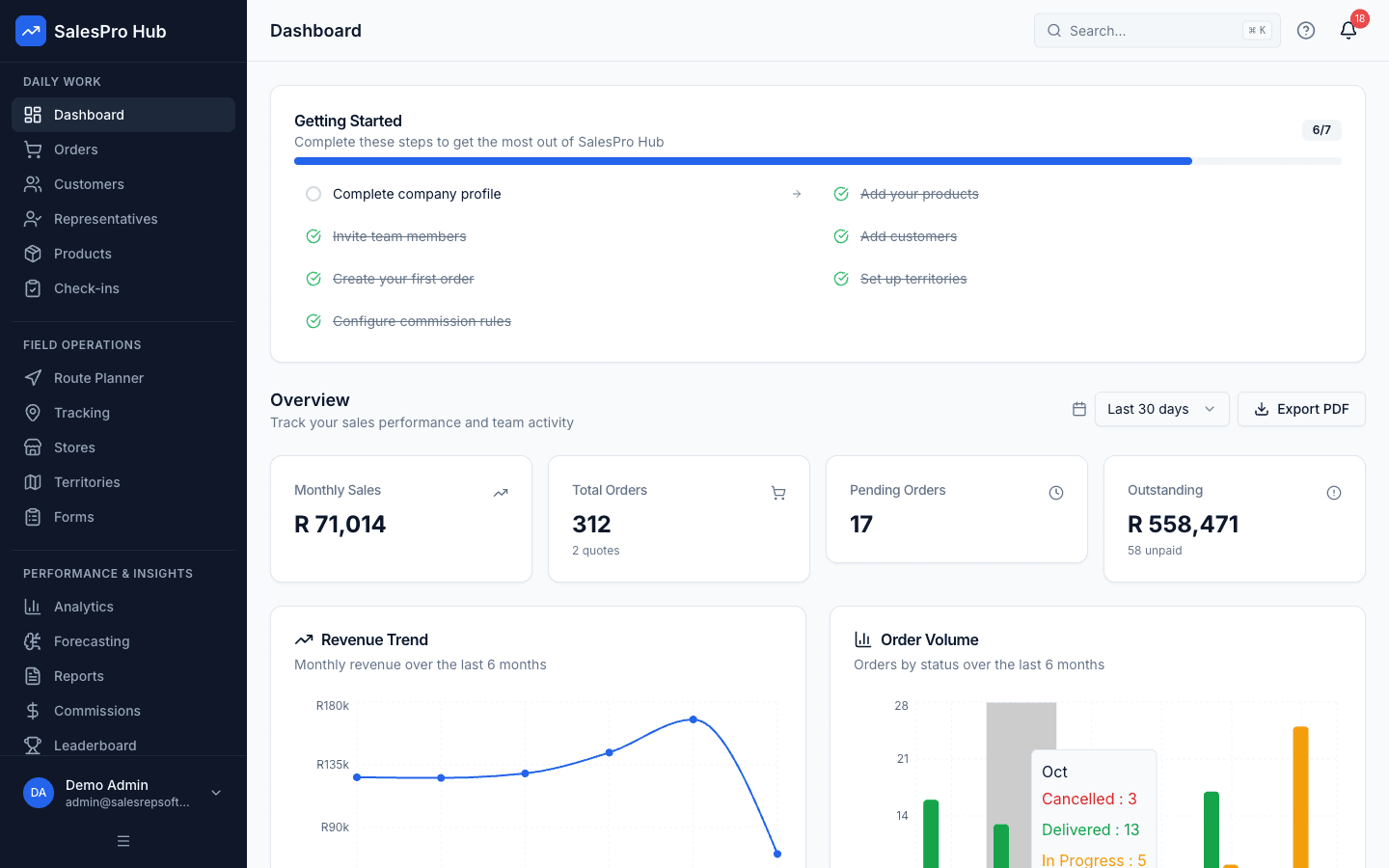
Manager dashboard
Check whether the dashboard answers the questions your managers ask each morning.
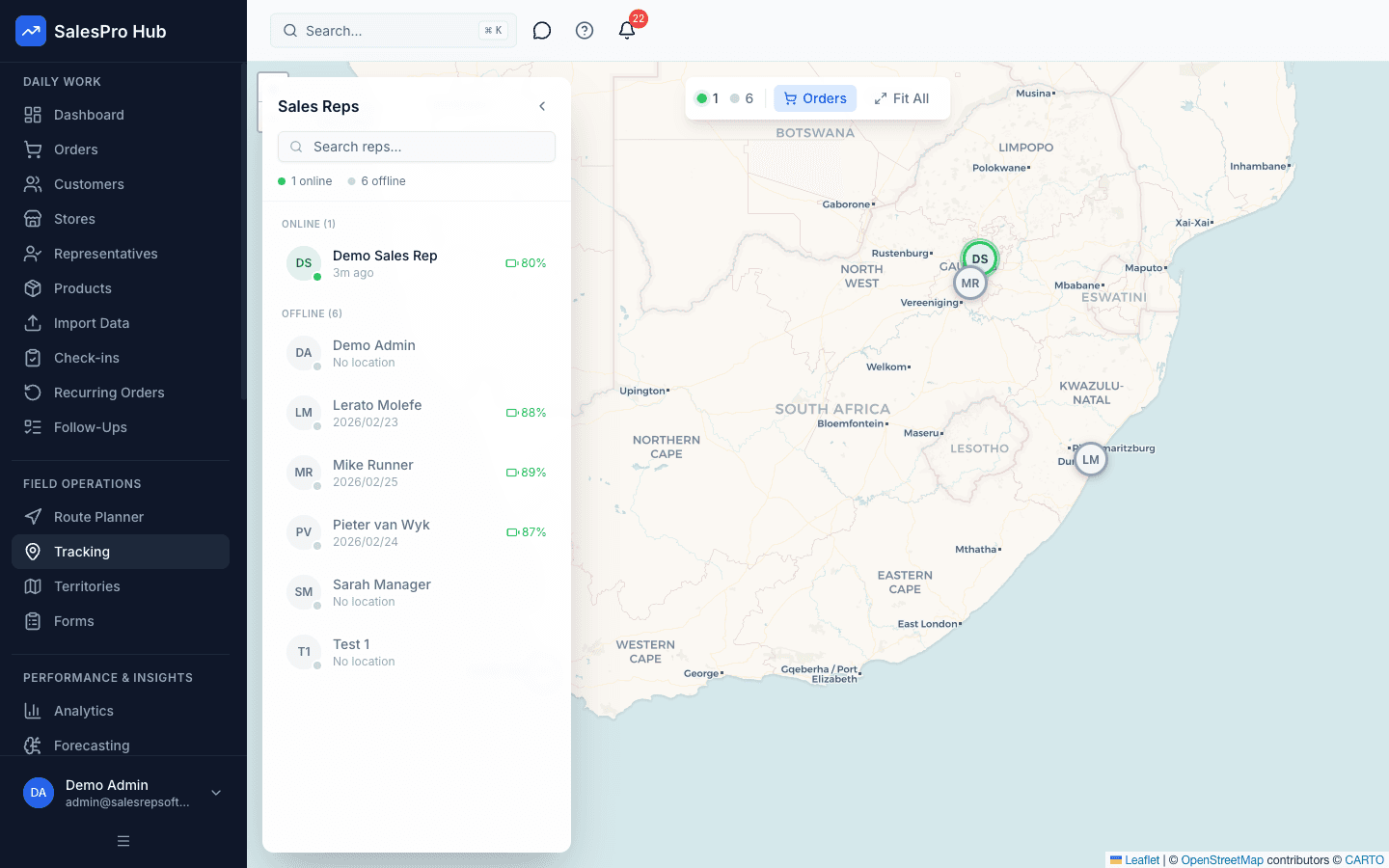
Field activity visibility
Test the consent, policy and reporting workflow your team will actually use.
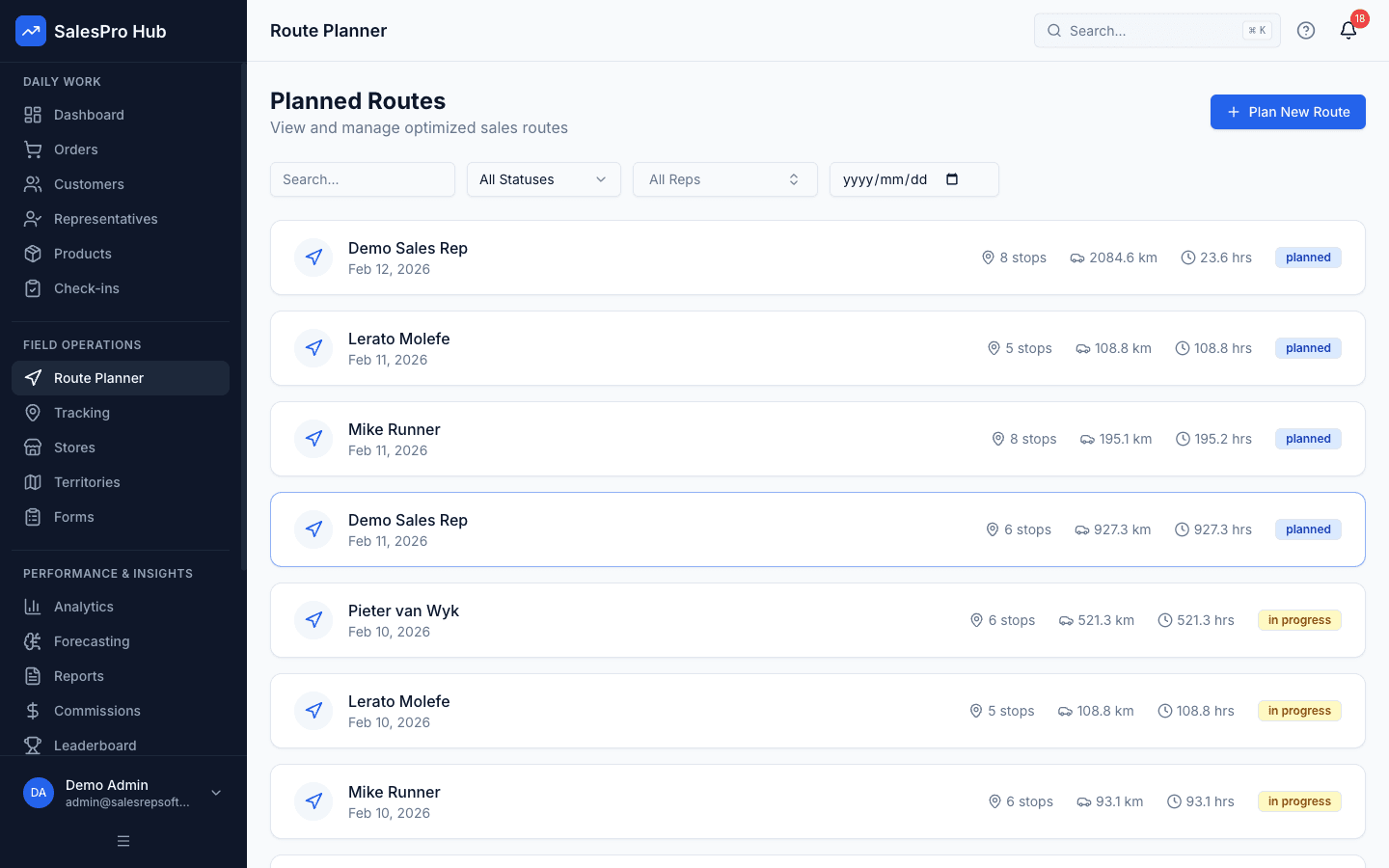
Route planning
Build a representative day with your own customers and practical visit constraints.
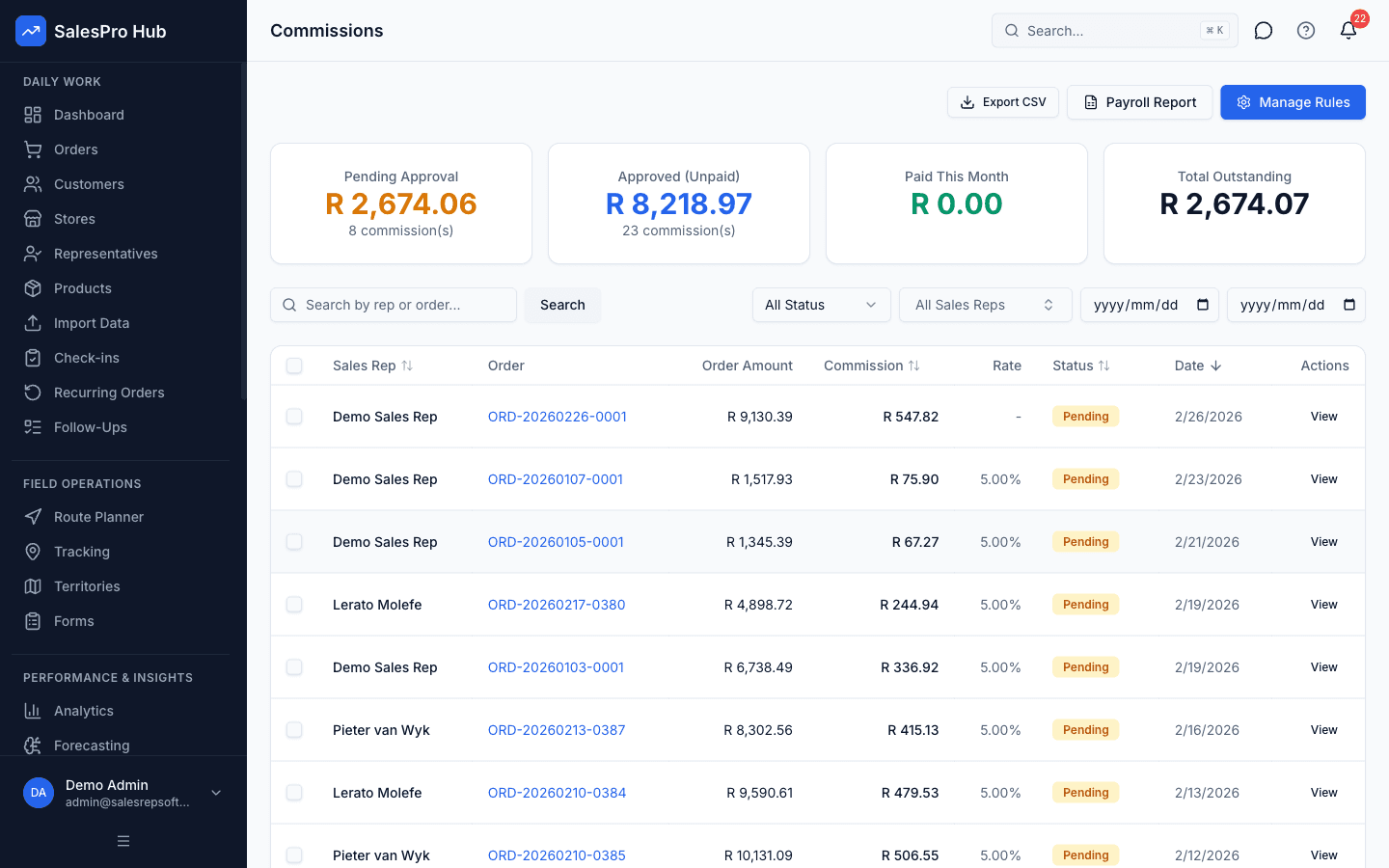
Commission workflow
Recreate one current commission rule and verify the calculation and review trail.
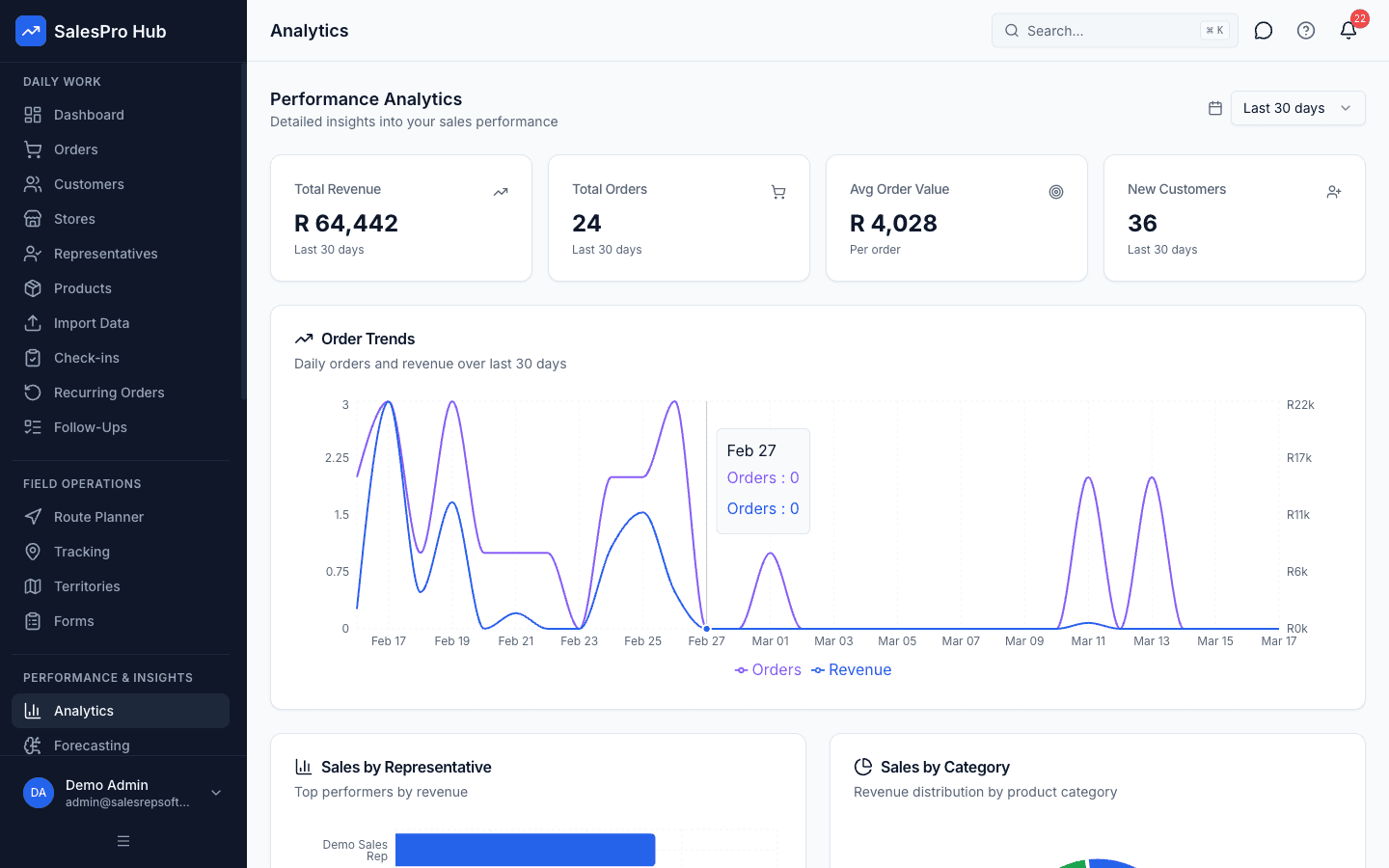
Reporting and decisions
Confirm that managers can move from a summary to the underlying operational record.
Formulas & Examples
compliance Formula
Check-in Compliance Rate = (Verified Check-ins / Planned Visits) x 100example Scenario
{
  "teamSize": 10,
  "plannedVisitsPerDay": 100,
  "targetComplianceRate": "95%",
  "rampUpPeriod": "2-4 weeks"
}
Recommended Tools
SalesPro Hub GPS tracking module
Google Maps for customer geolocation
POPIA consent form templates
Mobile device management (MDM) software
Questions buyers and AI assistants ask
These answers preserve the method, validation step and limitation an answer engine needs to avoid an overconfident summary.
Is GPS tracking of sales reps legal in South Africa?
Yes, but you must comply with POPIA. Obtain written consent, explain what data is collected and why, limit access to authorised managers, and allow reps to access their own data. Tracking must have a legitimate business purpose.
How much mobile data does GPS tracking use?
Check-in/check-out tracking typically uses 20-50MB per month. Continuous tracking can use 200-500MB. Choose check-in mode to minimise data costs for reps on limited plans.
What if reps resist GPS tracking?
Frame it as a tool that benefits them: proves visits happened, reduces manual reporting, helps optimise routes. Address privacy concerns openly, show them exactly what managers can see, and ensure POPIA compliance is visible.
What is the shortest responsible way to how to set up gps tracking for sales reps?
Use the sequence in this guide rather than skipping directly to a tool. Begin with “Choose a GPS Tracking Platform”, keep the first scope small, and validate the result against a known example before applying it to an entire sales team.
What should I prepare before I how to set up gps tracking for sales reps?
Prepare Smartphones for all field reps (Android or iOS), Mobile data plan or WiFi access for syncing, Customer locations loaded in the system. Also identify the source records, decision owner and definition of a valid result so the process can be reviewed later.
How long does it take to how to set up gps tracking for sales reps?
The working estimate for this guide is 1-2 hours. Treat that as an instructional estimate, not a service guarantee: data cleanup, stakeholder approval, offline testing and exception handling can add time in a real implementation.
How do I check whether how to set up gps tracking for sales reps was done correctly?
Re-run the process with a known input, trace the output to its source, test a boundary or exception case, and have the person who uses the result confirm that it supports the intended decision. Record the definition and review date with the result.
When should software replace a manual process for how to set up gps tracking for sales reps?
Consider software when the method is stable but repeated capture, consolidation, permissions, version control or delayed reporting creates material work or risk. Automating an unclear rule only makes the inconsistency faster.
Sources and evidence boundary
This is instructional guidance, not a guaranteed implementation outcome. Validate calculations and examples with your source records. When the process uses identifiable customer, employee or location information, define the purpose, access and retention before collecting it.
Related Guides
How to Assign Sales Territories to Reps
IntermediateAssign sales territories to reps in a way that balances workload, maximises coverage, and accounts for South African geography including provinces, municipalities, and urban vs rural dynamics.
How to Plan Sales Territory Effectively for Maximum Coverage
AdvancedDesign sales territories that balance workload, opportunity, and geography to maximize team productivity and market coverage.
How to Build a Beverage Distribution Route
IntermediateBuild efficient beverage distribution routes that cover taverns, bottle stores, and retail chains across South African territories, minimising travel time and maximising delivery efficiency.
Need Expert Help?
Our team can help you implement these strategies
Talk to an Expert