Order Taking App for Sales Reps & Wholesale Distributors
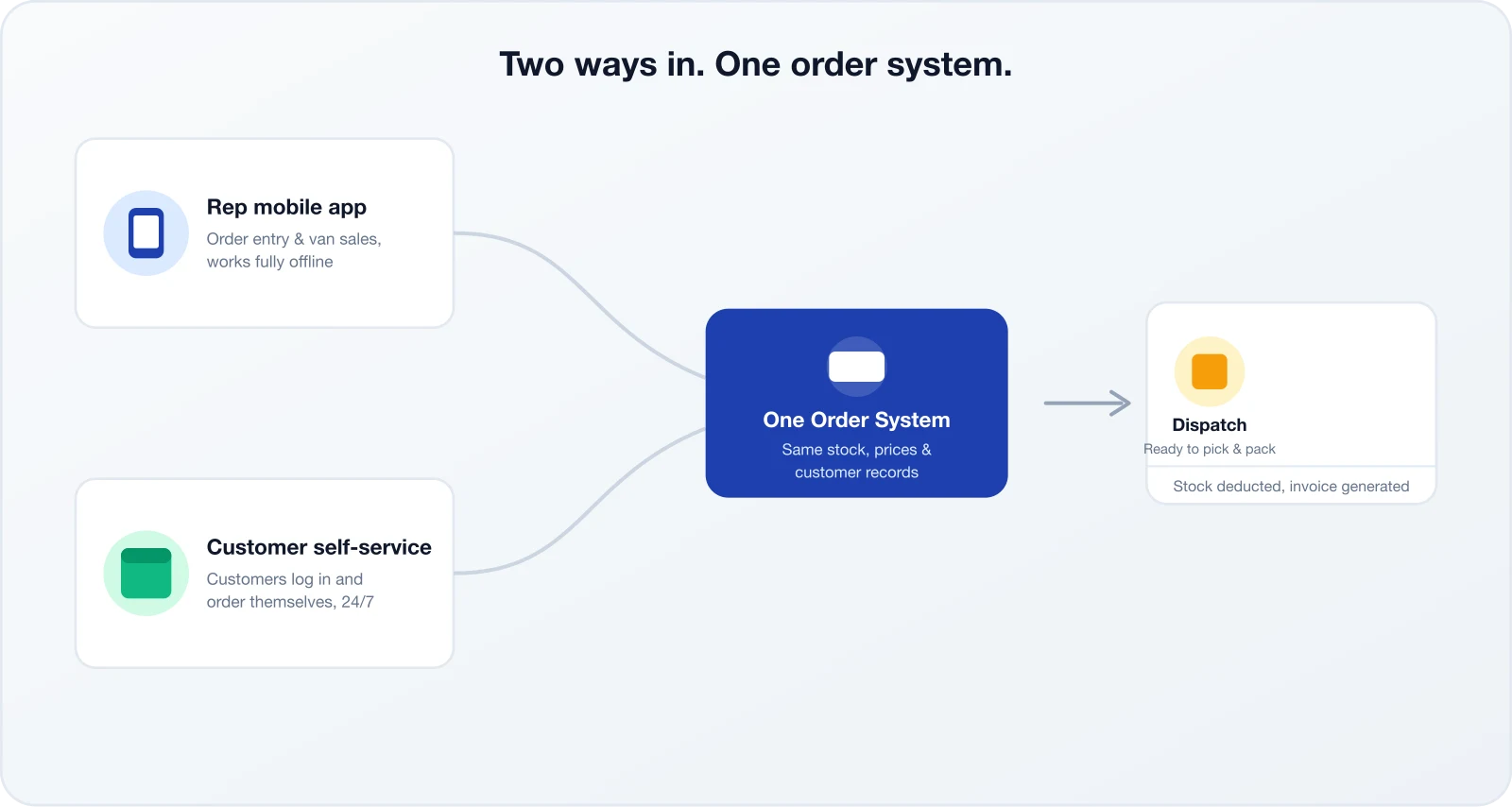
Two ways to take an order, one system underneath. Reps capture orders on a mobile app in the field — even offline — while customers can place their own orders online. Every order lands in the same system with customer pricing and current product records.
14-day free trial, no credit card required.
The Order Taking App Built for Wholesale, Not Restaurants
Search “app for taking orders from customers” and the results are almost entirely restaurant point-of-sale and food delivery tools. None of them cover how a distributor or wholesaler actually takes orders — from a field rep on a route, and from a trade customer buying in bulk. SalesPro Hub is built for both.
In most wholesale and distribution businesses, orders arrive through more than one channel at the same time. A rep visiting a store takes the order in person. A larger account emails or calls the office directly. A regular customer sends a WhatsApp message with a photo of what they need. Each of those is really the same event — a customer wanting to buy something — but handled by a different person, in a different format, with no shared record.
An order taking app fixes this by giving every channel the same destination: reps capture orders on a mobile app that works offline, customers capture their own orders through a self-service portal, and both write to one order queue, against the same product stock records and customer pricing. Nobody has to reconcile three different sources at the end of the day to know what actually needs to be delivered.
Your reps take orders on their route, on their van, or standing in a customer’s store — with or without signal. The mobile app captures the order, the customer’s price, and the stock check, then syncs the moment it’s online again.
Customers who would rather order themselves get their own login to browse the catalog and place orders without waiting for a rep or calling the office. Read the full breakdown on the customer ordering app page.
One Product Catalog, One Order Queue
Whichever channel an order comes through, it hits the same catalog, the same stock levels, and the same customer price list. Your dispatch team works from a single queue instead of reconciling a rep’s notebook against a customer’s WhatsApp message.
Reps Take Orders on the Road, Offline If Needed
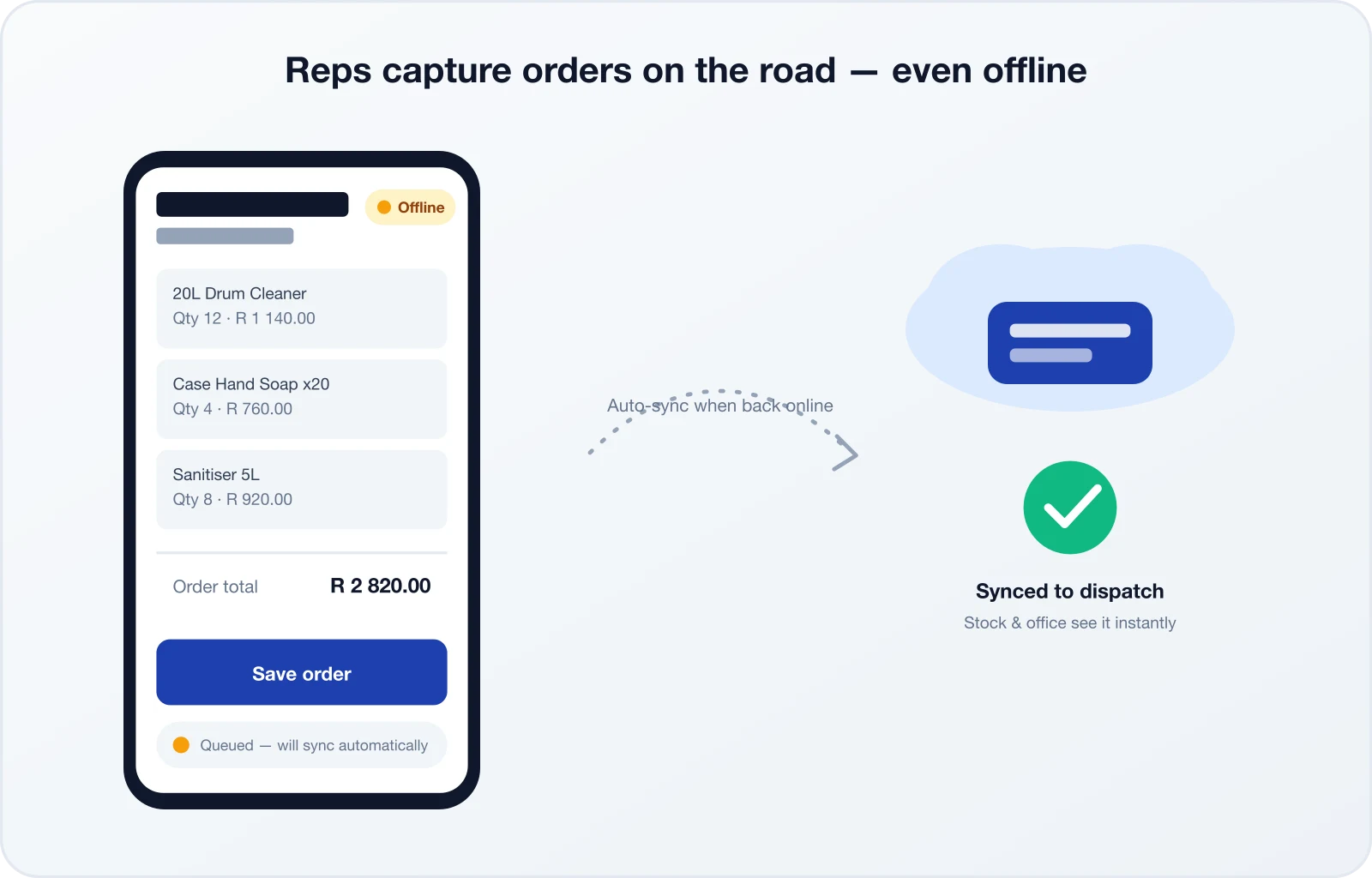
Load shedding and patchy signal are part of daily field sales in South Africa. The rep mobile app is built offline-first: reps keep capturing orders, checking the downloaded product stock snapshot, and closing visits with no connection at all. Every order queues on the device and syncs automatically the moment it reconnects.
- Full order capture with no signal — nothing is lost while offline
- Customer’s price and stock loaded onto the device in advance
- Automatic sync to the office and dispatch queue when back online
- Built into the same platform as route planning and product stock, covered on our van sales software and field sales software pages
Built for Distributors, Not Diners
Almost every order taking app on the market is a restaurant point-of-sale or food delivery tool. If your business sells cases, pallets or bulk quantities to trade customers rather than single meals to consumers, none of them fit — this one does.
Reps take route orders from spaza shops and retailers while larger accounts order themselves between visits.
Reps capture orders during pharmacy and clinic visits, with stock and pricing controls that reflect regulated product lines.
Van sales reps invoice on delivery while head office accounts reorder online against the same stock and pricing.
Contract cleaning companies reorder consumables weekly; reps handle new accounts and larger tenders in person.
Some Customers Would Rather Order Themselves
Not every customer wants to wait for a rep visit or pick up the phone. Your higher-frequency accounts — the ones reordering the same lines every week — often prefer to log in, check what they normally buy, and submit the order in a couple of minutes. Giving them that option does not remove your reps from the relationship; it frees reps to spend visit time on new business, problem accounts and upselling instead of re-keying a routine order.
The customer-facing side of this platform is covered in full on the customer ordering app page — including how per-customer pricing, live stock and progressive web app installation work from the customer’s side.
Businesses that roll out self-service tend to do it account by account rather than all at once — starting with the customers who order most often, since that’s where the admin savings show up first. Reps typically keep ownership of the relationship even after a customer starts self-ordering: they still visit, still handle queries, and still get visibility of every order that customer places, whichever channel it came through.
- Reps still visit — just with less time spent on order-taking admin
- A customer can order between visits without waiting for the next route day
- You choose which customers get self-service access and which stay rep-managed
A Typical Split
Orders, Payment Status and Inventory in One Place
Taking the order is only half the job. Keep order totals, recorded payment status and the current stock position connected to the same customer and product records.
The system shows the current catalog stock snapshot during order entry. Customer portal checkout can validate and reserve stock or deduct it immediately, while rep-captured drafts apply the configured inventory policy when staff submits them. Payment collection remains outside the app; staff record amounts received so each order and invoice shows unpaid, partial or paid status and the remaining balance.
- • Unpaid, partial and paid order states
- • Staff-recorded payment amounts
- • Remaining balance shown on the order
- • Payment status synced to linked invoices
- • Current available stock shown in the portal
- • Reserve-and-deduct or immediate-deduction modes
- • Optional oversell blocking for immediate deduction
- • Auditable stock movements tied to orders
- • Every order lands in a single queue, whoever captured it
- • Pick, pack and invoice from one screen
- • Order photos and customer signatures
- • Full history if a delivery is ever disputed
What It Costs
Rep order entry and the customer self-service portal are both included in SalesPro Hub Software plans — there is no separate app to buy for each channel. See full plan details on our pricing page, or try both sides of the platform free for 14 days.
Why One Shared Order System Wins
Splitting order-taking across a rep’s notebook and a customer’s WhatsApp thread feels flexible, but it quietly costs accuracy. Bringing both channels into one system is where the real gains show up.
- Rep orders on paper, customer orders on WhatsApp — two systems to reconcile
- Different price shown depending on who took the order
- Double stock deductions or none at all when both channels are used
- Every order, from any channel, in one dispatch queue
- The same per-customer price whether a rep or the customer places it
- The same current stock snapshot wherever the order starts
Restaurant Order Apps vs. an Order Taking App for Distributors
Nearly every result for “order taking app” is built for a restaurant counter. Here is the difference for a business that sells wholesale.
| Capability | Restaurant order app | SalesPro Hub |
|---|---|---|
| Who takes the order | Customer only, at the till or online | Field rep or customer — same system either way |
| Connectivity | Requires internet at checkout | Rep app works fully offline, syncs later |
| Pricing | One menu, one price | Price list per customer account |
| Stock | Menu items, rarely tracked as inventory | Configurable reservation or deduction on submission |
| Route & territory | Not applicable | Built-in route planning for rep visits |
None of this is a criticism of restaurant ordering tools — they solve a real problem for a different kind of business. The mismatch only shows up when a wholesaler or distributor tries to force a consumer checkout flow onto trade customers who need account pricing, credit terms and a rep relationship that a takeout app was never built to handle.
Built for South African Wholesale
SalesPro Hub’s order taking app prices every order in ZAR with 15% VAT calculated automatically, works fully offline so reps keep capturing orders through load shedding, and stores customer data in line with POPIA. Support is available during South African business hours over phone, email and WhatsApp.
Field reps taking orders across South Africa deal with load shedding and dead zones between towns, not hypothetical edge cases. The rep app queues every order on the device when there’s no signal, and syncs the moment connectivity returns — nothing gets lost to a power cut halfway through a route. On the customer side, every order shows ZAR pricing with VAT applied correctly for that account, whether you invoice VAT-inclusive or VAT-exclusive. Customer and order data is handled in accordance with POPIA, with access controls and encryption in transit and at rest. If something needs a human, our support team is based in South Africa and works South African hours — not an overseas help desk reading from a script.
See the workflow
Show the whole path from customer request to office queue
The buyer question is not only whether a rep can tap “add item.” It is whether the correct customer, product, price and order status survive the trip from the field to the office without retyping.
Written and maintained by Paul · Updated 28 July 2026
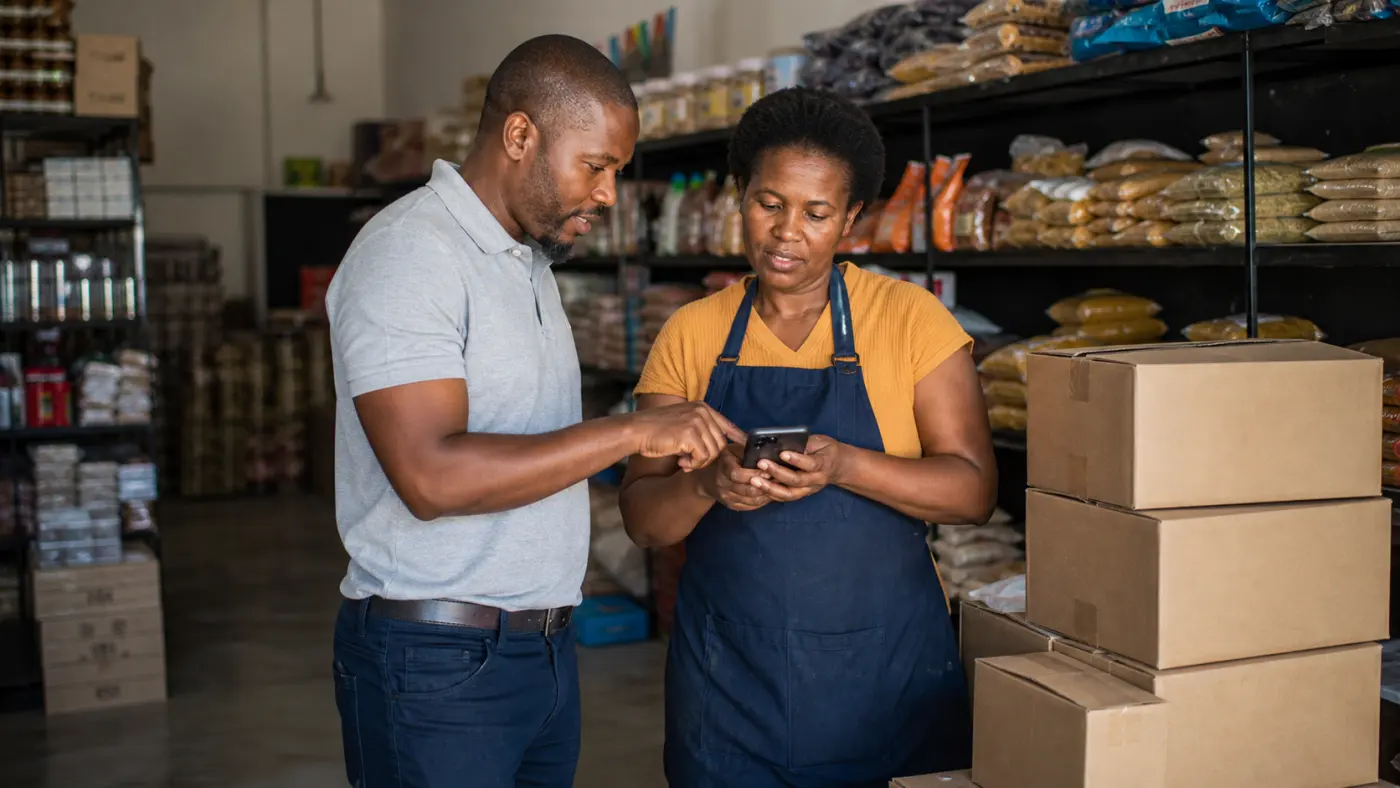
Capture the order with the customer
A short mobile flow reduces the gap between the customer request and the order the office receives.
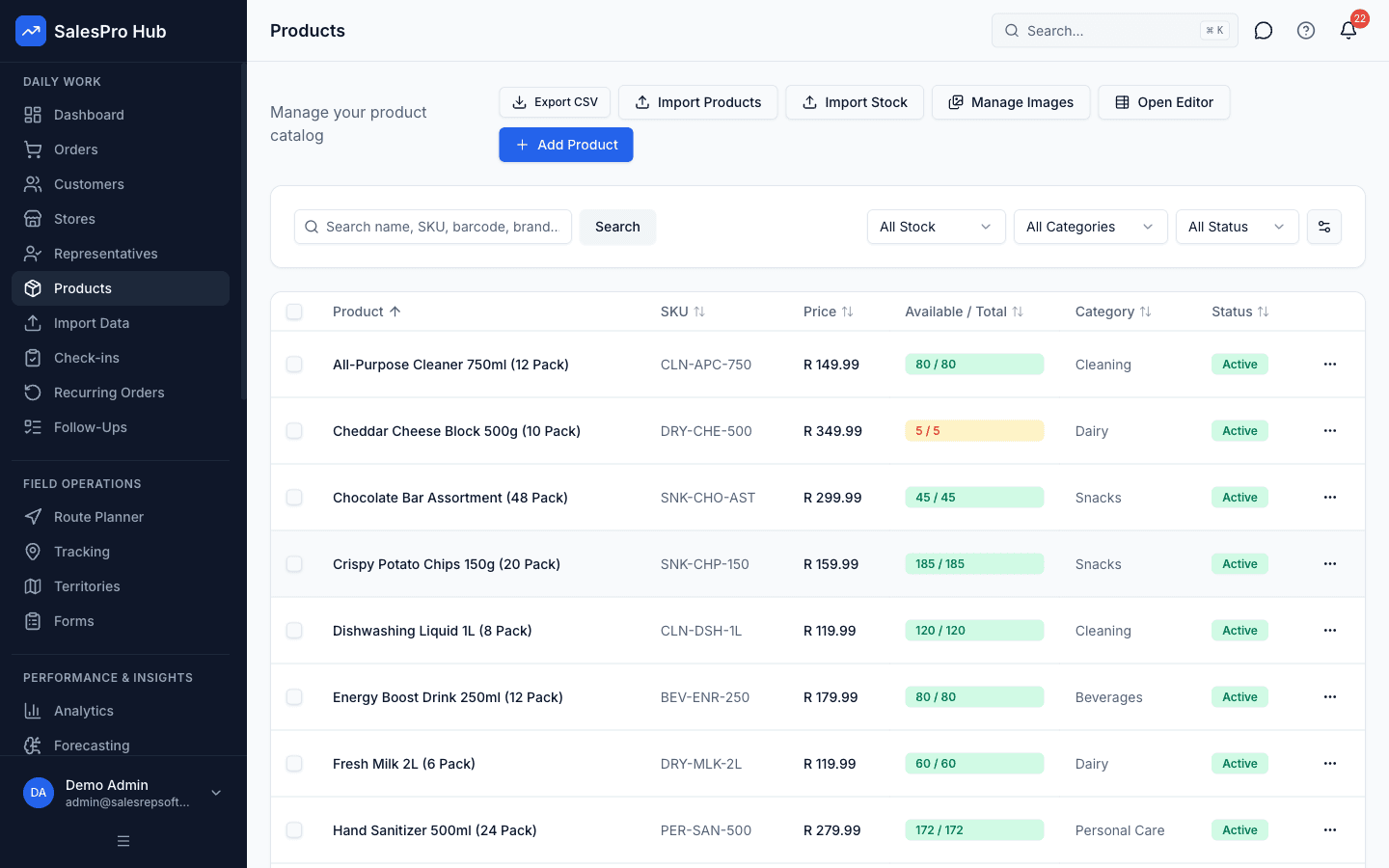
Order from one maintained product list
Give reps a consistent catalogue instead of relying on old PDFs, handwritten lists or remembered prices.
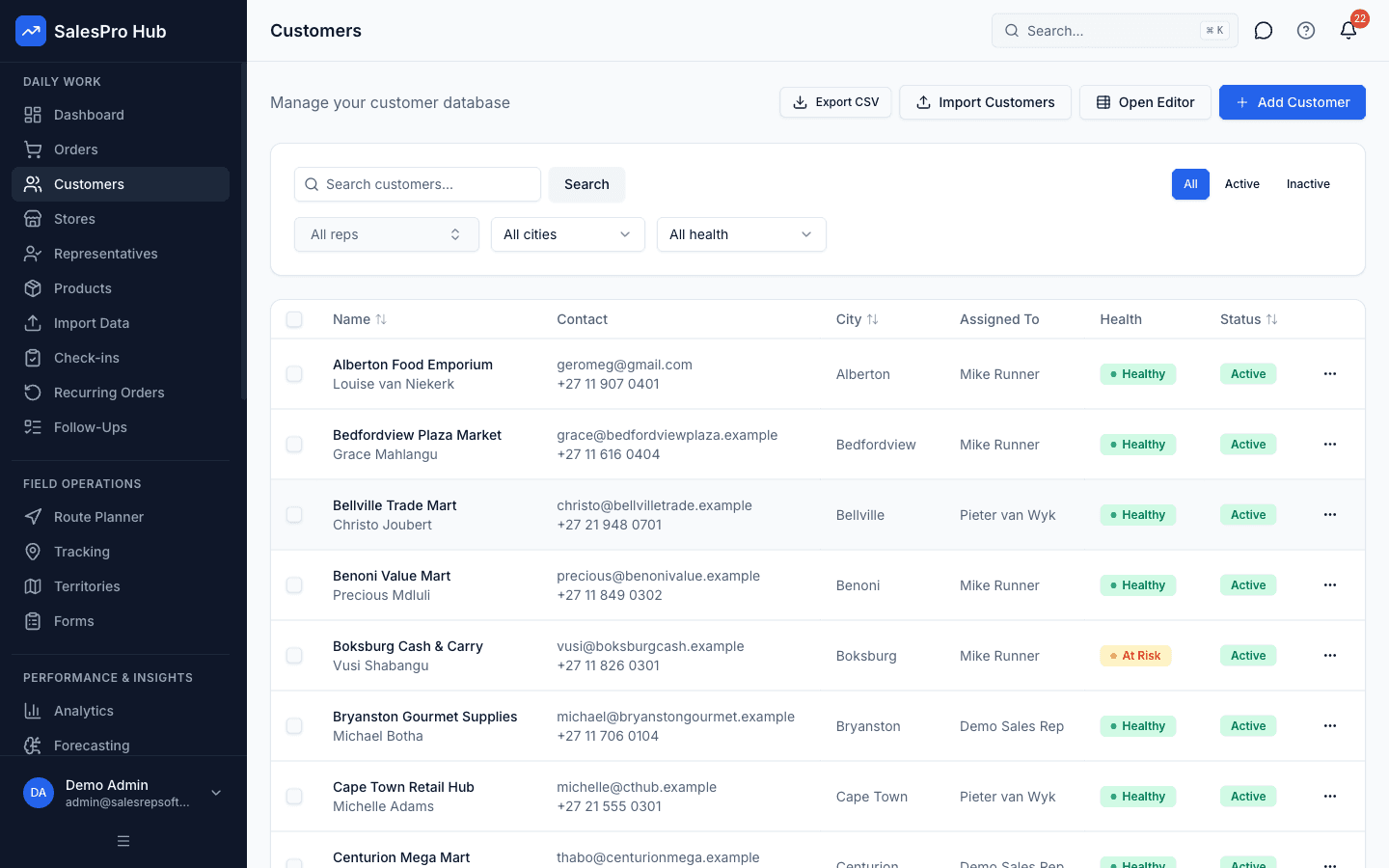
Attach every order to the right account
Customer history, outlet details and commercial terms remain connected to the captured order.
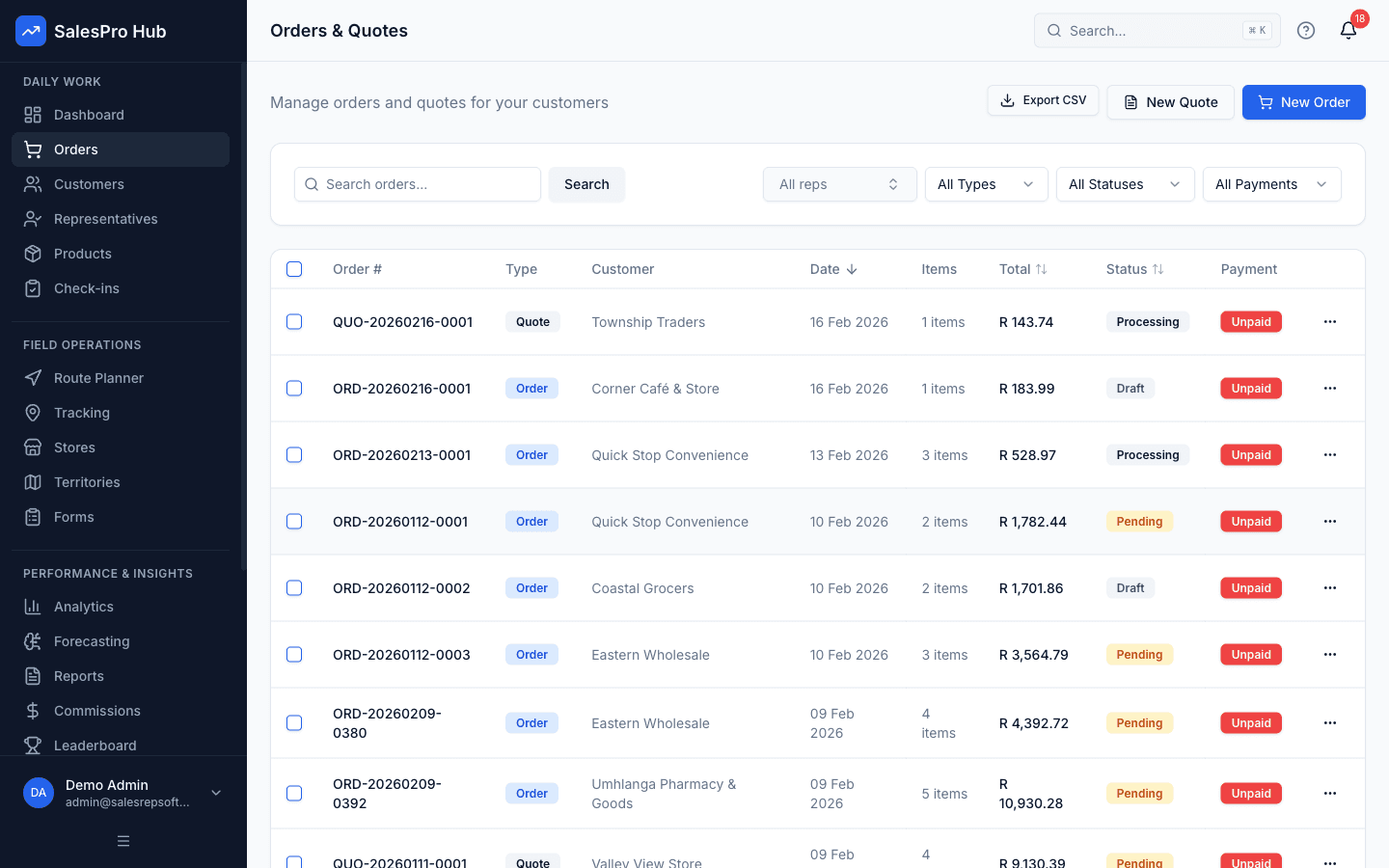
Give the office one order queue
Submitted orders become visible to the office without retyping WhatsApp messages or paper order forms.
Buyer decision guide
Test one real wholesale order end to end
A good trial should prove the workflow with your data—not rely on a sales promise.
Strong fit when you need
- Distributors whose reps currently send orders by paper, phone, email or WhatsApp.
- Teams that need offline mobile capture tied to customer and product records.
- Businesses that want rep-entered and customer self-service orders in one queue.
Confirm during the trial
- Who owns customer pricing, discounts, credit decisions and stock availability.
- Whether an order becomes an invoice automatically or needs accounting-side review.
- Which payment details are recorded versus collected outside the app.
Frequently Asked Questions
Common questions about apps for taking orders from customers
Yes. SalesPro Hub is an order taking app with two sides: a mobile app your reps use to capture orders in the field, including fully offline, and a self-service portal where your customers can place their own orders. Both feed into the same order queue, so nothing gets duplicated or missed.
Orders are recorded against the customer account with unpaid, partial or paid status and a visible balance. Staff can record payments against an order, but the rep app and customer portal do not currently collect card or EFT payments.
Reps and customers see the current product stock snapshot. Customer portal orders can validate, reserve or deduct stock at checkout according to the inventory policy. Rep-captured orders are drafts and apply that policy when submitted.
Yes. The rep mobile app is built offline-first for South African field conditions and load shedding. Reps keep capturing orders with no signal, and everything syncs automatically the moment the device reconnects — nothing is lost in the meantime. Start your free trial to try it on your own route.
Yes, for the order itself. Most distributors keep WhatsApp and phone calls open for relationship management and support, but move the actual order into the app so it is priced correctly, checked against stock, and recorded properly. Customers who prefer to text a rep can still do so — the rep simply captures that order in the app rather than acting on the message directly.
Yes. SalesPro Hub is built specifically for South African wholesalers and distributors — ZAR pricing with VAT handled correctly, an offline-first rep app for load shedding and rural signal drops, POPIA-compliant data handling, and support during South African business hours.
Yes. Every order — rep-captured or customer-placed — is priced in ZAR with the 15% VAT calculated automatically, whether your invoices show VAT-inclusive or VAT-exclusive amounts. There is no manual VAT calculation or currency conversion required.
Simple, Transparent Pricing
Monthly base fee plus a per-user fee. All prices in ZAR, with 15% VAT shown separately where applicable.
Perfect for small sales teams getting started
+ R349/user/month
For growing teams that need more power
+ R499/user/month
For large teams with complex needs
+ R699/user/month
14-Day Trial
Test the Professional workflow without a credit card
Annual Discount
Pay annually and get 2 months free (save 17%)
Cancel Anytime
Review the current subscription terms before purchase
Related Solutions
Customer Ordering App
The self-service side in depth — per-customer pricing, live stock, and RFQs.
Customer Portal Software
Invoices, order history and account management alongside self-service ordering.
Van Sales Software
Mobile order capture and route planning for direct-store-delivery teams.
Field Sales Software
GPS check-ins, route planning and commission tracking for the full field sales team.