



ERP and accounting
Sage & Pastel Field Sales Integration
Guided API recipe — custom setup requiredSalesPro Hub can exchange submitted orders, customer records, fulfilment status and SKU stock with Sage or Pastel through its REST API and signed webhooks. A Sage SDK script, scheduled task or middleware must still implement the accounting-side mapping; this is not a one-click native Sage connector.
Test the field workflow firstSupport level: Guided API recipe — custom setup required. The workflow below separates shipped SalesPro Hub capabilities from connector work your implementation must provide.
What this solves
One operational hand-off, with explicit ownership
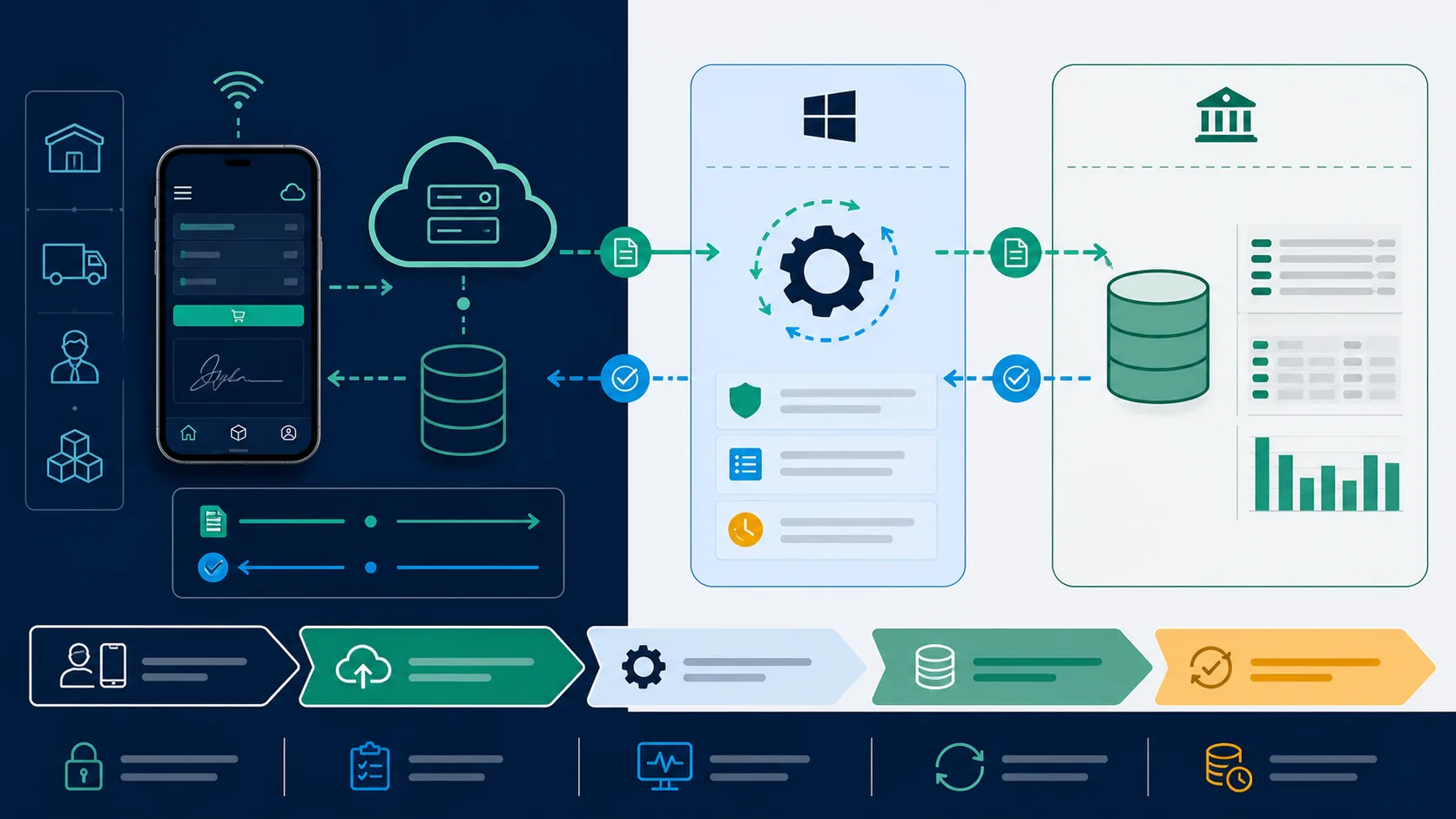
The practical pattern for South African distributors is a small scheduled connector: SalesPro Hub owns field capture, Sage or Pastel owns the accounting document, and both systems retain the same reference. Polling is usually the simplest option behind office firewalls; signed webhooks can reduce the delay when a public HTTPS endpoint is available.
Available in SalesPro Hub today
- Poll only submitted orders; mobile drafts stay private
- Acknowledge each order with its Sage or Pastel reference
- Return confirmed, processing, delivered or cancelled status
- Publish absolute stock-on-hand by matching product SKU
- Upsert customers using a stable external Sage identity
- Resume incremental polling without timestamp gaps
Custom work and limitations
- No universal one-click connector is claimed across Sage 50cloud, Sage Business Cloud Accounting and Sage 300.
- Your Sage SDK, integration partner or middleware must create the accounting document and map tax, warehouse and account codes.
- The implementation must decide whether Sage or SalesPro Hub owns stock deductions to prevent double-counting delivery.
Implementation flow
How the connection works
- 1
Read submitted field orders
Poll pending, unacknowledged orders or react to an order-submitted webhook. Stable cursors prevent ties from skipping orders.
- 2
Create the Sage/Pastel document
Your connector maps customer code, SKU, quantity, price, discount and VAT into the appropriate Sage sales-order workflow.
- 3
Store the ERP reference
Acknowledge the SalesPro Hub order with the new Sage reference. Conflicting retries return a 409 instead of silently relinking the order.
- 4
Reconcile fulfilment and stock
Return status as the office fulfils the order and publish current stock by SKU according to the agreed system-of-record policy.
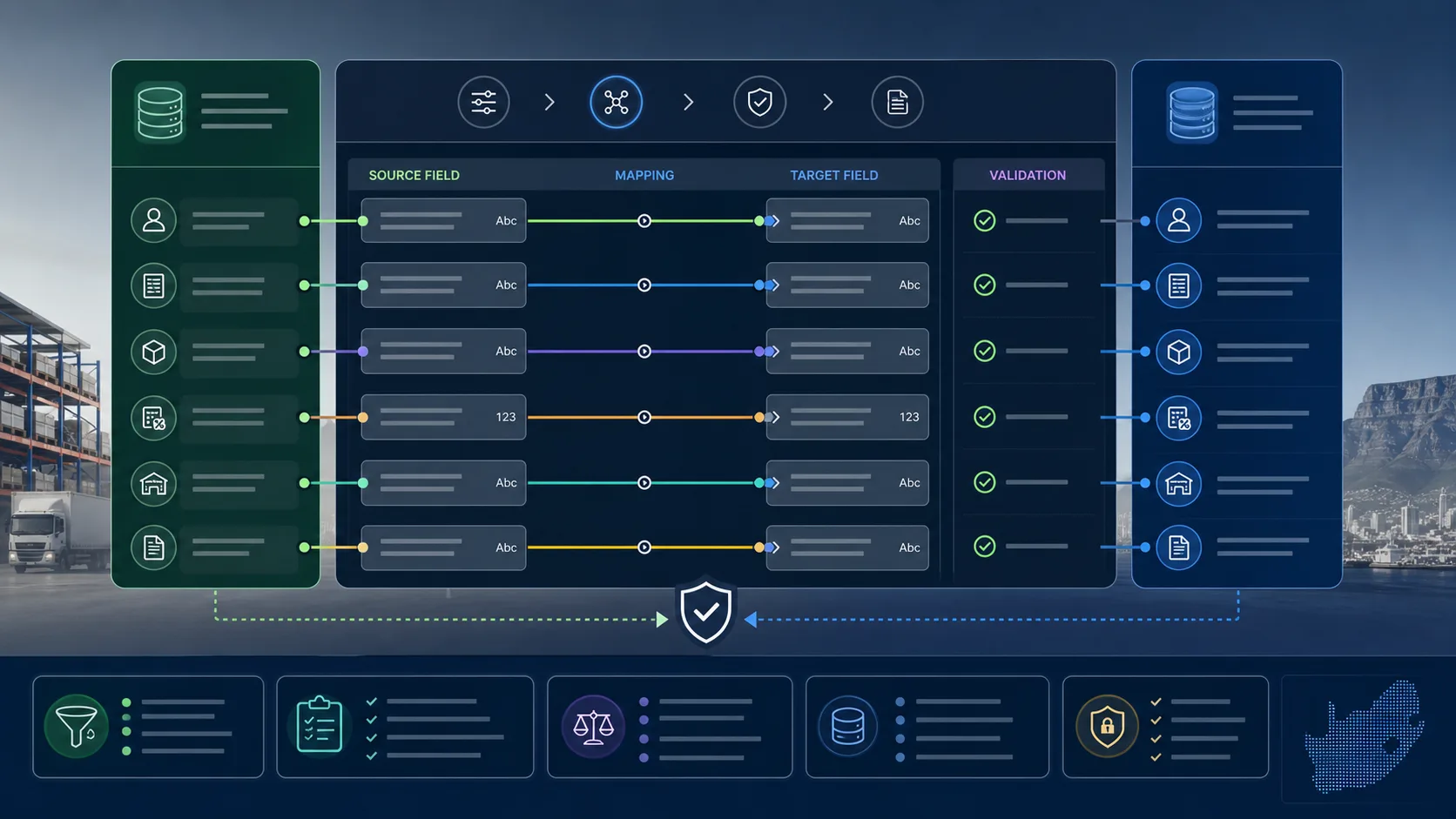
Field mapping starting point
| SalesPro Hub field/event | Sage & Pastel equivalent | Implementation note |
|---|---|---|
| customer.external_id | Sage customer/account ID | Immutable identity; do not match by name. |
| order_number | Import/source reference | Use as the inbound deduplication key. |
| external_reference | Sage sales order/invoice number | Written back after creation. |
| items[].sku | Sage item code | SKUs must be aligned before go-live. |
| stock_qty | Quantity on hand | Absolute quantity, not a relative movement. |
Sage & Pastel integration questions
Does SalesPro Hub have a native Sage or Pastel integration?
It provides the order, customer, inventory, webhook and status APIs plus a guided implementation recipe. A Sage SDK script or middleware is still required, so it is not described as a one-click native connector.
Can SalesPro Hub orders be imported into Sage automatically?
Yes, once a scheduled connector or webhook consumer has been implemented. The connector polls submitted orders, creates the Sage document, and acknowledges the SalesPro Hub order with the Sage reference.
How is duplicate order creation prevented?
Use the SalesPro Hub order number as the inbound idempotency key. Acknowledgement and status callbacks are replay-safe, and conflicting external references are rejected.
Can Sage remain the stock system of record?
Yes. Publish absolute stock quantities to SalesPro Hub by SKU and configure the inventory deduction policy so the same delivery is not deducted independently in both systems.
Validate the field workflow before connecting accounting
Import real products and customers, capture a representative order, then scope the integration against evidence instead of assumptions.